|
Switch
3,065 posts
44 months
PH Techie Junior
|
you need to copy the Image location (ie the actual .jpg location) rather than the web address you've got there
|
|
|
RudolphsOwner
101 posts
15 months
|
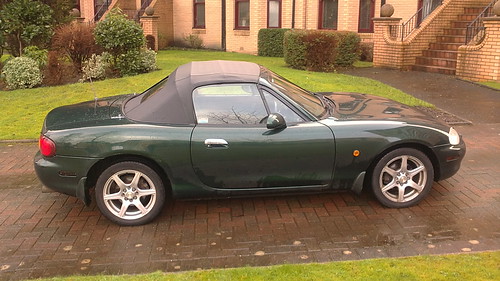
Side by RudolphsOwner1, on Flickr You have no idea how ground breaking this is for me... thanks guys!!
|
|
|
fatboy18
8,527 posts
80 months
|
RudolphsOwner said: You can take off all those URL bits, Quote all, this to see the shortened version  Cheers
|
|
|
Ferano
79 posts
17 months
|
 Test
|
|
|
7Llewelyn
64 posts
73 months
|
Test 
|
Advertisement
|
|
|
Muf90
29 posts
14 months
|
First time picture test! 
|
|
|
PDC V8V
34 posts
16 months
|
|
|
swisstoni
375 posts
148 months
|
|
|
fatboy18
8,527 posts
80 months
|
swisstoni said: That's just not right!
|
|
|
jb70
253 posts
16 months
|
Shaw Tarse said: Download the free Photobucket app. Hi I've done that and I've managed to put photos from my iPhone into photo bucket but I've no idea what to do next. Please help
|
|
|
jb70
253 posts
16 months
|
|
|
jb70
253 posts
16 months
|
|
|
Shaw Tarse
19,151 posts
72 months
|
In Photobucket click on pic you want to post. At top of the screen there should be a chain link symbol, tap on this. There should be several options appear, click on either IMG code or THUMB Code then come back to PH & post the code...
|
|
|
swisstoni
375 posts
148 months
|
Any good? 
|
|
|
FunBusMk2
12,510 posts
87 months
|
How on earth do I copy img or jpeg codes into a post from a web page or straight from Google images? I select copy and when pasting nothing pastes?
|
|
|
Chad speed
347 posts
66 months
|
Test post 
|
|
|
Bladez
56 posts
25 months
|
Test 
|
|
|
LaurasOtherHalf
6,296 posts
65 months
|
|
|
LaurasOtherHalf
6,296 posts
65 months
|
|
|
LaurasOtherHalf
6,296 posts
65 months
|
|