
Windows Passkey ?
Discussion


Mr Pointy said:
arandomstranger said:
Mr Pointy said:
Just set Windows up so it boots without a password then. That's what mine does.
I presume you're joking? It's difficult to tell on forum posts.My laptop, on the other hand, is set up to require a password on boot up because it's used outside of the house.
i am really getting on with my bazzite test pc

Mr Pointy said:
arandomstranger said:
Mr Pointy said:
Just set Windows up so it boots without a password then. That's what mine does.
I presume you're joking? It's difficult to tell on forum posts.My laptop, on the other hand, is set up to require a password on boot up because it's used outside of the house.
Andeh1 said:
f king thing... Try to log into my copilot account on my mobile....
I'm genuinely baffled, when I'm auto logged into everything on my phone, to be presented with this.
I've got to basically click through to sub menus to find a way of getting hold of my usual password routine.
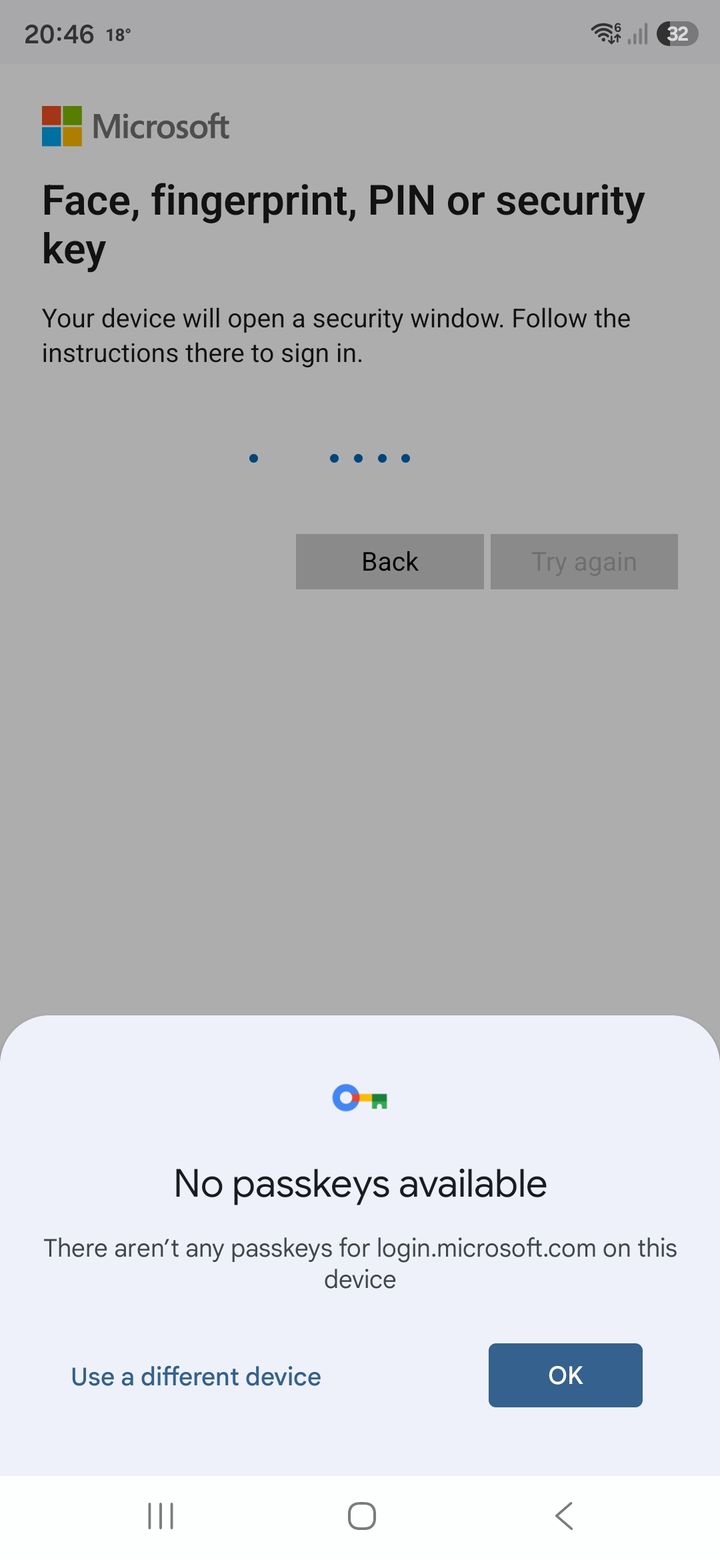
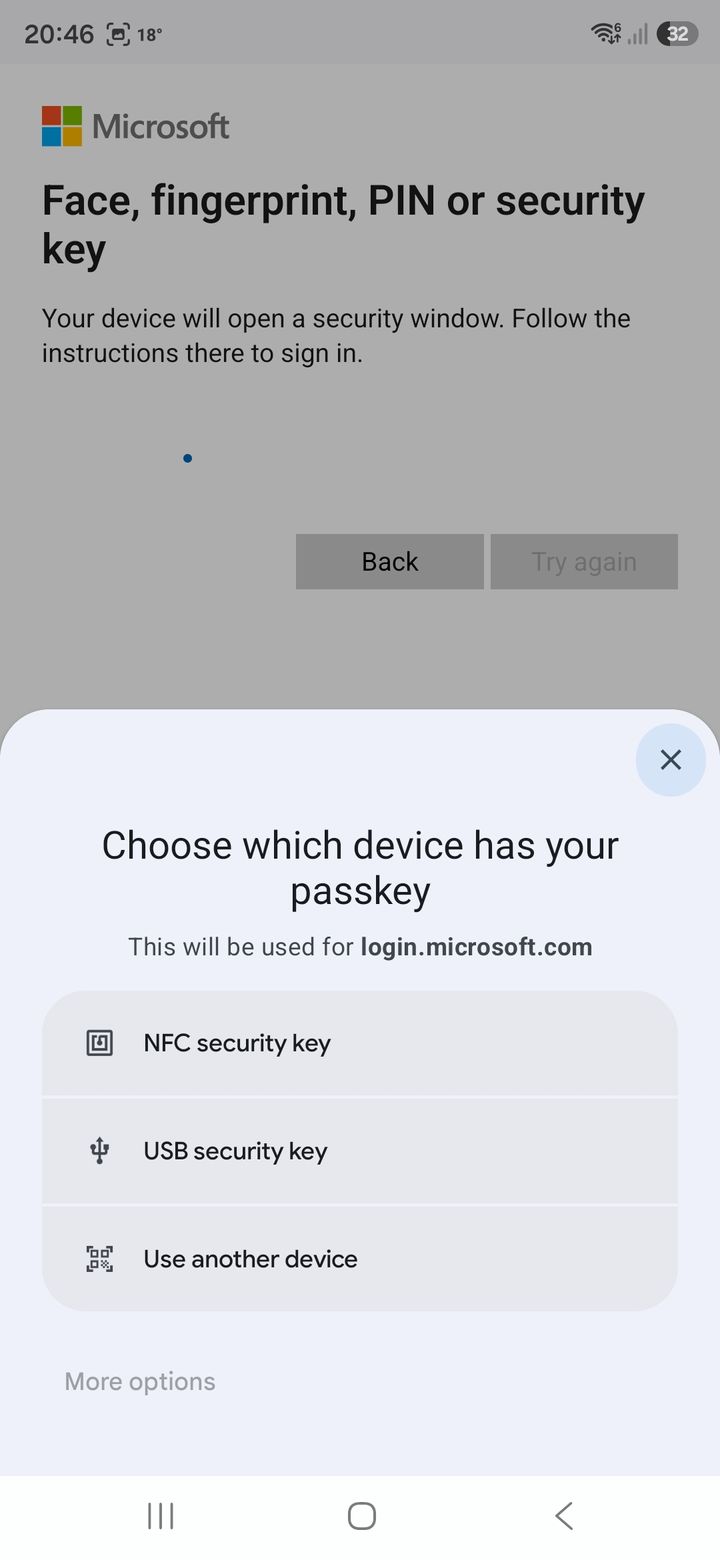
I had exactly that a few weeks ago with my work account where I was using Windows Autheticater on my phone to log on to my PC.king thing... Try to log into my copilot account on my mobile....I'm genuinely baffled, when I'm auto logged into everything on my phone, to be presented with this.
I've got to basically click through to sub menus to find a way of getting hold of my usual password routine.
What I did was open Windows Authenticater, select the account in question, and there's an option to enable a passkey in the settings for that account. As soon as I did that, it all started working.
butchstewie said:
Griffith4ever said:
Mr Pointy said:
Why don't you use a cross-platform password manager then the passkeys are shared:
https://bitwarden.com/en-gb/resources/are-passkeys...
At a glance, I didn't understand any of whats on that linkhttps://bitwarden.com/en-gb/resources/are-passkeys...
Passkeys are good but like voodoo to normal people - hell even to a lot of IT people.
Facebook is insisting i use them. I dont understand them
I googled it and asked AI to explain it to me like im a 5 year old. I still have no idea. Not even a tiny inkling of an idea.
rom my uneducated view point, it seems like a wheeze to place all and any responsibility on me. Ie, if i lose my phone, im stuffed. No going back. If some steals my phone, they can access anything.
Sadly Facebook wont allow me not to, so it seems my time on facebook has come to a close. Which is very dissapointing.
monkfish1 said:
From my uneducated view point, it seems like a wheeze to place all and any responsibility on me. If i lose my phone, I'm stuffed. No going back. If some steals my phone, they can access anything.
Not so. If your passwords & passkeys are in Bitwarden then it needs your fingerprint to log in so if you lose your phone you are safe, unless they cut your finger off as well.Mr Pointy said:
monkfish1 said:
From my uneducated view point, it seems like a wheeze to place all and any responsibility on me. If i lose my phone, I'm stuffed. No going back. If some steals my phone, they can access anything.
Not so. If your passwords & passkeys are in Bitwarden then it needs your fingerprint to log in so if you lose your phone you are safe, unless they cut your finger off as well. Is there a master password that will allow you back into Bitwarden that gives you access to all the other passwords?
AlexC1981 said:
Mr Pointy said:
monkfish1 said:
From my uneducated view point, it seems like a wheeze to place all and any responsibility on me. If i lose my phone, I'm stuffed. No going back. If some steals my phone, they can access anything.
Not so. If your passwords & passkeys are in Bitwarden then it needs your fingerprint to log in so if you lose your phone you are safe, unless they cut your finger off as well. Is there a master password that will allow you back into Bitwarden that gives you access to all the other passwords?Mr Pointy said:
monkfish1 said:
From my uneducated view point, it seems like a wheeze to place all and any responsibility on me. If i lose my phone, I'm stuffed. No going back. If some steals my phone, they can access anything.
Not so. If your passwords & passkeys are in Bitwarden then it needs your fingerprint to log in so if you lose your phone you are safe, unless they cut your finger off as well.If thats the solution, then i cant use passkeys. Can this not be made simple?
I cant imagine getting round the finger print access on the phone is too hard for those that know what they are doing. Plus of course id have to enable said feature, which has also defeated my efforts thus far.
Mr Pointy said:
AlexC1981 said:
Mr Pointy said:
monkfish1 said:
From my uneducated view point, it seems like a wheeze to place all and any responsibility on me. If i lose my phone, I'm stuffed. No going back. If some steals my phone, they can access anything.
Not so. If your passwords & passkeys are in Bitwarden then it needs your fingerprint to log in so if you lose your phone you are safe, unless they cut your finger off as well. Is there a master password that will allow you back into Bitwarden that gives you access to all the other passwords?monkfish1 said:
Agree.
Facebook is insisting i use them. I dont understand them
I googled it and asked AI to explain it to me like im a 5 year old. I still have no idea. Not even a tiny inkling of an idea.
rom my uneducated view point, it seems like a wheeze to place all and any responsibility on me. Ie, if i lose my phone, im stuffed. No going back. If some steals my phone, they can access anything.
Passkeys are, in theory at least, immune to phishing and scams. 'Fake' microsoft login pages won't work with them for example, they can't be written down or shared. If facebook or whomever gets breached, they don't have access to your private key so (again in theory), your data is securely encrypted. Facebook is insisting i use them. I dont understand them
I googled it and asked AI to explain it to me like im a 5 year old. I still have no idea. Not even a tiny inkling of an idea.
rom my uneducated view point, it seems like a wheeze to place all and any responsibility on me. Ie, if i lose my phone, im stuffed. No going back. If some steals my phone, they can access anything.
They are, for cyber security, infinitely better than passwords.
You are right of course, it's now reliant on you having access to the device on which your passkey is stored (or a password/passkey manager), and if you don't, you're a bit snookered and will have to jump through some hoops.
I understand it's a massive pain in the arse but usernames and passwords just aren't cutting it anymore.
monkfish1 said:
I cant imagine getting round the finger print access on the phone is too hard for those that know what they are doing. Plus of course id have to enable said feature, which has also defeated my efforts thus far.
I know enough to know that defeating the fingerprint reader on a modern phone is actually not easy.The point of passkeys is that the general population is very easily tricked into entering username/password into web pages run by bad people (tm). Having a trust relationship between a device which uses biometrics to verify that you are you turns out to be significantly more secure (i.e it reduces fraud costs) than you routinely using a username and password.
xeny said:
monkfish1 said:
I cant imagine getting round the finger print access on the phone is too hard for those that know what they are doing. Plus of course id have to enable said feature, which has also defeated my efforts thus far.
I know enough to know that defeating the fingerprint reader on a modern phone is actually not easy.The point of passkeys is that the general population is very easily tricked into entering username/password into web pages run by bad people (tm). Having a trust relationship between a device which uses biometrics to verify that you are you turns out to be significantly more secure (i.e it reduces fraud costs) than you routinely using a username and password.
There is zero chance of me being able to manage this, especially this bitwarden thing which sounds like its fairly essential to avoid issues in the future. I still havent worked out how to turn on the fingerprint thing on my phone.
All of which is a significant disapointment given i use facebook quite a lot.
But signing up to something i dont understand, (and which nobody seems to be able to explain in laymans terms, ) and is to complex to manage, would also be pretty stupid.
I guess more of this is coming?
redstar1 said:
monkfish1 said:
Agree.
Facebook is insisting i use them. I dont understand them
I googled it and asked AI to explain it to me like im a 5 year old. I still have no idea. Not even a tiny inkling of an idea.
rom my uneducated view point, it seems like a wheeze to place all and any responsibility on me. Ie, if i lose my phone, im stuffed. No going back. If some steals my phone, they can access anything.
Passkeys are, in theory at least, immune to phishing and scams. 'Fake' microsoft login pages won't work with them for example, they can't be written down or shared. If facebook or whomever gets breached, they don't have access to your private key so (again in theory), your data is securely encrypted. Facebook is insisting i use them. I dont understand them
I googled it and asked AI to explain it to me like im a 5 year old. I still have no idea. Not even a tiny inkling of an idea.
rom my uneducated view point, it seems like a wheeze to place all and any responsibility on me. Ie, if i lose my phone, im stuffed. No going back. If some steals my phone, they can access anything.
They are, for cyber security, infinitely better than passwords.
You are right of course, it's now reliant on you having access to the device on which your passkey is stored (or a password/passkey manager), and if you don't, you're a bit snookered and will have to jump through some hoops.
I understand it's a massive pain in the arse but usernames and passwords just aren't cutting it anymore.
Great for security, but a stupidly fragile solution in the real world because it puts too many eggs in one device shaped basket that's at risk of the user losing their access.
Then again lots of security bods are quite happy for their solution to permanently deny even the actual owner access - it's still 'secure'.
Just not robust enough overall for my tastes.
Then again lots of security bods are quite happy for their solution to permanently deny even the actual owner access - it's still 'secure'.
Just not robust enough overall for my tastes.
Gassing Station | Computers, Gadgets & Stuff | Top of Page | What's New | My Stuff