
Dealing with contrasts?? - I think
Discussion


I was trying to take pics of our car yesterday. I waited for sunset as it has been very colourful recently. Found a nice spot, and started snapping away. The problem started when I switched round to the back with the light source coming towards me. The sun had set by now and it was getting quite dusky, so I lengthened the shutter sped to get more light in as the car was looking dark but this then brought the contrast in the sky way up. How would I go about keeping the lowlight colour of the sky whilst keeping the darkly lit details of the car clear?
This should show what I mean, it's not bad but all the detail in the skay has been overexposed.

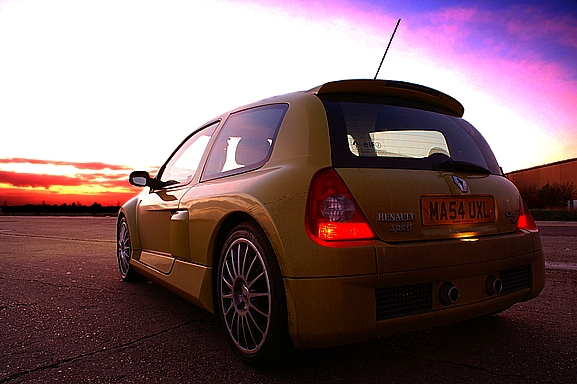
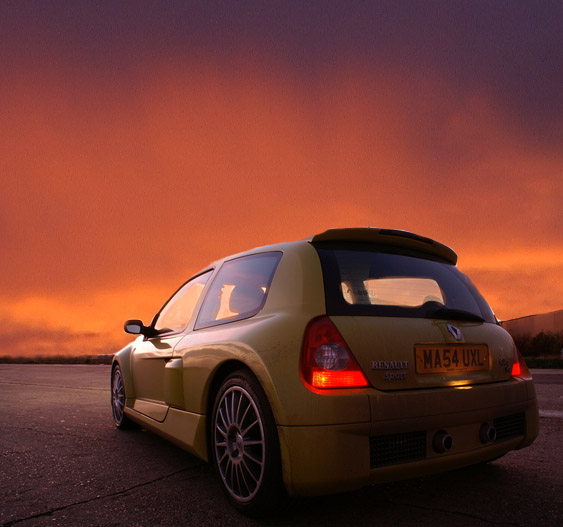
From the other side.
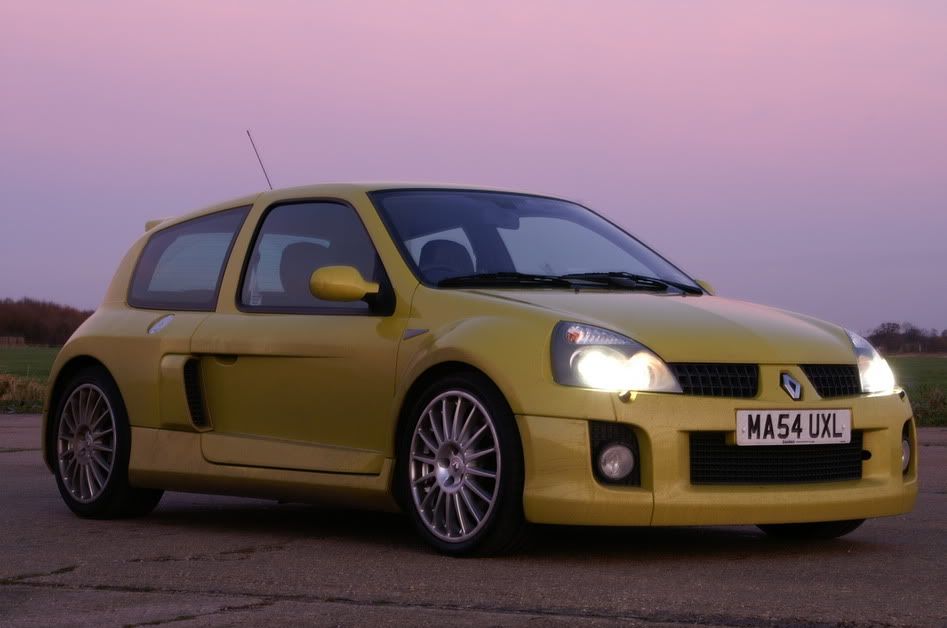
This should show what I mean, it's not bad but all the detail in the skay has been overexposed.
From the other side.
You may need to learn some blending techniques - or start using grads. Digital sensors can't cope with a great dynamic range...
For example:
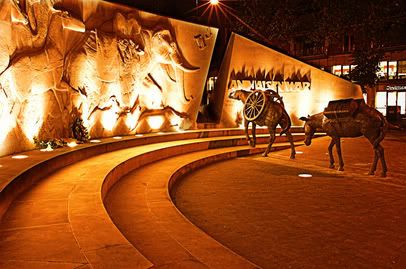
Here's a link to another. Boat at Dawn in the Algarve. No way can you ordinarily get the shadow detail with a balanced sky...
http://image60.webshots.com/60/7/66/50/394176650oiWG
>> Edited by beano500 on Saturday 17th December 10:48
For example:
Here's a link to another. Boat at Dawn in the Algarve. No way can you ordinarily get the shadow detail with a balanced sky...
http://image60.webshots.com/60/7/66/50/394176650oiWG
>> Edited by beano500 on Saturday 17th December 10:48

Yep, like Beano said you'll either need to use a graduated neutral density filter or take two or more shots at different exposures and blend them in your favourite image manipulation program. CS2 has a tool for this but I haven't tried it yet... or you could take a whole host of flash and reflectors with you in your boot, back seat, roof rack etc !

beano500 said:
You may need to learn some blending techniques - or start using grads. Digital sensors can't cope with a great dynamic range...
You said digital sensors can't cope with a great dynamic range.. Would a film camera cope with this sort of thing better?
Sorry for going off topic
>> Edited by Typhon on Saturday 17th December 16:48

Typhon said:It's not off topic for anyone using film!!!
You said digital sensors can't cope with a great dynamic range.. Would a film camera cope with this sort of thing better?
Sorry for going off topic
Negative film copes with the widest range, slide film only about the same as digital.
To give an idea, IIRC, your eyes can cope with peering into a dark building on a bright sunny day. That could be about 15 or more EV stops easily! Negative film copes with around seven or eight stops and film and digital sensor only about five-ish. (All, as I say, if I remember correctly!)
So to answer your question, yes film might cope better, but not nesse-celery! Sticking your camera on a tripod and bracketing the shots is a lot easier with digital though

karlosfandango said:
I have ps cs
It's really easy then...
Set up shot
BRACKET 3 photos so that one is too dark, one too light. (Not sure if you can do 5 on your camera, but 5 is better)
Open CS
Open DARK pic (the sky will look good - the car too dark)
Open pic with best light on car (sky bleached out)
use MOVE tool to move car pic over good sky to form new layer
Use ERASER tool to ERASE top layer (working on sky to reveal the good sky below)
change size of eraser to speed process, do details.
You now have the well exposed car with the well exposed sky.
Flatten image
Sorted.
Mail me with any questions. Have fun
Steve


Typhon said:
You may need to learn some blending techniques - or start using grads. Digital sensors can't cope with a great dynamic range...
You said digital sensors can't cope with a great dynamic range.. Would a film camera cope with this sort of thing better?
Sorry for going off topic
>> Edited by Typhon on Saturday 17th December 16:48
It would.
But the many film disadvantages would not outweigh the digital advantage unless you needed A1 or bigger. (see digital blending which overcomes problem)
karlosfandango said:
What about the reflections on the car? Is that a similar process of erasing carefully through with a lower opacity to get the correct colour reflection? Cheers for all the other advice peeps, much appreciated.
By choosing different effects for your brush (erase, darken, lighten etc) you can do anything you want - just look at Autocar - It even makes a Renault look good

The trick is to play about and when it looks rubbish, step back (undo)
Steve
Gassing Station | Photography & Video | Top of Page | What's New | My Stuff