
Discussion


Had my camera for a few weeks but time never allowed to actually go out & play with it. Went to a PH meet and give it a run, a few pics for sample but please check out my Flickr.
Looking for feedback on the pics, was very foggy/misty so it was very light, wasn't too sure how to combat that exposure as I have seen some other pics where the colour on the cars have a richer, deeper colour.
I also had a bit of an issue with sharpness, some were fine others still had a bit of blur. Definitely think the close up/detail shots are better than the full car ones, struggled to frame them well imo
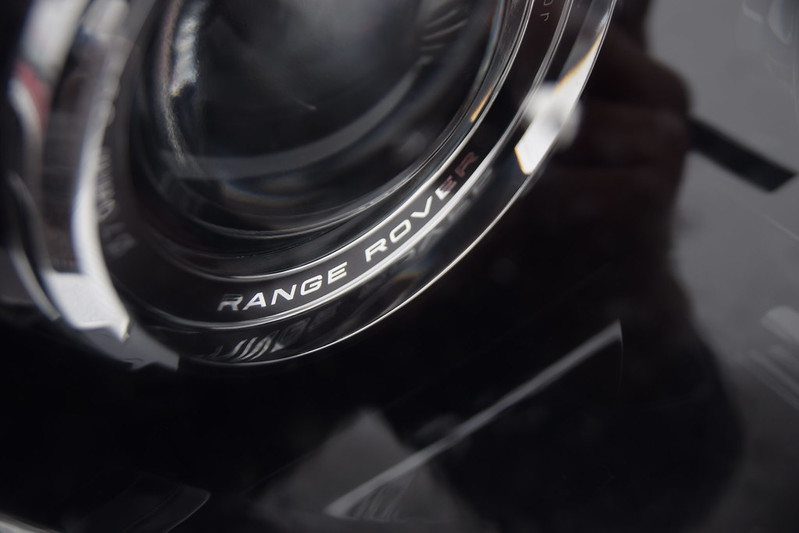 DSC_0271 by ShortFalls, on Flickr
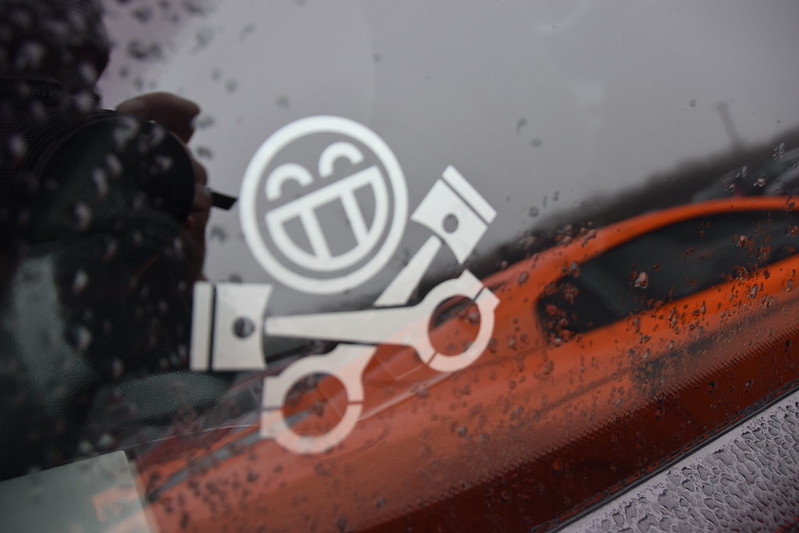 DSC_0288 by ShortFalls, on Flickr
 DSC_0134 by ShortFalls, on Flickr
 DSC_0152 by ShortFalls, on Flickr
 DSC_0171 by ShortFalls, on Flickr
 DSC_0178 by ShortFalls, on Flickr
Looking for feedback on the pics, was very foggy/misty so it was very light, wasn't too sure how to combat that exposure as I have seen some other pics where the colour on the cars have a richer, deeper colour.
I also had a bit of an issue with sharpness, some were fine others still had a bit of blur. Definitely think the close up/detail shots are better than the full car ones, struggled to frame them well imo
DSC_0271 by ShortFalls, on FlickrDSC_0288 by ShortFalls, on FlickrDSC_0134 by ShortFalls, on FlickrDSC_0152 by ShortFalls, on FlickrDSC_0171 by ShortFalls, on FlickrDSC_0178 by ShortFalls, on FlickrDibblyDobbler said:
I think you've done very well considering the circumstances - ie poor light and a cluttered environment.
You're right that the close up shots work better, the full car shots are fine but with all the other cars and people around it was not going to be easy to get anything stand-out
Looking at other pictures they seem to have deeper colours e.g. red cars, how would I compensate for the light and bring out that depth?You're right that the close up shots work better, the full car shots are fine but with all the other cars and people around it was not going to be easy to get anything stand-out
I think I just need practice at framing the cars. Appreciate the feedback though.
mike80 said:
First is my favourite, just watch out for your reflection!
I struggled getting that without my shadow, tall car 
Edited by bobski1 on Sunday 24th January 20:37
bobski1 said:
Looking at other pictures they seem to have deeper colours e.g. red cars, how would I compensate for the light and bring out that depth?
Do you do any work on the photos after shooting - eg photoshop and the like? You can adjust lighting levels and add contrast/saturation etc to taste Simpo Two said:
I'd say your photos look natural. If you want to emphasise the colours increase the saturation.
DibblyDobbler said:
Do you do any work on the photos after shooting - eg photoshop and the like? You can adjust lighting levels and add contrast/saturation etc to taste
No editing on any of these, all natural. Want to try & keep it that way, although the more I learn the more I realise how many photos posted online get edited.DibblyDobbler said:
Just my 2p worth but most people that don't do any editting either don't know how or can't be arsed - the camera cannot replicate what your eye can see without help
I do agree that editing does help bring out the extra detail. Need to dust off my photoshop & see what I can create.Another question about blur in photos. Some of the ones I took when stood up have come out with a bit of blur when I zoom in, lacking sharpness. What could be a potential cause/remedy for this?
Given the lack of light, it's almost certainly motion blur caused by shutter speed that is too slow. Your options are to:
a) Open up the aperture for more light
b) Ramp up the ISO setting for more light sensitivity
c) Stabilise the camera on a tripod or other support
All this assumes there isn't a focusing error/problem of course.
a) Open up the aperture for more light
b) Ramp up the ISO setting for more light sensitivity
c) Stabilise the camera on a tripod or other support
All this assumes there isn't a focusing error/problem of course.
Simpo Two said:
Need pic.
 DSC_0268 by ShortFalls, on Flickr
This is an example of one, bit of blur I think some of them were down to not allowing the camera to fully focus, some down to me manually focusing the pictures but other times I thought it was a good picture but when I viewed them on the PC they weren't as sharp.
It's not far off! At first sight all looks OK, apart from the reg nos. It's not a focal plane thing as other details at that distance, eg the Range Rover headlight, look OK.
My hunch is a touch of left-right camera movement, but it's not much. Maybe you dialled in a small aperture and your ISO was low, so that your shutter speed dropped low in the dull light...?
My hunch is a touch of left-right camera movement, but it's not much. Maybe you dialled in a small aperture and your ISO was low, so that your shutter speed dropped low in the dull light...?
Here's an example of one of the worst ones.
 DSC_0230 by ShortFalls, on Flickr
Changed the settings to EXIF data now shows. Rank amateur so if there are settings which I shoud've changed could you please explain what the setting would actually do?
DSC_0230 by ShortFalls, on FlickrChanged the settings to EXIF data now shows. Rank amateur so if there are settings which I shoud've changed could you please explain what the setting would actually do?
Edited by bobski1 on Thursday 28th January 16:38
As others have said: faster shutter speed (less camera shake), higher aperture (greater depth of field), and increase the ISO to compensate - if just for web your D3300 is more than fine unto 1600, reduce if printing large.
Lens is listed as 18-250 - is that the Sigma 18-250 OS? If so make sure OS is turned on (optical stabilisation).
Lens is listed as 18-250 - is that the Sigma 18-250 OS? If so make sure OS is turned on (optical stabilisation).
Edited by Gold on Thursday 28th January 20:01
in theory, 1/40s at 18mm should've been OK but if you'd upped the ISO to 200, i think the shot would've been sharp. I was there ( that's me and my son by the mitsubushi in the background ) and I bumped my ISO to 400 as the light was pretty woeful - atmospheric to the eye but the camera wasn't a fan
Get a secondhand 35mm f1.8 - they go for around £100 and are great for these meets as you can get more subject isolation
Get a secondhand 35mm f1.8 - they go for around £100 and are great for these meets as you can get more subject isolation
Message Board | Photography & Video | Top of Page | What's New | My Stuff