
Data recovery help
Discussion


I've had a NAS for several years but it's now failing to boot (starts with power on but doesn't make any progress). I thought I had everything on it backed up to a seperate plug-in SSD but have now discovered to my horror that it didn't copy over low level sub-folder contents. This is all stuff that predates iCloud backups so we've lost all our digital family photos from 2000-15.
We did contemplate trying to put the hard drive it into my brother-in-law's Synology NAS but that's configured to erase any drive that is added to it so we didn't want to risk that and it won't allow you to change the RAID 0 setting.
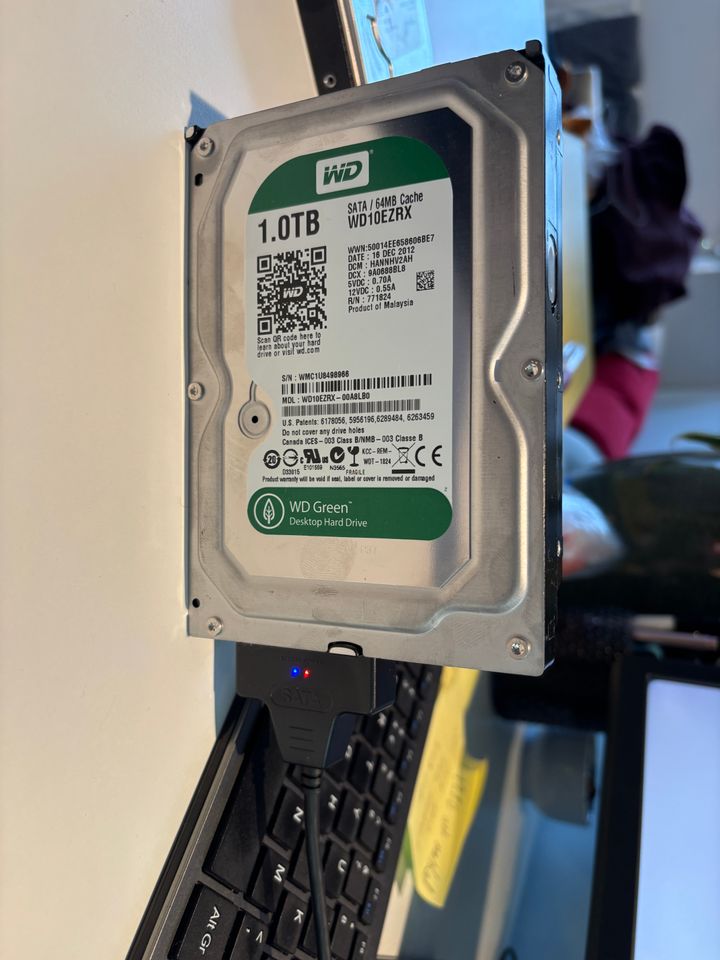
I bought a SATA cable to directly plug the drive into my Mac but its not showing anything in Finder or Disk Utility. I feared the drive is corrupt which also explains why the NAS won't boot up the D-Link OS which must reside on the SSD. However, I had a second older drive in the NAS and that's not reading off the cable either.
Any suggestions or have we lost everything ?
We did contemplate trying to put the hard drive it into my brother-in-law's Synology NAS but that's configured to erase any drive that is added to it so we didn't want to risk that and it won't allow you to change the RAID 0 setting.
I bought a SATA cable to directly plug the drive into my Mac but its not showing anything in Finder or Disk Utility. I feared the drive is corrupt which also explains why the NAS won't boot up the D-Link OS which must reside on the SSD. However, I had a second older drive in the NAS and that's not reading off the cable either.
Any suggestions or have we lost everything ?
Had similar recently. Took several disks to a small computer shop in a Swansea suburb & they recovered everything & put it on a small portable USB Drive.
Not sure where you are but would recommend SwanCD.
https://www.swancd.co.uk/
Not sure where you are but would recommend SwanCD.
https://www.swancd.co.uk/
Use FTK Imager https://www.exterro.com/digital-forensics-software...
Speed 3 said:
Holy cow, decided to reassemble the NAS and give it one last go at booting and lo & behold it did !!!!!!
Now spending a day copying everything to OneDrive and another external drive. Phew.....
Thanks for the suggestions.
If all the HDDs in the NAS are 13 years old, you'll be wanting to swap them out for newer drives (and preferably the Red NAS, rather than the lower utilisation Green or Blue models).Now spending a day copying everything to OneDrive and another external drive. Phew.....
Thanks for the suggestions.
I'd also not recommend keeping any backup on an SSD, as unlike HDDs there is no warning when they go kaputt and there's no disk to scan if you need to try and recover files.
Pleased you've got somewhere with it I've seen too many in this scenario who don't have the same luck 
Sounds like you already are but honestly cloud storage is cheap as hell and for most people it'll put you in a much better place than you've just found yourself.
£100 to Google or Dropbox is money well spent IMO.
Sounds like you already are but honestly cloud storage is cheap as hell and for most people it'll put you in a much better place than you've just found yourself.
£100 to Google or Dropbox is money well spent IMO.

Speed 3 said:
discovered to my horror that it didn't copy over low level sub-folder contents.
I'm not a techy guy. Are you saying it backed up the existence of the folders but none of their actual contents? Why would that happen? amongst the many things I don't understand about computers is how/why they sometimes will only accept a certain depth of folder hierarchy. Having just googled the question,
"Folder hierarchy limits vary by system, with some platforms like Outlook allowing deep nesting (e.g., 300 levels) but recommending shallow structures (4-5 levels) for usability, while others like Exchange Public Folders have limits (e.g., 10,000 subfolders) but also best practices to avoid performance issues. The real constraints often come from practical performance (file access slowdowns with many items in one folder) and system-specific rules (like maximum path lengths in Windows) rather than a universal depth limit, though shallow hierarchies (3-5 levels) are generally best for user experience."
Until reading that I had no idea there's a "maximum path length" in Windows. Again, a quick google suggests,
"By default, the Windows API imposes a limit of 260 characters for a full file path (including the drive letter, colon, backslashes, file name, and a terminating null character)."
Gassing Station | Computers, Gadgets & Stuff | Top of Page | What's New | My Stuff