
Android download location
Discussion


Talk about a faff!!
I'm downloading files from a Facebook group, but am struggling to find where they went.
They don't appear in my downloads folder, not my recent files folder, and a third party file manager still struggles to find them.
After a huge amount of head scratching I realise Facebook app uses Chrome for it's downloads, not my Firefox default.
Checking chrome shows it uses some stupid deep app data file folder to store downloads in, which I struggle to find.
Chrome wont let me change the download folder, due to "enhanced privacy reasons".
There doesnt seen to be a system default way to force everything to be downloaded to my f king DOWNLOADS folder.
So I'm at a loss as how to find these downloaded files!?
Anything on the above I'm missing, or can try?
Thanks
I'm downloading files from a Facebook group, but am struggling to find where they went.
They don't appear in my downloads folder, not my recent files folder, and a third party file manager still struggles to find them.
After a huge amount of head scratching I realise Facebook app uses Chrome for it's downloads, not my Firefox default.
Checking chrome shows it uses some stupid deep app data file folder to store downloads in, which I struggle to find.
Chrome wont let me change the download folder, due to "enhanced privacy reasons".
There doesnt seen to be a system default way to force everything to be downloaded to my f
king DOWNLOADS folder.So I'm at a loss as how to find these downloaded files!?
Anything on the above I'm missing, or can try?
Thanks
1) Open the Chrome app.
2) Tap the 3-dot button to open the menu.
3) Tap on Downloads. (This will open a window showing everything downloaded through Chrome).
4) Tap the cog/gear/settings icon. (This will show you the location path of the Downloads folder).
I've just checked two of my devices - one a Lenovo and the other a Pixel and they're both configured as standard and both save everything to the main Downloads folder.
If yours is doing something different then it's either configured differently by the manufacturer, or the FB app is forcing the download location.
Also worth checking the Documents folder, depending on what it is you are downloading.
But out of the box most flavours of Android will just save downloads in the Downloads folder.
2) Tap the 3-dot button to open the menu.
3) Tap on Downloads. (This will open a window showing everything downloaded through Chrome).
4) Tap the cog/gear/settings icon. (This will show you the location path of the Downloads folder).
I've just checked two of my devices - one a Lenovo and the other a Pixel and they're both configured as standard and both save everything to the main Downloads folder.
If yours is doing something different then it's either configured differently by the manufacturer, or the FB app is forcing the download location.
Also worth checking the Documents folder, depending on what it is you are downloading.
But out of the box most flavours of Android will just save downloads in the Downloads folder.
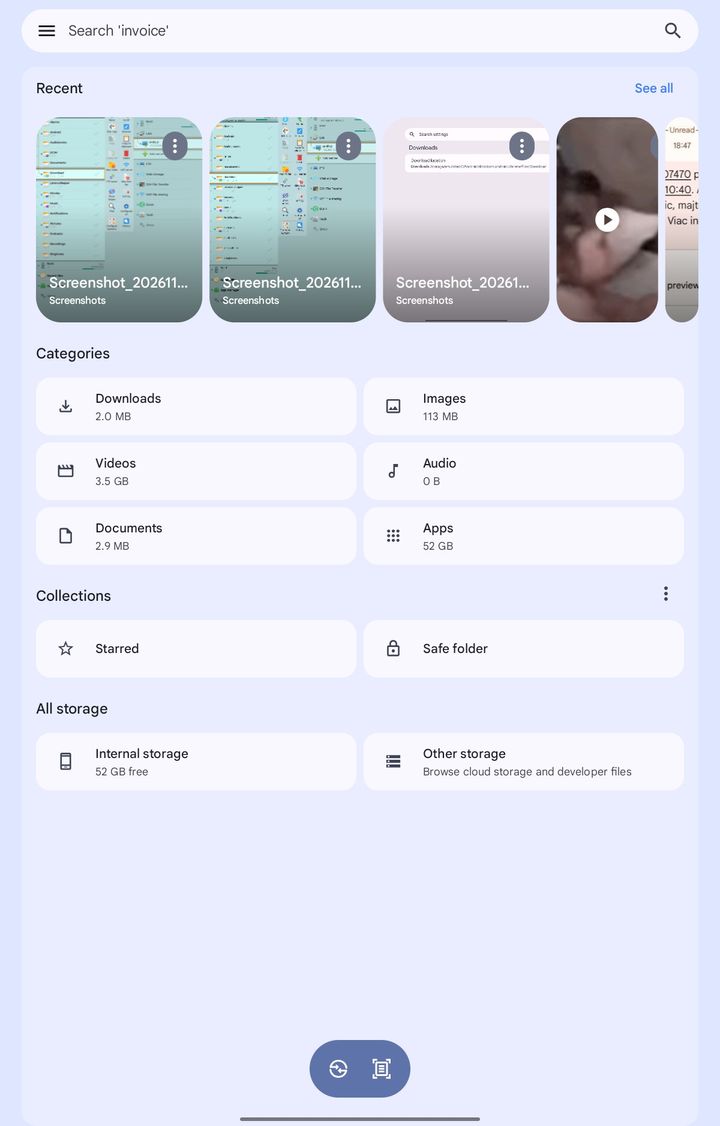
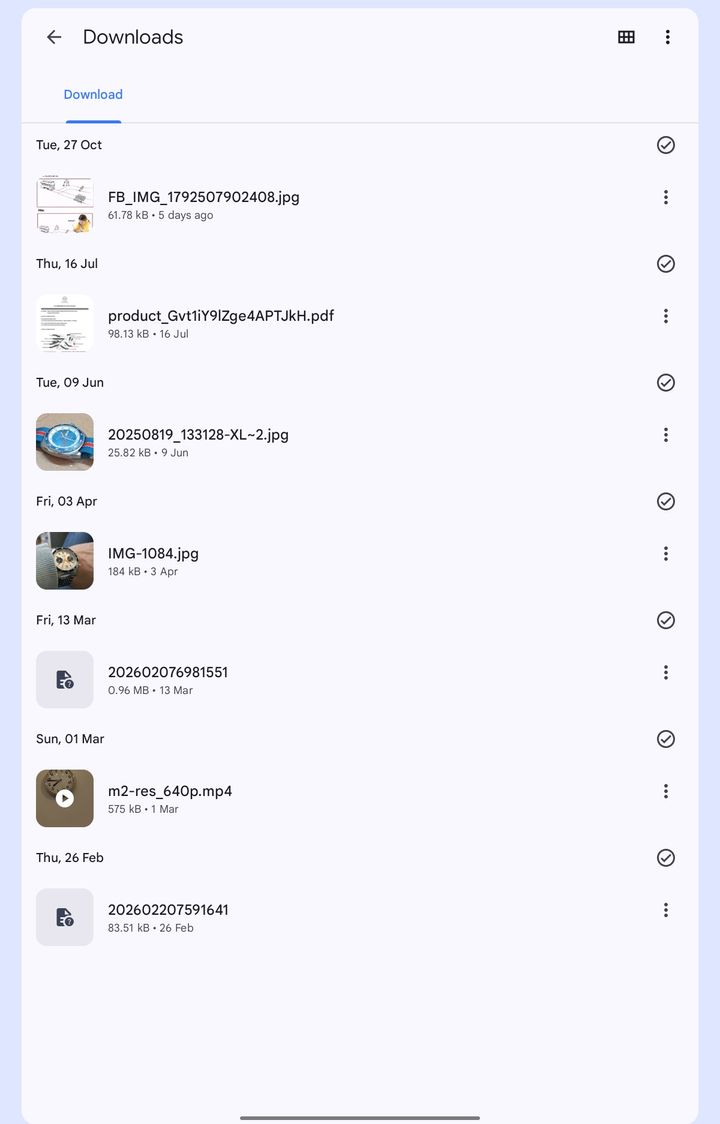
That's the standard Downloads folder.
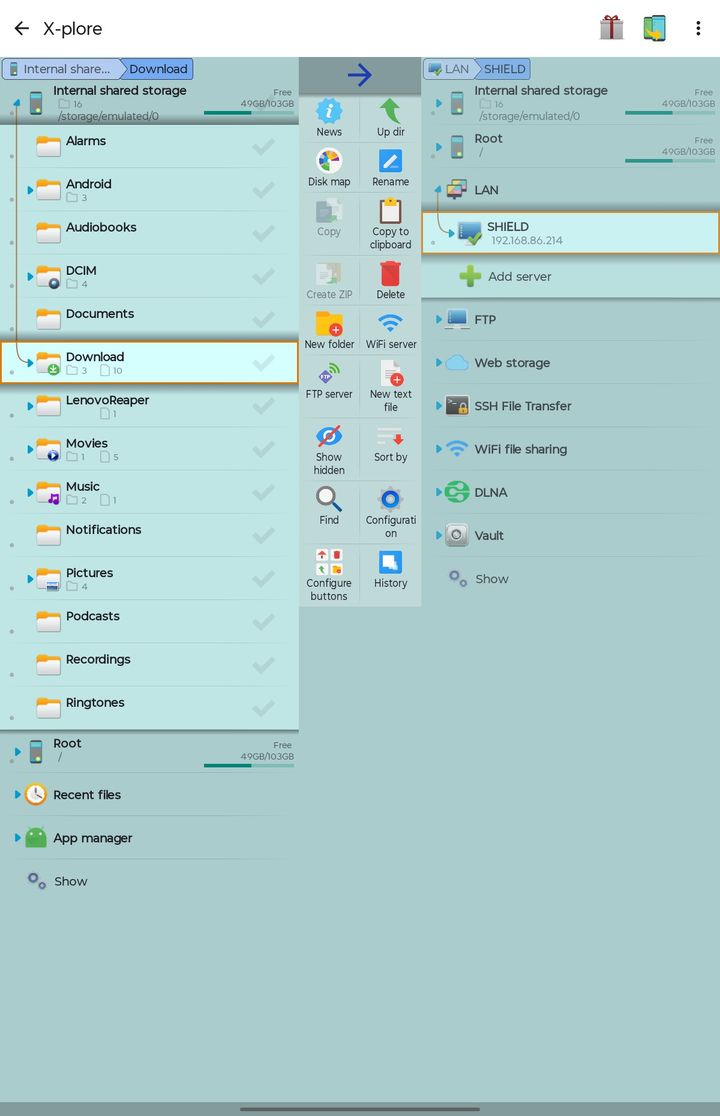
Android doesn't expect you to navigate folder subsets to reach stock locations such as Downloads.
A decent stock File Manager or a user friendly third party File Manager will identify that as simply Downloads.
If your files are going somewhere else it's not using Chrome for the downloads.
Have you tried using your stock Files app?
Most file managers have a decent "Recents" list, so its puzzling when you say you can't find them there either.
Android doesn't expect you to navigate folder subsets to reach stock locations such as Downloads.
A decent stock File Manager or a user friendly third party File Manager will identify that as simply Downloads.
If your files are going somewhere else it's not using Chrome for the downloads.
Have you tried using your stock Files app?
Most file managers have a decent "Recents" list, so its puzzling when you say you can't find them there either.
Edited by Corso Marche on Saturday 31st October 23:46
Gassing Station | Computers, Gadgets & Stuff | Top of Page | What's New | My Stuff