
Do these photos look.........
Poll: Do these photos look.........
Total Members Polled: 23
Discussion


Duck by Chris Walker Epsom, on Flickr
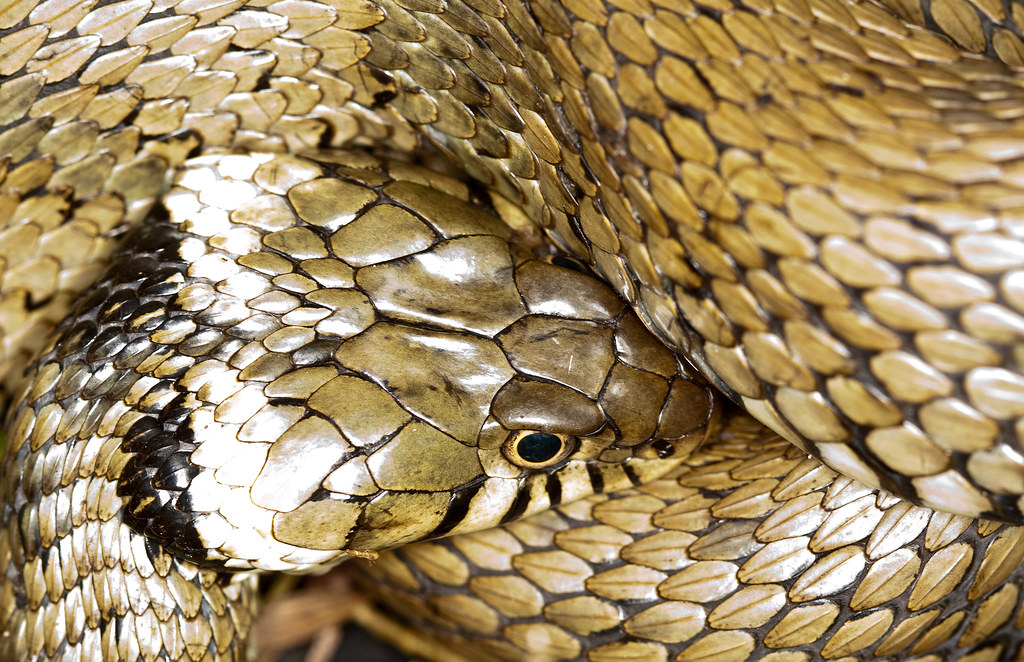
Grass snake by Chris Walker Epsom, on Flickr

Imi 2 by Chris Walker Epsom, on Flickr
I've put my reason for asking in the Spoiler thingy below so that people can answer without being predjudiced by it.

I have my screen calibrated with a Spyder 3, and on it, these photos all look pretty much spot on from an exposure perspective. However, whenever I print anything off on my printer (an HP Photosmart D7160) they always come out looking far too dark.
 It's not just these pics, I'm only using these for illustrative purposes.
I'm asking the question as I'd like to get a feel for whether the problem is with the printer (which I suspect it is, but can't really understand why) or with the screen calibrator, and hopefully getting a view of how they look on other people's monitors will do that.
Whatever the cause of the problem, it's something to do with how information is passed from the PC to the printer, I think, as if I up the exposure so that it looks overblown on the screen, it prints off fine, so it's not that the printer physically can't get it right!
Edited by Kermit power on Friday 20th July 08:27
A common problem.
I had one tip from an expert at a Focus demonstration one time. He offered a simple remedy before you go getting too technical. That was simply turn your screen brightness down to just under half of maximum - about the 45% point - and prepare your printing from that - screens and printing are totally different universes. Don't get the two confused.
I think that's a sound starting point.
I had one tip from an expert at a Focus demonstration one time. He offered a simple remedy before you go getting too technical. That was simply turn your screen brightness down to just under half of maximum - about the 45% point - and prepare your printing from that - screens and printing are totally different universes. Don't get the two confused.
I think that's a sound starting point.
Even with the Spyder calibration you can still set how bright you want the monitor to be, so as mentioned above it's probably set too bright. As you've had some prints done, use those as a reference for turning down the brightness of your monitor until the image on the screen looks like the prints. Bear in mind that you should be looking at your prints in reasonably bright daylight - in a gloomy room they will look dark, especially compared with a backlit monitor. Similarly the colours of the prints can look odd under artificial light, especially those horrible energy saving bulbs.
Oldred_V8S said:
You need to calibrate the printer for the media you are using unless you are using the media and inks from the manufacturer of your printer.
How are you printing? Is this from Photoshop? is the printer controlling the colour or is PS?
I have had the dark prints problem but let photoshop manage the colours anf things work out well.How are you printing? Is this from Photoshop? is the printer controlling the colour or is PS?
I used a colour chart to get things looking correct

They look fine to me, but as above, if you aren't using a colour managed print workflow, that would be the problem. Are you using HP paper and ink, with the printer set to the correct settings for them? That is a good start, but may not be 100% accurate, as I've found that I've needed to get custom profiles made for my printer, for each paper I use.
My advice to get colour accurate prints, is actually to send them out to somewhere else to print, I've had good results from One Vision imaging and DSCL (using the colour profile from their website).
My advice to get colour accurate prints, is actually to send them out to somewhere else to print, I've had good results from One Vision imaging and DSCL (using the colour profile from their website).
Gassing Station | Photography & Video | Top of Page | What's New | My Stuff