
New DSLR, First pictures taken need some help
Discussion


We as some of you may know I got my 1st DSLR Nikon 5200, and tamron 18-270mm lens
Taken my 1st photos at airborne today but..... all of them toward the extreme of the zoom have a semi circular line down the picture, what could be causing this?


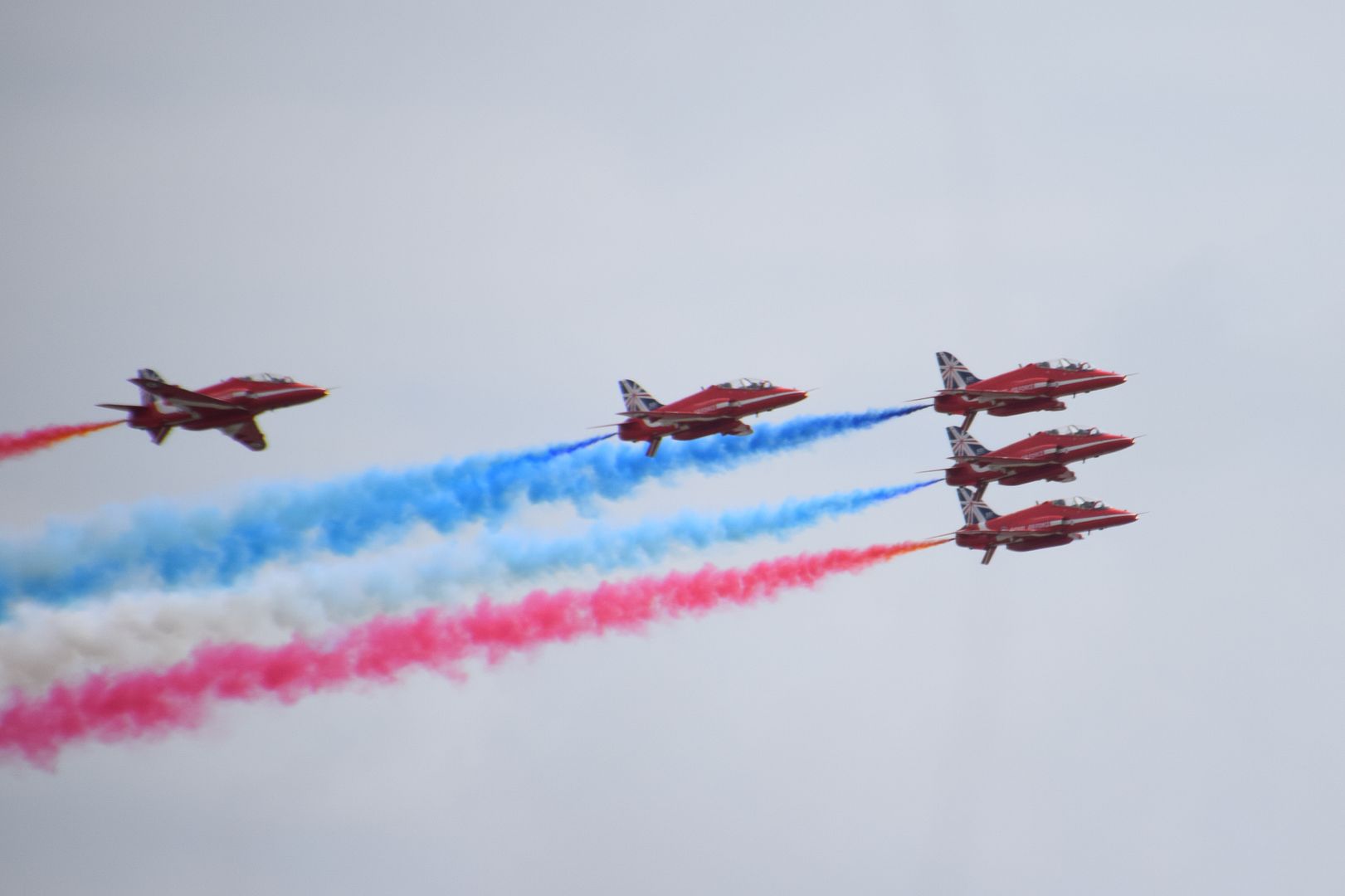


This doesn't appear when not zoomed in.


Please feel free to make any general comments on the photos and what I could try to improve.
For reference has anyone got any recommend setting for shooting planes or on track days i.e. focusing.
Setting I was using were:
continus servo focusing
AF area mode 9
spot metering
iso 500
white balance auto
One final questions, when in playback mode looking at photos how can you see what setting were used on that photo?
Taken my 1st photos at airborne today but..... all of them toward the extreme of the zoom have a semi circular line down the picture, what could be causing this?
This doesn't appear when not zoomed in.
Please feel free to make any general comments on the photos and what I could try to improve.
For reference has anyone got any recommend setting for shooting planes or on track days i.e. focusing.
Setting I was using were:
continus servo focusing
AF area mode 9
spot metering
iso 500
white balance auto
One final questions, when in playback mode looking at photos how can you see what setting were used on that photo?
I think a hair on the sensor - get a rocket blower and give it a good puff.
Rich196 said:
One final questions, when in playback mode looking at photos how can you see what setting were used on that photo?
Read the manual on display modes - it will be a vertical toggle of the multiposition switch I suspect.Simpo Two said:
I think a hair on the sensor - get a rocket blower and give it a good puff.
ah thanks got that. I get it now! Rich196 said:
One final questions, when in playback mode looking at photos how can you see what setting were used on that photo?
Read the manual on display modes - it will be a vertical toggle of the multiposition switch I suspect.on the second note seems to be shutter issue flowed this guide and and it seems to confirm my issue. The body will be going back to the shop tomorrow I guess, good start to DSLR ownership
http://photo.net/canon-eos-digital-camera-forum/00...
Rich196 said:
Simpo Two said:
I think a hair on the sensor - get a rocket blower and give it a good puff.
ah thanks got that. I get it now! Rich196 said:
One final questions, when in playback mode looking at photos how can you see what setting were used on that photo?
Read the manual on display modes - it will be a vertical toggle of the multiposition switch I suspect.on the second note seems to be shutter issue flowed this guide and and it seems to confirm my issue. The body will be going back to the shop tomorrow I guess, good start to DSLR ownership
http://photo.net/canon-eos-digital-camera-forum/00...

Nice one on the D5200 purchase.
Don't use AF-C on its own when shooting moving subjects. Use the 3d tracking mode. The AF point will then follow the subject around the view finder and always keep the focus locked on it. It's very reliable and far better than just using AF-C and trying to keep the centre spot on the subject.
Have a play about with it. My D7000 and the D5000 I owned before never came out of this mode unless I was shooting in dark situations.
As for the line, as others have said, poss a hair on the sensor or maybe on the rear element of the lens? May as well take it back and exchange if you can't see anything obvious though. It's defo not a common fault, just unlucky. Have you got another lens you could try?
Don't use AF-C on its own when shooting moving subjects. Use the 3d tracking mode. The AF point will then follow the subject around the view finder and always keep the focus locked on it. It's very reliable and far better than just using AF-C and trying to keep the centre spot on the subject.
Have a play about with it. My D7000 and the D5000 I owned before never came out of this mode unless I was shooting in dark situations.
As for the line, as others have said, poss a hair on the sensor or maybe on the rear element of the lens? May as well take it back and exchange if you can't see anything obvious though. It's defo not a common fault, just unlucky. Have you got another lens you could try?
Edited by MysteryLemon on Monday 18th August 10:10
MysteryLemon said:
Nice one on the D5200 purchase.
Don't use AF-C on its own when shooting moving subjects. Use the 3d tracking mode. The AF point will then follow the subject around the view finder and always keep the focus locked on it. It's very reliable and far better than just using AF-C and trying to keep the centre spot on the subject.
Have a play about with it. My D7000 and the D5000 I owned before never came out of this mode unless I was shooting in dark situations.
As for the line, as others have said, poss a hair on the sensor or maybe on the rear element of the lens? May as well take it back and exchange if you can't see anything obvious though. It's defo not a common fault, just unlucky. Have you got another lens you could try?
3d tracking mode I shall try next then, thanks for that.Don't use AF-C on its own when shooting moving subjects. Use the 3d tracking mode. The AF point will then follow the subject around the view finder and always keep the focus locked on it. It's very reliable and far better than just using AF-C and trying to keep the centre spot on the subject.
Have a play about with it. My D7000 and the D5000 I owned before never came out of this mode unless I was shooting in dark situations.
As for the line, as others have said, poss a hair on the sensor or maybe on the rear element of the lens? May as well take it back and exchange if you can't see anything obvious though. It's defo not a common fault, just unlucky. Have you got another lens you could try?
Edited by MysteryLemon on Monday 18th August 10:10
Its definetly not a lens issue or it would be seen on all shutter speeds I would have thought. I cant see anything on the mirror. I can only assume there is something on one of the leading edges or the curtain. Like it the link I posted. Not that, that means much to me.
A very odd issue indeed.. especially if it only shows up at certain shutter speeds. Take it back to exchange then if poss.
I don't if the D5200 has this option in the menu (the d7000 does) but in the custom shooting settings, in the auto focus bit, it may have the option of tracking with lock on or something like that. By default on the D7000 it's turned on. If the D5200 has this, turn it off. It dramatically speeds up the AF-C 3d tracking speed. Google if you want to know what it is but I would highly recommend it's turned off.
I don't if the D5200 has this option in the menu (the d7000 does) but in the custom shooting settings, in the auto focus bit, it may have the option of tracking with lock on or something like that. By default on the D7000 it's turned on. If the D5200 has this, turn it off. It dramatically speeds up the AF-C 3d tracking speed. Google if you want to know what it is but I would highly recommend it's turned off.
MysteryLemon said:
A very odd issue indeed.. especially if it only shows up at certain shutter speeds. Take it back to exchange then if poss.
I don't if the D5200 has this option in the menu (the d7000 does) but in the custom shooting settings, in the auto focus bit, it may have the option of tracking with lock on or something like that. By default on the D7000 it's turned on. If the D5200 has this, turn it off. It dramatically speeds up the AF-C 3d tracking speed. Google if you want to know what it is but I would highly recommend it's turned off.
Thats for that. I was shooting in sI don't if the D5200 has this option in the menu (the d7000 does) but in the custom shooting settings, in the auto focus bit, it may have the option of tracking with lock on or something like that. By default on the D7000 it's turned on. If the D5200 has this, turn it off. It dramatically speeds up the AF-C 3d tracking speed. Google if you want to know what it is but I would highly recommend it's turned off.
 tter priority mode. In the auto focus option when I press (I) button. I can adjust focus setting there, spot... 9 point to 36 point and 3D tracking. I shall put it on there.
Super Slo Mo said:
Have you tried setting the camera up on a tripod and running off a series of 'standardised' trial shots at different zoom lengths, and different shutter speeds at each zoom length?
Also try changing lenses to see if it stays with the camera or goes away.
I only have one lens my do it all 18-270mm. Iv taken the same picture, at different focal lengths. Only think that makes it appear is a high shutter speed. The lower the shutter speed the fainter the line.Also try changing lenses to see if it stays with the camera or goes away.
Just an update to you all, taken to back to the shop. They confirmed it was nothing I did, or something that they could clean. They replaced the camera without and issue and asked me to try it out to make sure I could not replicate the fault. It was definetly the camera body and not the lense.
The shop in question is Park cameras Burgess Hill. They could not have been more help through the whole process or talking me through upgrading from bridge to DSLR. Cannot recommned them highly enough!
The shop in question is Park cameras Burgess Hill. They could not have been more help through the whole process or talking me through upgrading from bridge to DSLR. Cannot recommned them highly enough!

Simpo Two said:
Well done, a good result. It shows that buying from a proper shop can be better than importing something grey to save a few £.
Could not agree more. Nearly fell into the trip of digital rev. So glad I didnt. The time they took with me and their knowledge was well worth every penny over trying to get it for a bargain basement price off the net.Gassing Station | Photography & Video | Top of Page | What's New | My Stuff