
Wonder if anyone can help?
Discussion


I saw someone offer assistance the other week and it got me thinking. Would someone be kind enough to take a scenery pic I took last night, enhance it using photoshop and then just explain what you did and why?
I hope this doesn't come across as 'please fix my pictures' as I'm not after that, I'm genuinely interested to see what someone who really knows what they are doing ends up with versus what I will end up when I edit in photoshop. And then explains which settings were used and why.
My editing usually involves the excellent camera raw editor in photoshop but there is a reasonable amount of luck/guess work to my fiddling.
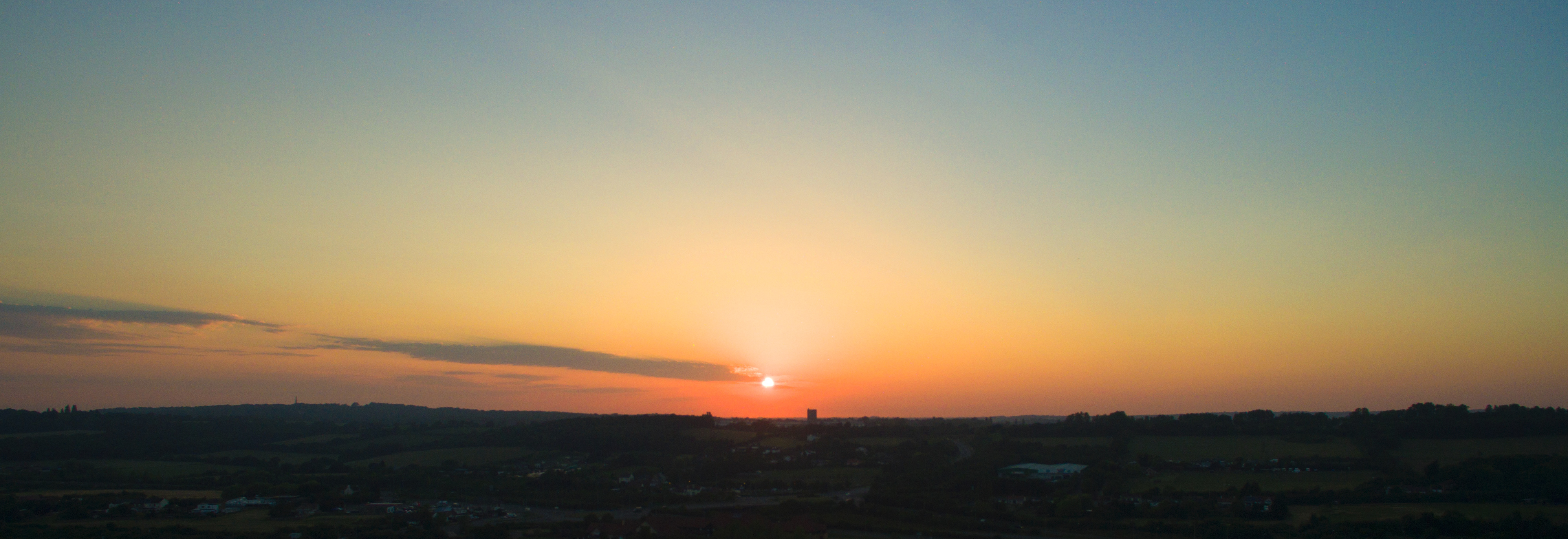
The image is a set of 5 bracketed exposures in DNG format taken at dusk of the sunset from my phantom 3 drone. They are not *that* sharp as it must have been a tad breezy and, of course, it's not a high end camera by any means. I am curious as to whether you would merge to HDR or just pick a single image and then adjust the levels in that.
If anyone is willing to help I'll zip the files up and post a link
regards
Ben
I hope this doesn't come across as 'please fix my pictures' as I'm not after that, I'm genuinely interested to see what someone who really knows what they are doing ends up with versus what I will end up when I edit in photoshop. And then explains which settings were used and why.
My editing usually involves the excellent camera raw editor in photoshop but there is a reasonable amount of luck/guess work to my fiddling.
The image is a set of 5 bracketed exposures in DNG format taken at dusk of the sunset from my phantom 3 drone. They are not *that* sharp as it must have been a tad breezy and, of course, it's not a high end camera by any means. I am curious as to whether you would merge to HDR or just pick a single image and then adjust the levels in that.
If anyone is willing to help I'll zip the files up and post a link
regards
Ben


Cheers chaps, sorry, busy most of the weekend.....hopefully the link below gets to a ZIP file that contains 5 bracketed DNG images off the Phantom 3. As I said it's low light but was wondering what the you guys would do i.e take the one image with the sun not over exposed and then adjust shadows etc to bring the ground back. Or, combine using the HDR photo-merger etc etc.
http://expirebox.com/download/93721326ff2dec28f7e0...
I was out and about with it on Saturday primarily getting some video. I'd changed the saturation/sharpness/contrast down as general school of thought is the camera isn't great and sharpness as default adds in aliasing etc. With a bit of basic tweaking i ended up with below which I thought looked ok. Of course, I'm sure you're going to tell me it's awful and I've overdone the saturation etc etc
regards
Ben

http://expirebox.com/download/93721326ff2dec28f7e0...
I was out and about with it on Saturday primarily getting some video. I'd changed the saturation/sharpness/contrast down as general school of thought is the camera isn't great and sharpness as default adds in aliasing etc. With a bit of basic tweaking i ended up with below which I thought looked ok. Of course, I'm sure you're going to tell me it's awful and I've overdone the saturation etc etc
regards
Ben


Had a play.
To be honest, I think the difference between the ground and sky are far too different to be able to recover a satisfactory image from just one file. Not saying it couldn't be done but would require a lot of work and still might not look great.
I took the lightest exposure and the darkest exposure and merged them together. A bit of dodge and burn in photoshop and colour balancing here and there and I got the above.
Probs not to everyones taste but there you go :P
turboslippers said:
Cheers chaps, sorry, busy most of the weekend.....hopefully the link below gets to a ZIP file that contains 5 bracketed DNG images off the Phantom 3. As I said it's low light but was wondering what the you guys would do i.e take the one image with the sun not over exposed and then adjust shadows etc to bring the ground back. Or, combine using the HDR photo-merger etc etc.
http://expirebox.com/download/93721326ff2dec28f7e0...
not sure I would make the ground lighter, I would just crop the ground out and make the sky have some drama.http://expirebox.com/download/93721326ff2dec28f7e0...
Simpo Two said:
It just looks a bit vignetted to me. The scene doesn't look that challenging - was it really a job for HDR?
Yes, I put a vignette on it as it graduated the sky at the top. Better to blend in a graduated blue image or mask and feather a bit at the top? It wasn't a HDR image though? Just a standard single DNG...Mysterylemon, good effort, thanks. So what specifically did you do to bring the buildings out...the white really stands out? Yeah, not a great set of images to start with but just intrigued how someone who knows what they are doing would do with a compromised shot like that.
Made adjustments in camera raw importing into photoshop. Mainly using curves to bring up the darks, keeping shadows dark though, then bringing up the highlights for the whites etc.
Then when in photoshop, using levels to bring up the highlights and midrange to suit etc. The merge is across the horizon, feathered into the sky pic considerably to get a nice blend. Also burned the shadows across the horizon to help blend it better.
Sorry I cant be more detailed, I just kinda do it and then its done, I could do it again and pay more attention this time
Then when in photoshop, using levels to bring up the highlights and midrange to suit etc. The merge is across the horizon, feathered into the sky pic considerably to get a nice blend. Also burned the shadows across the horizon to help blend it better.
Sorry I cant be more detailed, I just kinda do it and then its done, I could do it again and pay more attention this time
PorscheGT4....funny how a simple crop can completely change the picture...just focus on the sky...simple really and makes a reasonably nice pic. Ta
Mysterylemon, don't worry...wasn't expecting a video tutorial. Now you've explained that makes sense...can go away and try similar to improve understanding. Like what you did with the shadows across the horizon...neat touch.
Mysterylemon, don't worry...wasn't expecting a video tutorial. Now you've explained that makes sense...can go away and try similar to improve understanding. Like what you did with the shadows across the horizon...neat touch.
turboslippers said:
Yes, I put a vignette on it as it graduated the sky at the top. Better to blend in a graduated blue image or mask and feather a bit at the top? It wasn't a HDR image though? Just a standard single DNG...
Ah, I thought the photo you posted was the photo in question...I like to blend images maually using the Erase tool in various sizes, opacities and edge softness.

Gassing Station | Photography & Video | Top of Page | What's New | My Stuff