
French stereotypes
Discussion


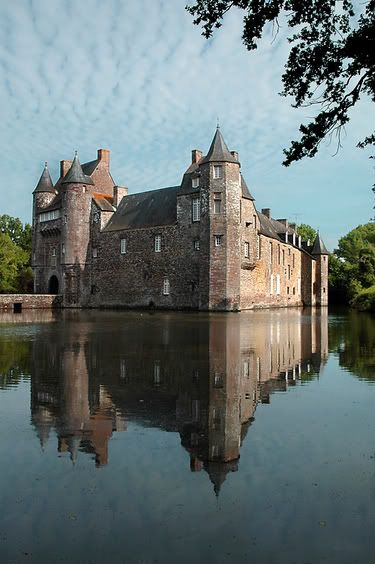

Thanks for the input guys. I haven't done anything to the original as I'm pretty new to this and wasn't really sure what could be done, never mind how to do it. I'm still learning to use the camera
I assume you've both used PS? I have to admit that when I've played about with pics I've only used the Nikon software Picture Project, mainly because it has far fewer variables than PS so it's much simpler.
Ex-biker - What did you do? I can see it's an improvement, but I'm not sure why.
Imperialism - Did you do anything other than play with the contrast? IMO (And as we've established - what do I know?) it's a touch too bright but it has really brought the colour out in the stone work, where the original was a bit flat.
Thanks again guys
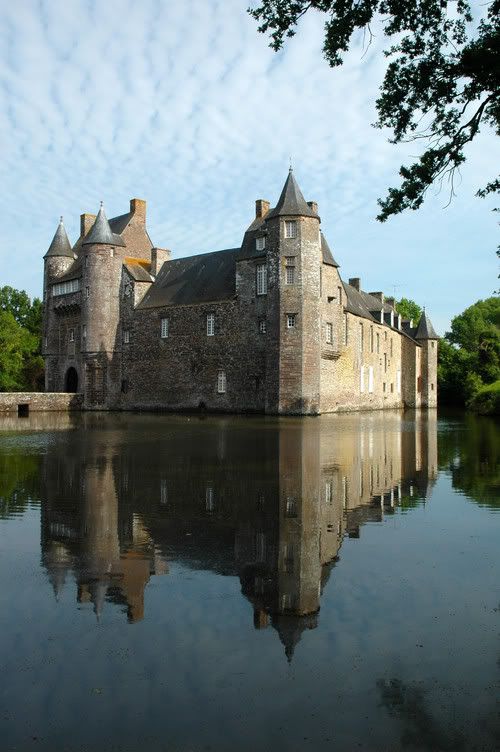
>>Edit to add another effort:
>> Edited by mechsympathy on Wednesday 6th July 08:36
I assume you've both used PS? I have to admit that when I've played about with pics I've only used the Nikon software Picture Project, mainly because it has far fewer variables than PS so it's much simpler.
Ex-biker - What did you do? I can see it's an improvement, but I'm not sure why.
Imperialism - Did you do anything other than play with the contrast? IMO (And as we've established - what do I know?) it's a touch too bright but it has really brought the colour out in the stone work, where the original was a bit flat.
Thanks again guys
>>Edit to add another effort:
>> Edited by mechsympathy on Wednesday 6th July 08:36
What I did:
Checked the histogram, moving pointers in if needed.
Also moved centre pointer to the right to darken midtones and enhance contrast.
Selected the sky, darkened it and added contrast.
Hue/saturation - saturate by about +6.
Used the burn tool to darken the RH side of the chateau.
Used clone stamp to remove the shadow on water in bottom right.
Unsharp mask to sharpen the pic.
I think that was about it.
I think I overdid the sharpening and I like your last pic mechsympathy.
Checked the histogram, moving pointers in if needed.
Also moved centre pointer to the right to darken midtones and enhance contrast.
Selected the sky, darkened it and added contrast.
Hue/saturation - saturate by about +6.
Used the burn tool to darken the RH side of the chateau.
Used clone stamp to remove the shadow on water in bottom right.
Unsharp mask to sharpen the pic.
I think that was about it.
I think I overdid the sharpening and I like your last pic mechsympathy.
 So much to learn!

Gassing Station | Photography & Video | Top of Page | What's New | My Stuff