
Photoshop selection techniques
Discussion


I could do with some advice on selection techniques in Photoshop (elements). In the example below I have tried to select the area between the wood so as to remove colour from the wood and bring out the face behind a little more. Unfortunately I don't seem to be able to make the selection very well. The magnetic lassoo gets confused and the brush seems a little inaccurate as the wood is out of focus I find it hard to find an edge. Anyone got any tips for getting around this?
On a similar note I find it difficult to select an area accurately in a big picture if I zoom in, if find i get near the edge of the picture and it zaps off in the opposite direction.
Any advice gratefully received. (because it's driving me nuts )
)
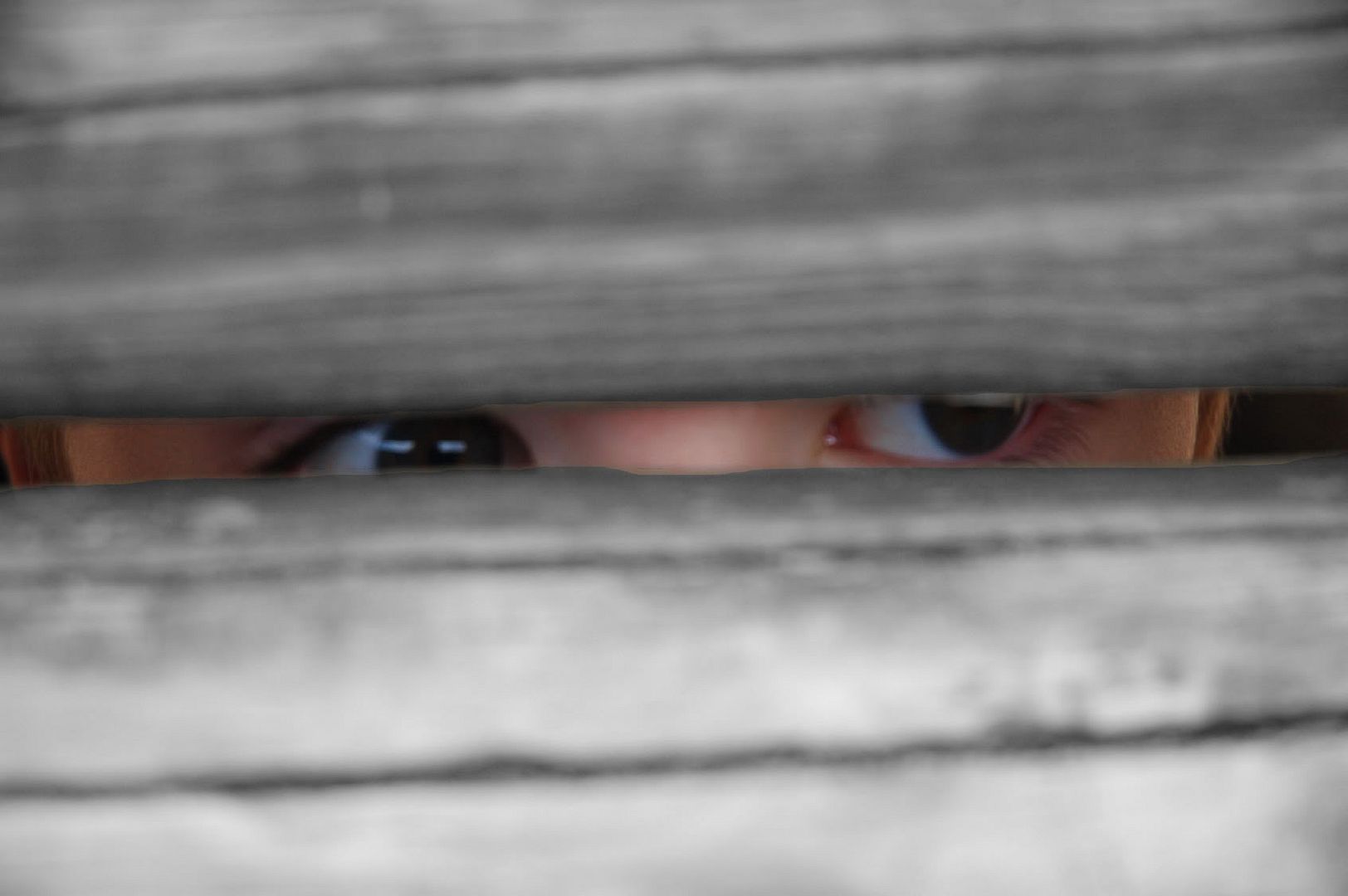
as you can see I have got round current legislation on the photography of children by making him a wooden burhka(sp)
>> Edited by rustybin on Tuesday 27th September 09:40
On a similar note I find it difficult to select an area accurately in a big picture if I zoom in, if find i get near the edge of the picture and it zaps off in the opposite direction.
Any advice gratefully received. (because it's driving me nuts
) as you can see I have got round current legislation on the photography of children by making him a wooden burhka(sp)
>> Edited by rustybin on Tuesday 27th September 09:40
 What he said.
  You could leave a little colour in the wood to give it some warmth, too......
I don't think Photoshop Elements has the History Brush tool. When I select the Brush Tool I just get options for Impressionist and Colour Replacement (which seems to just be a monochrome brush). Or am I being dumb?
Here's the original by the way...
>> Edited by rustybin on Tuesday 27th September 10:31
Here's the original by the way...
>> Edited by rustybin on Tuesday 27th September 10:31
beano500 said:
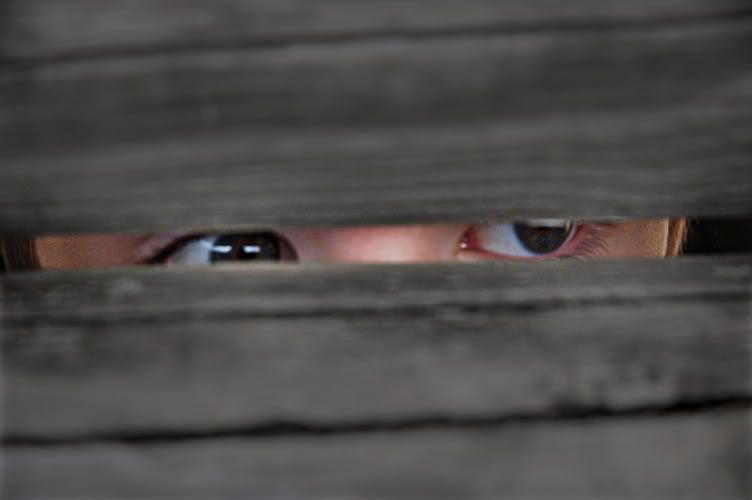
Like this?
That's much more like it. The darker wood makes for a slightly more sinister feel which wasn't quite where I was going but the principle is the same. Was this with the History Brush? If so was it using elements and where do I find it?
Thanks for taking the time.
I created a new layer in PS, or several in fact. First one was to desaturate (but not completely) and then used a brush to remove the central section of this layer and reveal the eyes and skin again.
The further layers were to lighten the eyes a touch, darken the bridge of the nose a fraction, darken the wood so there was more contrast and lastly a slight sharpen selectively around the face.
Now I don't know if you've got layers (or something that's the same with a different name) to work with, but it really does make life very easy. You can take a selection, feather it and mess around without affecting your image, so you can take a layer and bin it. Then when you've got what you want either keep this so that you can come back and work on it further, or just flatten the whole lot into a new JPEG or whatever.
I used to not have a clue with PS, and now (completely self taught, reading a few books and following on line tutorials and picking up loads of good tips from this forum) I love messing around with it!
The further layers were to lighten the eyes a touch, darken the bridge of the nose a fraction, darken the wood so there was more contrast and lastly a slight sharpen selectively around the face.
Now I don't know if you've got layers (or something that's the same with a different name) to work with, but it really does make life very easy. You can take a selection, feather it and mess around without affecting your image, so you can take a layer and bin it. Then when you've got what you want either keep this so that you can come back and work on it further, or just flatten the whole lot into a new JPEG or whatever.
I used to not have a clue with PS, and now (completely self taught, reading a few books and following on line tutorials and picking up loads of good tips from this forum) I love messing around with it!
What I've learned about PS is that there are many ways to do very similar things. One person's method may not suit you, or you may prefer or stumble across a different way. For example, just by poking about I found three ways to make b/w, two of which are infinitely variable.
I don't think there's a 'right' way to use PS - if the image passes the eyeball test that's all that matters; how you got there is secondary (as long as you can remember for next time!)
I don't think there's a 'right' way to use PS - if the image passes the eyeball test that's all that matters; how you got there is secondary (as long as you can remember for next time!)

dcw@pr said:
this would be my interpretation. no messing around with layers, only a quick selection with the polygonal lasso tool then a feathering. bob's your uncle, less than a minutes work,
Ahhh, Feathering. That would appear to be the key. Couldn't work a way of getting the selection absolutley right but feathing seems to solve the problem as long as the processes applied on either side of the selections edge aren't too great. I will mess about with the other techniques as well but that does the job for now (proving Simpo's point).
Thanks a lot for your helps chaps.
Gassing Station | Photography & Video | Top of Page | What's New | My Stuff