
Giving The Printer A Good Talking To...
Discussion


...hasn't helped yet.
And I haven't stumbled across the answer. So I thought I'd open it to the wise and worldly.
(Then I decided to post on here.)
Epson R300 - generally all hunky dory.
Instruct set up to print borderless ---> it barks back a little warning about quality, but I just ignore that and it does what its told and prints 15 x 10 or A4 borderless quite happily....
.....except:
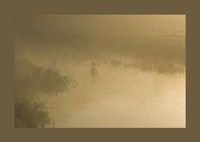
If the image has been created in PS and a border added, like we all do, as a solid background colour, it prints two sides borderless and then leaves two sides with white spaces (and an uneven border).
Any idea what's going on then?
And I haven't stumbled across the answer. So I thought I'd open it to the wise and worldly.
(Then I decided to post on here.)
Epson R300 - generally all hunky dory.
Instruct set up to print borderless ---> it barks back a little warning about quality, but I just ignore that and it does what its told and prints 15 x 10 or A4 borderless quite happily....
.....except:
If the image has been created in PS and a border added, like we all do, as a solid background colour, it prints two sides borderless and then leaves two sides with white spaces (and an uneven border).
Any idea what's going on then?
not being a PS user, I might be completely wrong but,...
won't adding the border in PS have changed the overall ratio of the print therefore it will no longer be exactly right for a 10x8?
ie Original 10*8 = 25.4 * 20.32
Add 0.5cm border all round turns print to : 26.4 * 21.32
meaning ratio goes from 1.25:1 to 1.238:1
Of course, if the border 'goes in' from the original edges of the print, the ratio will be maintained.
won't adding the border in PS have changed the overall ratio of the print therefore it will no longer be exactly right for a 10x8?
ie Original 10*8 = 25.4 * 20.32
Add 0.5cm border all round turns print to : 26.4 * 21.32
meaning ratio goes from 1.25:1 to 1.238:1
Of course, if the border 'goes in' from the original edges of the print, the ratio will be maintained.
Have a look at QImage for your printing - fantastic WYSIWYG printing - excellent with borderless Epsons (I use with my R1800). Understands colour profiling and does just about anything.
www.ddisoftware.com/qimage
Wouldn't use anything else now - I never print direct from Photoshop.
www.ddisoftware.com/qimage
Wouldn't use anything else now - I never print direct from Photoshop.
Gassing Station | Photography & Video | Top of Page | What's New | My Stuff