
Exposure Problems
Discussion


Sounds a bit odd, but the exposure on many of my pictures from last week are either overexposed or underexposed.
All I can think is that the sun was so bright (out in the States in some glorious weather) that even a small amount of sky and my 300D was over compensating for it, making the subject matter too dark. Or that the road surface in Tennesse was so bright, that the camera totally got it wrong.
This afternoon I've bought a Cokin P series set of filters with a graduated Neutral Density filter, in an attempt to reduce the intensity of the sky and give the subject matter (everything below the sky) a better chance.
Is this the right course of action?
All I can think is that the sun was so bright (out in the States in some glorious weather) that even a small amount of sky and my 300D was over compensating for it, making the subject matter too dark. Or that the road surface in Tennesse was so bright, that the camera totally got it wrong.
This afternoon I've bought a Cokin P series set of filters with a graduated Neutral Density filter, in an attempt to reduce the intensity of the sky and give the subject matter (everything below the sky) a better chance.
Is this the right course of action?
I assume you have different metering options, e.g. matrix, centre weighted, spot? Have you checked which setting you're on - for example if you had left the camera on spot and metered from a small part of sky or from something relatively dark this will throw the exposure one way or the other....
tinman0 said:In which case, you should have got a proper camera
I think the 300D only has one metering function, i think its called "random".

But, then again - I would have thought any recent model Canon* would have at least a modicom of sophistication?

* I know nothing - I moved to Nikon gear in 1997! And my Canon gear was from the '70s - metering? ...you want metering? ...that's a little needle that wobbles round in the viewfinder!!!

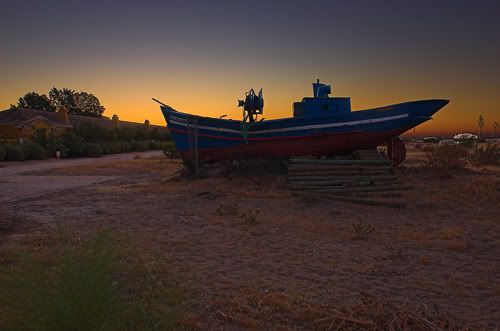
I think it was Digital Photo I was reading at the weekend that explained a tip for this (I haven't tried it yet but will give it a go)....
Their idea was to:
1. take image in RAW
2. when converting to JPEG create a couple of versions over / under exposing as necessary to get the detail where needed
3. put the best exposed bits from each image into one image in photoshop
Longers
Their idea was to:
1. take image in RAW
2. when converting to JPEG create a couple of versions over / under exposing as necessary to get the detail where needed
3. put the best exposed bits from each image into one image in photoshop
Longers
Gassing Station | Photography & Video | Top of Page | What's New | My Stuff