
Discussion


FunkyNige said:
So what are the handy hints for photographing flowers?
Or, how would you've taken these differently?
Or, how would you've taken these differently?
Lighting is definitely the key to good flower shots. Many images I've seen have too harsh or unflattering lighting on them. Days with hazy sunshine are the best if you don't use a flash(es) (I always use them)


Impie
I think you've got a good start there, but (especially #3) a bit over exposed maybe and losing that highlight detail? That's about the time to get familiar with what the histogram is doing and underexpose a bit. Has the added advantage of squeezing in either a stop of aperture for dof or a next speed up to keep sharper....
I think you've got a good start there, but (especially #3) a bit over exposed maybe and losing that highlight detail? That's about the time to get familiar with what the histogram is doing and underexpose a bit. Has the added advantage of squeezing in either a stop of aperture for dof or a next speed up to keep sharper....
Gemm said:
Two photos with WOW!
Well, just "wow" really
beano500 said:
Impie
I think you've got a good start there, but (especially #3) a bit over exposed maybe and losing that highlight detail? That's about the time to get familiar with what the histogram is doing and underexpose a bit. Has the added advantage of squeezing in either a stop of aperture for dof or a next speed up to keep sharper....
I think you've got a good start there, but (especially #3) a bit over exposed maybe and losing that highlight detail? That's about the time to get familiar with what the histogram is doing and underexpose a bit. Has the added advantage of squeezing in either a stop of aperture for dof or a next speed up to keep sharper....
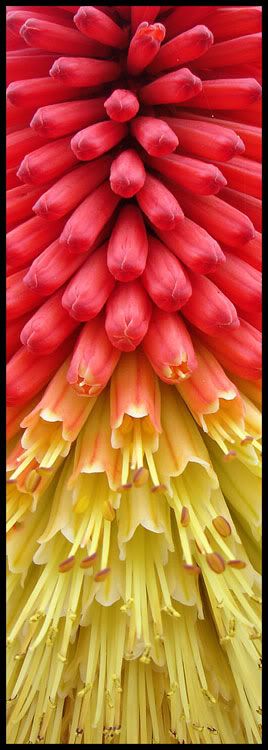
I think one of the problems is color profiling. When I opened #3 in PS, there was much more detail than viewing it in Firefox. The shots also seemed underexposed a bit when RAW, but then this was the second series of shots I enhanced using curves to both boost saturation and increase contrast.
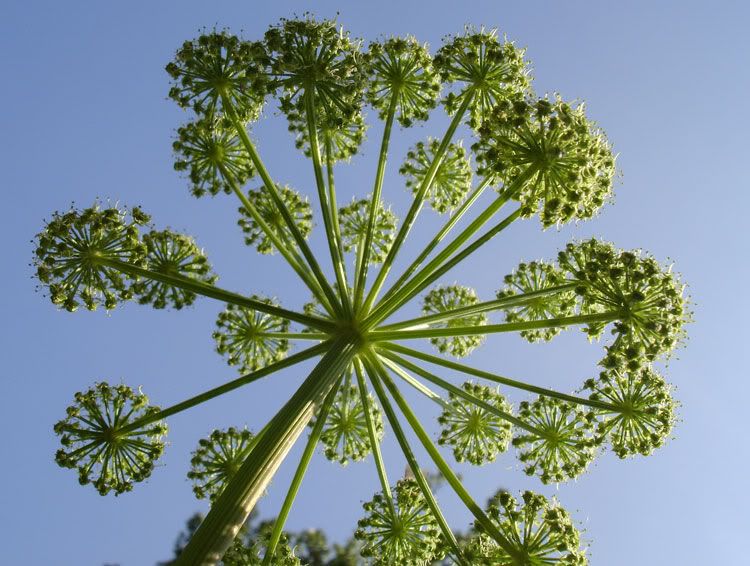
Here's #1 straight from the camera, as the D70 metered it:

f/7.1; 1/1600; ISO 200; 300mm f/4 w/ 36mm (IIRC) extension tubes
I did +/-1 bracket all my shots, and the +1 shots always seemed to come out of the camera a little more saturated and sufficiently bright, but then there would be some blown highlights and loss of detail.
Maybe I'll have to do some more experimentation...
imperialism2024 said:
I think one of the problems is color profiling. When I opened #3 in PS, there was much more detail than viewing it in Firefox.
imperialism2024 said:
The shots also seemed underexposed a bit when RAW, but then this was the second series of shots I enhanced using curves to both boost saturation and increase contrast.
 yup that'll be a Nikon then!
 I thought that all Nikon's were born that way?




beano500 said:
imperialism2024 said:
I think one of the problems is color profiling. When I opened #3 in PS, there was much more detail than viewing it in Firefox.
imperialism2024 said:
The shots also seemed underexposed a bit when RAW, but then this was the second series of shots I enhanced using curves to both boost saturation and increase contrast.
yup that'll be a Nikon then!Well this is the first time in a while I've had a problem with underexposure on the D70. Actually, in direct sunlight I usually have to compensate -1 EV because it overexposes.
Granted, I'll take underexposure over overexposure any day. Once I had a play with grossly underexposing a series of shots and then recovering them in PS, and there weren't many that were unacceptable after a bit of tweaking.
And about the color space... I believe there was a thread a few months back about this, but what color space should I use to get photos to look the same on the web as in PS?
Gassing Station | Photography & Video | Top of Page | What's New | My Stuff