
a random photoshop question....
Discussion


ive had a crazy idea that i would like to try and edit some of my mates photos into BRATZ type dolls. just for a laugh, and a bit of humiliation too. haha, they will understand.
now i am looking to create a cartoon effect, the rest of the liquify bit i can do with no probs, its just getting a flat cartoon look. ive tried the posterisation filter, but it always seems to have loads of black marks and artifacts all over the lighter areas, even with dancing the sliders about.
just wondered if anyone had an idea or has an action which creates a flat basic cartoon effect. i haave hunted all sorts of photoshop forums etc but they are full of some talented but frankly weird people, getting a simple straight and human answer is a battle to say the least.
anyone got any ideas? cheers people
Lee
now i am looking to create a cartoon effect, the rest of the liquify bit i can do with no probs, its just getting a flat cartoon look. ive tried the posterisation filter, but it always seems to have loads of black marks and artifacts all over the lighter areas, even with dancing the sliders about.
just wondered if anyone had an idea or has an action which creates a flat basic cartoon effect. i haave hunted all sorts of photoshop forums etc but they are full of some talented but frankly weird people, getting a simple straight and human answer is a battle to say the least.
anyone got any ideas? cheers people
Lee
Ian_H said:
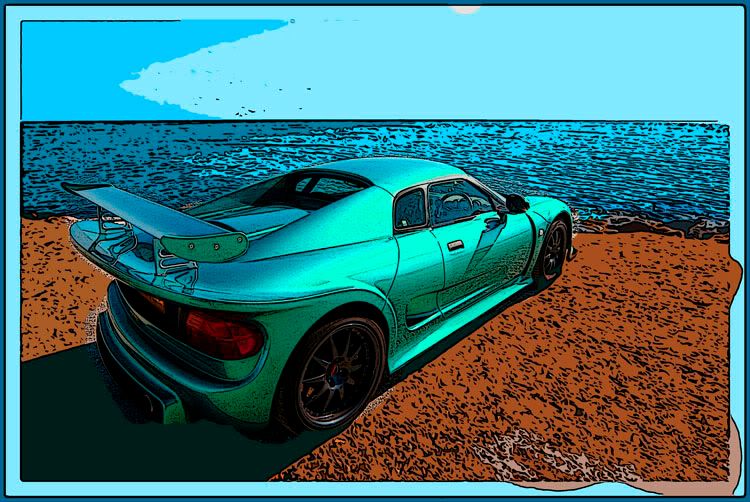
i saw that site, couldnt see the tutorial so moved on, just looked closer as you linked it and there appears to be an atn hidden in the little text. i will have a play, cheers.Loving the nobel shot, thats the sort of effect, but i want a really soft, flat skin tone.
i know its a bloody long shot, but i am trying to create a more personalised version of this type of thing.

Edited by leeb on Friday 25th January 20:04
Gassing Station | Photography & Video | Top of Page | What's New | My Stuff