
Corvette Z06 Jetstream Blue - Photoshoot
Discussion


Met up with a fellow PHer to do a photoshoot of his gorgeous Jetstream Blue Z06, first time that ive seen one in this colour in the flesh. I have to tell you, I have a soft spot for Corvette's anyway but this has to be the colour to have in my opinion.
Anyway onto the photos....
1,

2,

3,

Also a couple of edits.
1,

2,

3,

Would like some feedback from the masses on what you think about them? As i'm looking to do some more work with this car in the future.
Tear it up its the only way to learn folks I can take it..
Regards
Pixel-Snapper
1,
2,
3,
Would like some feedback from the masses on what you think about them? As i'm looking to do some more work with this car in the future.
Tear it up its the only way to learn folks I can take it..
Regards
Pixel-Snapper
Edited by Pixel-Snapper on Friday 6th March 10:31
Nice car, some decent compositions, utterly boring backdrop.
I'd recommend putting some thought into where you want to shoot the car. I hope this doesn't sound too harsh as I think this is a good shoot, but it could be mistaken for snaps taken of a car you came across while out on a walk etc.
I'd recommend putting some thought into where you want to shoot the car. I hope this doesn't sound too harsh as I think this is a good shoot, but it could be mistaken for snaps taken of a car you came across while out on a walk etc.
Great to see some car photos!
Decent composition and I like the tones, the car is indeed a lovely colour.
I agree that the location is a bit dull. Also I'd say the blown out skies contribute towards them looking less like a planned shoot and more like snaps. A graduated ND would have helped there, get some detail back into the sky and bring a bit more interest to the photo.
The edits do nothing for me I'm afraid, keep them in colour!
Decent composition and I like the tones, the car is indeed a lovely colour.
I agree that the location is a bit dull. Also I'd say the blown out skies contribute towards them looking less like a planned shoot and more like snaps. A graduated ND would have helped there, get some detail back into the sky and bring a bit more interest to the photo.
The edits do nothing for me I'm afraid, keep them in colour!
Edited by _dobbo_ on Friday 6th March 11:37
Thanks for the comments chaps it is appreciated, its not harsh at all hell doing a photography degree has tort me that criticism is the only route to improvment.
The background maybe alittle dull I agree, I was trying to stay away from the usual industrial scapes and roller shutters yet trying to keep enough interest as not to distract from the subject.
Regarding the foreground I thought that the white lines would give some interest to the image?
It was a battle being such a overcase day to get any detail to the sky, perphaps at the time bracketing the sky would of been a good idea. Also I dont own any ND filters this is something that I could address with the next shoot, although im hoping for a sunnyer day ;O)
Is there any way to recreate ND filters in post?
Ive have a number of locations in mind for the next shoot so hopefully these will be improved on.
You can't put back information that isn't there, so although you can replicate the effect of an ND grad if that portion of the image is blown out then you wont get it back no matter how good your software is!
I guess it depends what editing these photos have had but it looks to me that there isn't much there in the skies.
You can copy in a sky from another photo, and if you don't own NDs as you say you could have bracketed and made a composite of sky and foreground.
I guess it depends what editing these photos have had but it looks to me that there isn't much there in the skies.
You can copy in a sky from another photo, and if you don't own NDs as you say you could have bracketed and made a composite of sky and foreground.


L4MBOLUV3R said:
hope you dont mind me having a play but here is what i came up with

Really like the sky in this one thanks L4MBOLUV3REdited by L4MBOLUV3R on Wednesday 18th March 01:34
personally I still like the one with the lines, I dont think it distracts from the car and gives some forground interest?

It's easy to make a very moody sky - just take (preferebly underexposed) a picture of a cloudy sky, and then crank the levels to really bring out the different colours.
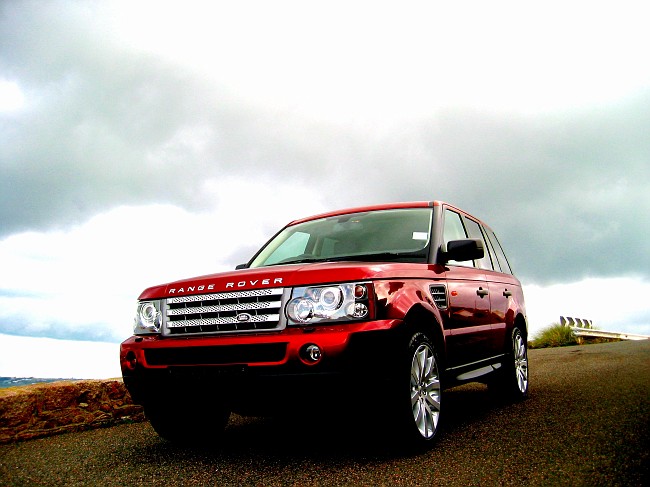
If you've got any detail left in the sky you can do this by selecting just the sky into a new layer with a bit of a feathered edge - that's what I did here:

If you've got any detail left in the sky you can do this by selecting just the sky into a new layer with a bit of a feathered edge - that's what I did here:

Gassing Station | Photography & Video | Top of Page | What's New | My Stuff