
I still can't manage to post pictures.
Discussion


Can someone post me idiot proof instructions on how to post pictures like so many on here do....
I know they have to be posted somewhere, say fotango, but how do you extract them from the fotango website to this one...
If you could give me the exact type of words to use I would be most grateful, I am really that bad.
I know they have to be posted somewhere, say fotango, but how do you extract them from the fotango website to this one...
If you could give me the exact type of words to use I would be most grateful, I am really that bad.


Had the same problem. Fotango is not very intuitive. After posting your pic's, look at your album, click on the "Magnifying Glass", that will pop a menu on the right for "link to your pic".
Put that in you post like this
[pic ]whateveryourpicis,righthere[/pic ] and Bob is doing yer Mums sister.
Some people like photobucket better.
Dave
>> Edited by just dave on Wednesday 12th January 20:20
Put that in you post like this
[pic ]whateveryourpicis,righthere[/pic ] and Bob is doing yer Mums sister.
Some people like photobucket better.
Dave
>> Edited by just dave on Wednesday 12th January 20:20

A bit of jargon, first - URL means "universal resource locator". Every file on the Internet (web pages, image files, etc) has a URL, i.e. a "web address", showing where it's stored. An example URL would be http://mysite.com/folder/mypic.jpg
1. Find the URL of the picture itself (not the page containing it). If you want to use a picture from a site where you don't know the precise URL, navigate to the page containing it in Internet Explorer, right-click the image and select 'Properties'. The URL you want is in the 'Address (URL)' category... you can select it, right click and select 'copy' if you want to copy-and-paste the image's URL.
2. In your Pistonheads posting, insert the pic by typing the special tages [pic] and [/pic]. Between them, paste the URL of the picture you want to use.
e.g. [pic]http://mysite.com/folder/mypic.jpg[/picREMOVE]
(Take out the word REMOVE to make this work - I inserted it to stop the site trying to find this non-existent picture).
Hope this helps!
>> Edited by blueski on Wednesday 12th January 20:29
1. Find the URL of the picture itself (not the page containing it). If you want to use a picture from a site where you don't know the precise URL, navigate to the page containing it in Internet Explorer, right-click the image and select 'Properties'. The URL you want is in the 'Address (URL)' category... you can select it, right click and select 'copy' if you want to copy-and-paste the image's URL.
2. In your Pistonheads posting, insert the pic by typing the special tages [pic] and [/pic]. Between them, paste the URL of the picture you want to use.
e.g. [pic]http://mysite.com/folder/mypic.jpg[/picREMOVE]
(Take out the word REMOVE to make this work - I inserted it to stop the site trying to find this non-existent picture).
Hope this helps!
>> Edited by blueski on Wednesday 12th January 20:29
http://img.photobucket.com/albums/v247/silverbackmike/oddsandaudi097.jpg|http://img.photobucket.com/albums/v247/silverbackmike/oddsandaudi097.jpg
>> Edited by silverback mike on Thursday 13th January 21:45
>> Edited by silverback mike on Thursday 13th January 21:45
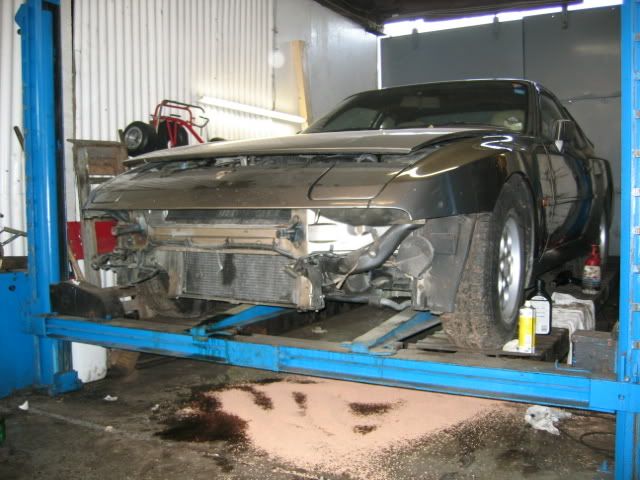

 Now all you need to do is find your way down to the Raj Bari Tuesday week...


Gassing Station | The Pie & Piston Archive | Top of Page | What's New | My Stuff