
Can I swap these BT sockets around?
Discussion


My broadband router currently is attached to the Openreach master socket below. Unfortunately that is a really bad location (outside wall in the middle of a room). I'd like the router to be attached to the other socket in a different room.
Is it as simple as swapping the sockets over to change the router location? Or are there more wires into the master socket than appear at the slave socket?
Many thanks for any advice.
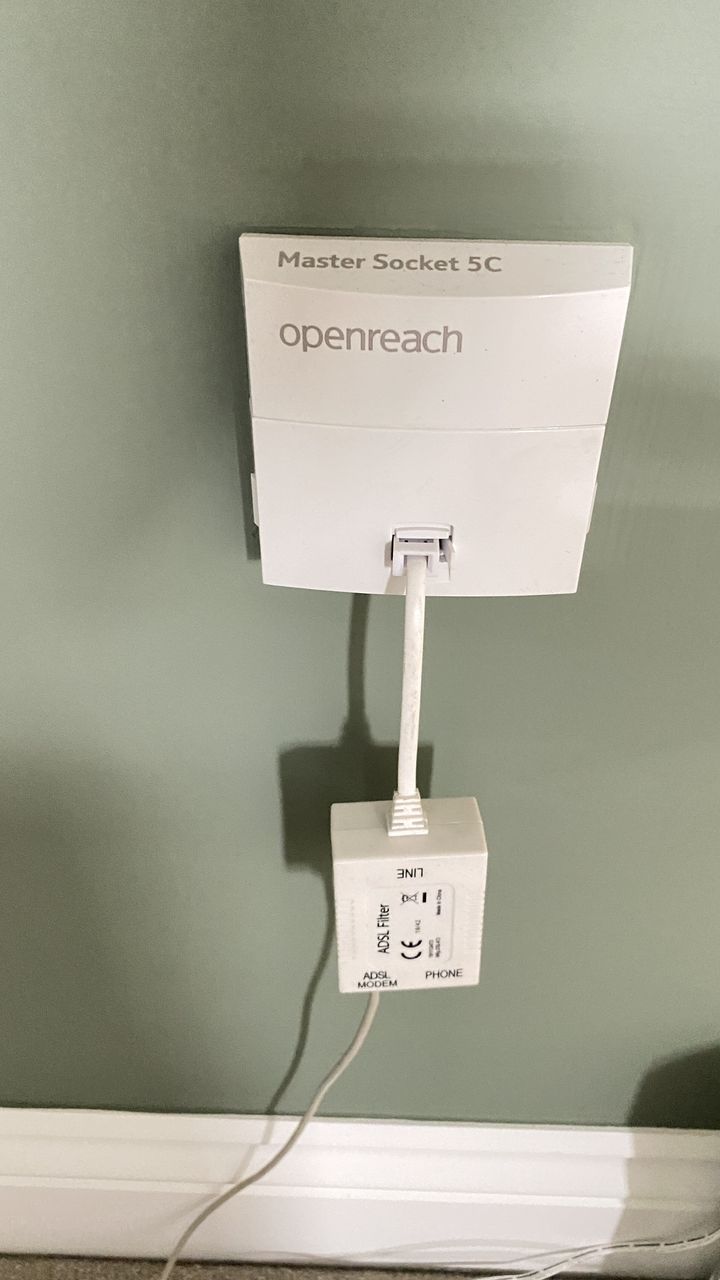
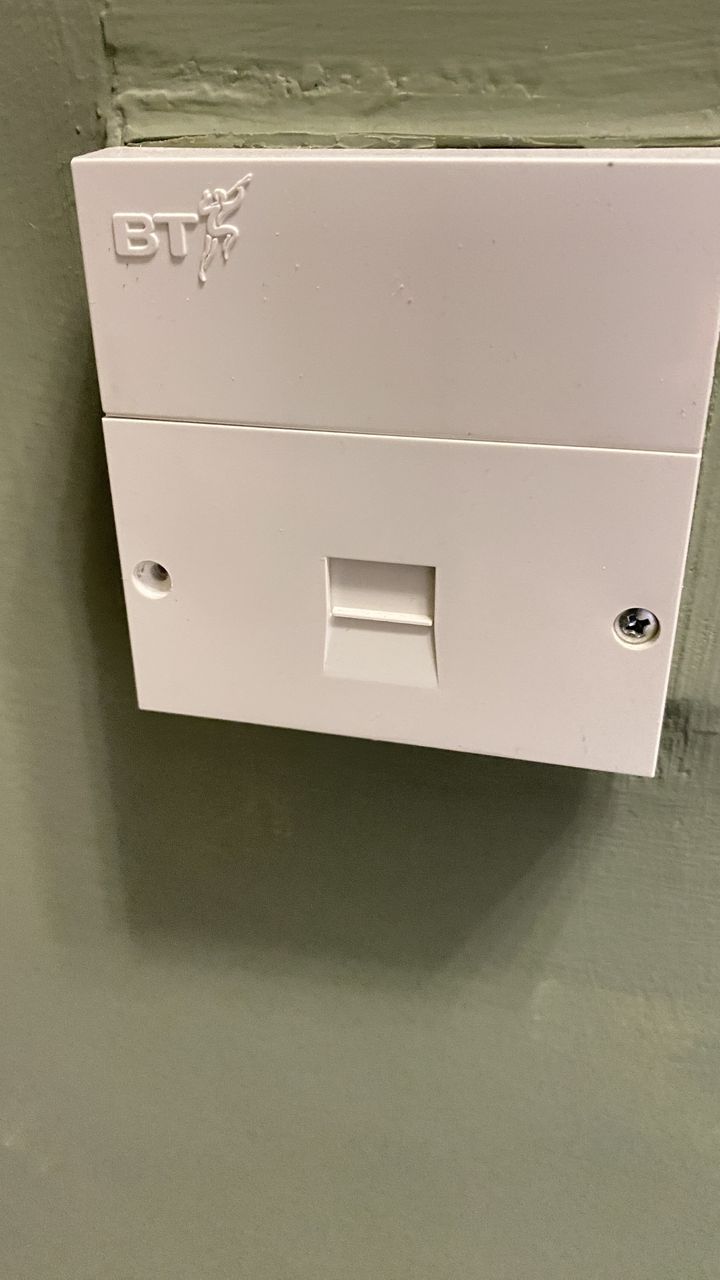
Is it as simple as swapping the sockets over to change the router location? Or are there more wires into the master socket than appear at the slave socket?
Many thanks for any advice.
megaphone said:
Carry out a speed test, then move the router and filter to the other socket and carry out another speed test. If it's the same then you're good to go.
Yes. Do this. Loads of houses it isn't clear which is the master socket and people just use whichever is most convenient.I did for years as the master socket wasn't near any plugs! It was only after a storm took the line down that the very nice Openreach man asked if I'd prefer the line to come in somewhere else.
Scarletpimpofnel said:
My broadband router currently is attached to the Openreach master socket below. Unfortunately that is a really bad location (outside wall in the middle of a room). I'd like the router to be attached to the other socket in a different room.
Is it as simple as swapping the sockets over to change the router location? Or are there more wires into the master socket than appear at the slave socket?
Many thanks for any advice.
The master socket is the master socket because that's where the line is coming in to the house so it gives direct connection. Swapping the master socket faceplate with a socket in another room doesn't make that socket the master as you have now added internal wiring in to the mix. You may as well just plug your router in to the other room if that's where you want it. If you want your router plugged in to the master socket and you want the master socket in the other room you need to have the master socket moved properly with the outside wiring coming in to the other room.Is it as simple as swapping the sockets over to change the router location? Or are there more wires into the master socket than appear at the slave socket?
Many thanks for any advice.
Also, get rid of that ADSL microfilter it's not needed, the 5C master socket has it built in.
48k said:
The master socket is the master socket because that's where the line is coming in to the house so it gives direct connection. Swapping the master socket faceplate with a socket in another room doesn't make that socket the master as you have now added internal wiring in to the mix. You may as well just plug your router in to the other room if that's where you want it. If you want your router plugged in to the master socket and you want the master socket in the other room you need to have the master socket moved properly with the outside wiring coming in to the other room.
Also, get rid of that ADSL microfilter it's not needed, the 5C master socket has it built in.
Thats an older 5C. No idea why it would have the same name.Also, get rid of that ADSL microfilter it's not needed, the 5C master socket has it built in.
If it had a filter it would have both rj11 and a 6p4c connection on it. Then also the extension would be on the filtered side, so ADSL wouldnt work on those.
There's only two wires actually used in these things, and if it's new enough will be spring contacts instead of the old IDCs so very easy to rework.
Surprised you don't have one of the integrated filter faceplates. And have left the extension there, usually those stubs do connection speeds no favours.
You can't really move the master to the extension as you can't touch their wiring.
In theory though with a suitable length of the appropriate cable and some crimps you could cut out the current outlet entirely and move the master to wherever you like. Functionally very easy, cosmetically using the proper cable depends if you want it to look original or not.
My one is long gone, it was cut it off, brought the fibre via the same point and have the ONT mounted directly onto the old backbox.
Surprised you don't have one of the integrated filter faceplates. And have left the extension there, usually those stubs do connection speeds no favours.
You can't really move the master to the extension as you can't touch their wiring.
In theory though with a suitable length of the appropriate cable and some crimps you could cut out the current outlet entirely and move the master to wherever you like. Functionally very easy, cosmetically using the proper cable depends if you want it to look original or not.
My one is long gone, it was cut it off, brought the fibre via the same point and have the ONT mounted directly onto the old backbox.
Interesting thanks.
I did try plugging the router (and filter) directly into the extension socket but I got no internet connection. It is wired up (well there’s a jumble of wires behind the extension, some connected, some not). I think I’ll take both covers off and record what colours are connected and where so I can at least make some sense out of it.
Oddly when the open reach engineer came to connect the router he said something about not being able to use the other socket but I think it was purely he wanted in and out quickly rather than it being impossible to do.
The installation is about 20 years old.
If anyone could advise me what are minimum cable colours to connects to which pins at each socket so the test point still works if openreach visit and I can plug my router in the current extension socket that would be great.
I note the point about taking a speed check before and after.
Thanks all
I did try plugging the router (and filter) directly into the extension socket but I got no internet connection. It is wired up (well there’s a jumble of wires behind the extension, some connected, some not). I think I’ll take both covers off and record what colours are connected and where so I can at least make some sense out of it.
Oddly when the open reach engineer came to connect the router he said something about not being able to use the other socket but I think it was purely he wanted in and out quickly rather than it being impossible to do.
The installation is about 20 years old.
If anyone could advise me what are minimum cable colours to connects to which pins at each socket so the test point still works if openreach visit and I can plug my router in the current extension socket that would be great.
I note the point about taking a speed check before and after.
Thanks all
netherfield said:
Oh that's very helpful thanks, I should have looked for that myself. Very clear.Gassing Station | Homes, Gardens and DIY | Top of Page | What's New | My Stuff