
V8 Vantage NAV Screen - no dash NAV buttons, how to close?
Discussion


No doubt this will be the usual "if I had £1 for every time this has been asked" for you all, but please bear with me as for the life of me I can't find the answer (incl. having done multiple searches on here and I've been through the manual cover to cover).
I collected the car on Saturday and the NAV screen stayed down for the whole day. I don't know how and I don't know why. I took the car out again on Sunday (obv) and a button on the awful 90s-looking remote was inadvertently pushed and the screen popped up. My word is the display shocking, I can almost count the pixels. I'll stick to Google Maps on the phone in a cheapo cradle put in the vent, so would like to send the screen packing back into the ski-slope.
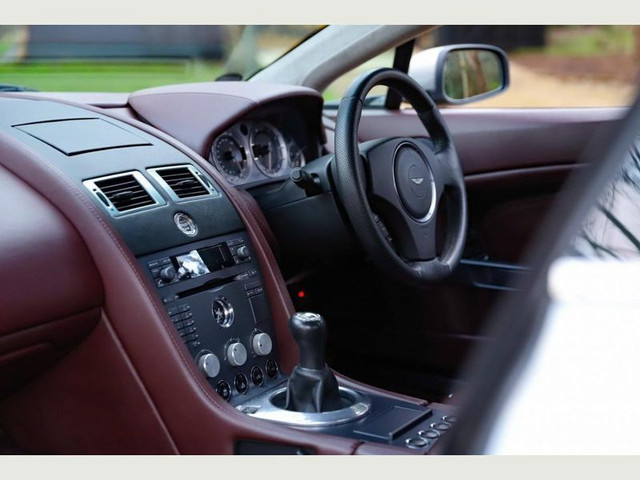
However, I have absolutely no idea how to achieve this. I have looked at previous threads on this saying to continue pressing the back or home button on the navigator panel in the dash - but I don't actually have one of those, there is just a cover-up faceplate. What's going on there? I am only able to go so far as putting the screen on standby via the remote, so that it switches off / turns black, but the unit itself stays protruding out of the dash. It's a minor annoyance, but will I suspect shortly begin to really do my head in.
Any ideas? Pics of the offending items below.

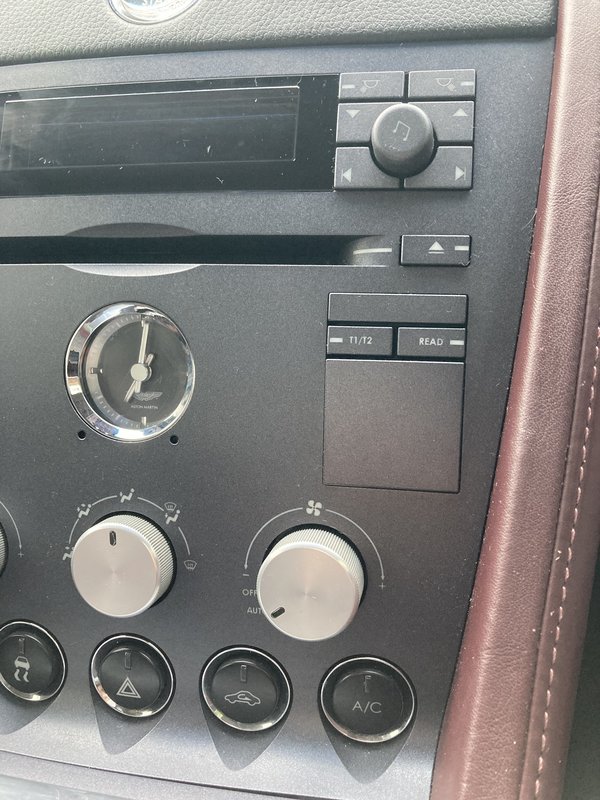
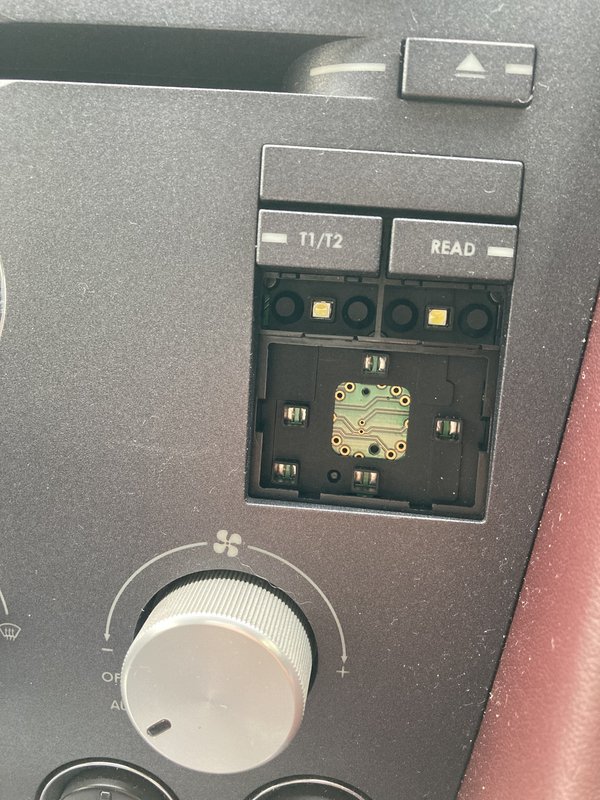
I collected the car on Saturday and the NAV screen stayed down for the whole day. I don't know how and I don't know why. I took the car out again on Sunday (obv) and a button on the awful 90s-looking remote was inadvertently pushed and the screen popped up. My word is the display shocking, I can almost count the pixels. I'll stick to Google Maps on the phone in a cheapo cradle put in the vent, so would like to send the screen packing back into the ski-slope.
However, I have absolutely no idea how to achieve this. I have looked at previous threads on this saying to continue pressing the back or home button on the navigator panel in the dash - but I don't actually have one of those, there is just a cover-up faceplate. What's going on there? I am only able to go so far as putting the screen on standby via the remote, so that it switches off / turns black, but the unit itself stays protruding out of the dash. It's a minor annoyance, but will I suspect shortly begin to really do my head in.
Any ideas?
Pics of the offending items below.Edited by Trahison on Thursday 24th June 20:03
Nothing of use on the screen itself, on any side. You can see how my only option on the screen is standby. Nothing in the settings either. I've picked apart the remote too and there's no indication of a make or model. I would be very certain that it is not OEM, at least I would hope  Pretty flummoxed.
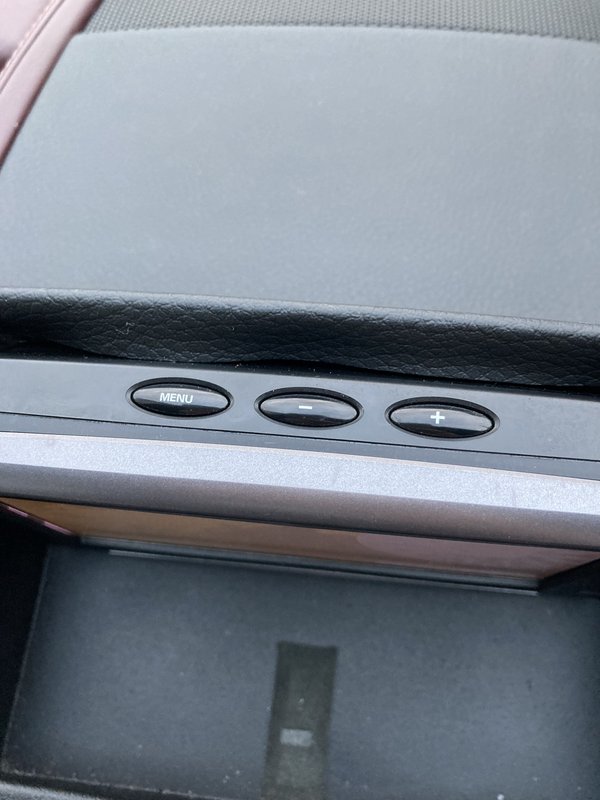
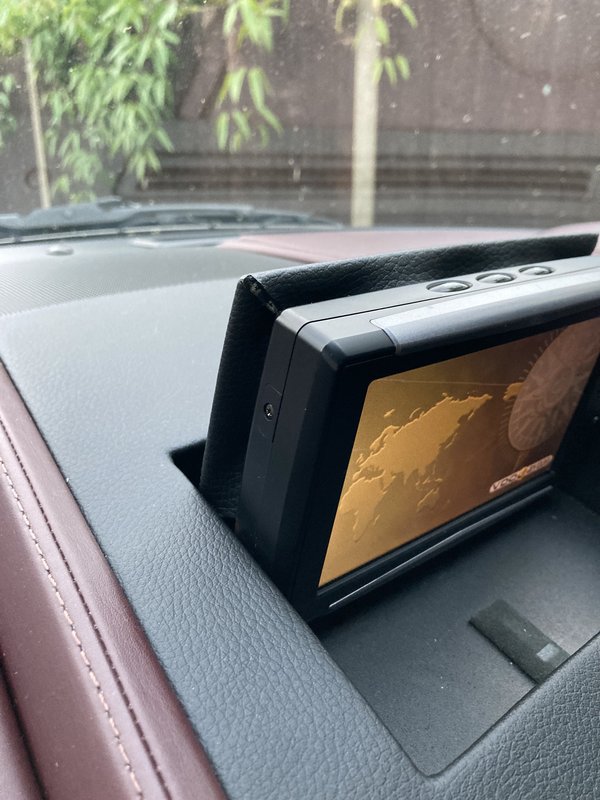
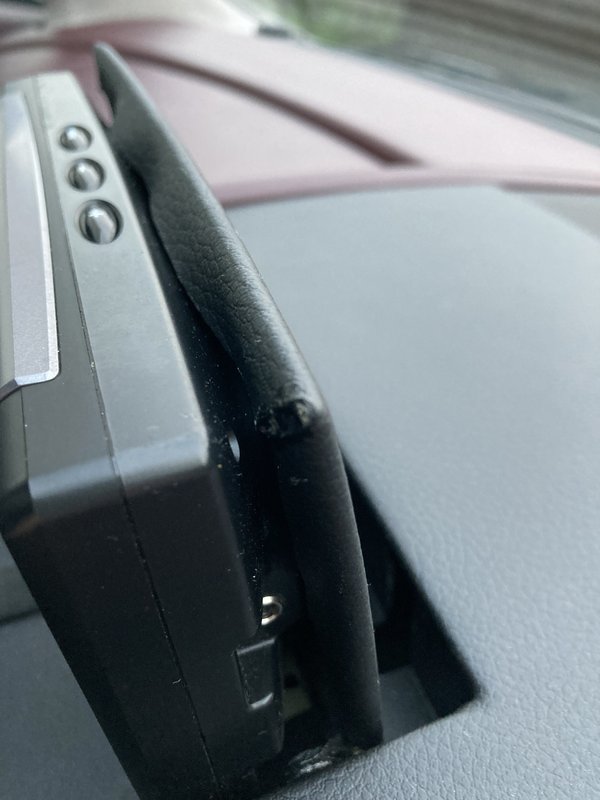
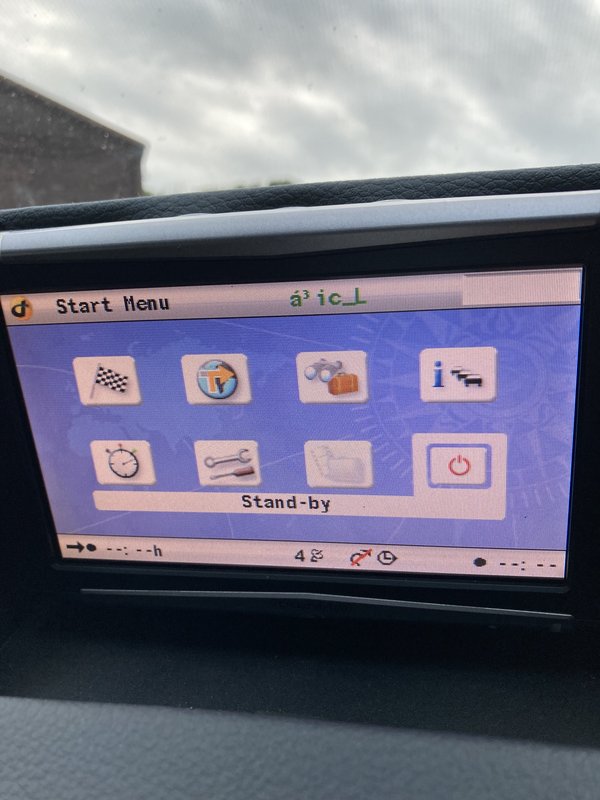
Pretty flummoxed.The unit is obviously aftermarket. If you measure the thickness of the screen and then compare that to the depth of the aperture it has to sit in, it will tell you whether it will close flush or not. I suspect not.
Depending on your long term goals with the car, I'd try and get a replacement O/E screen (should be on eBay as it's a Volvo unit) and then once installed, leave the thing closed and rely on Google Maps etc.
Hopefully the wiring harness is all intact, so should be unplug, plug and play.
Depending on your long term goals with the car, I'd try and get a replacement O/E screen (should be on eBay as it's a Volvo unit) and then once installed, leave the thing closed and rely on Google Maps etc.
Hopefully the wiring harness is all intact, so should be unplug, plug and play.
Jon39 said:
Now that you have established the make and model, there are user manuals on the internet.
I did a quick search of the manual for 'close screen' and 'shut screen', but nothing found.
Perhaps the device is fixed and is not made to retract.
Very modern. -


JonnyCJ said:
The unit is obviously aftermarket. If you measure the thickness of the screen and then compare that to the depth of the aperture it has to sit in, it will tell you whether it will close flush or not. I suspect not.
Depending on your long term goals with the car, I'd try and get a replacement O/E screen (should be on eBay as it's a Volvo unit) and then once installed, leave the thing closed and rely on Google Maps etc.
Hopefully the wiring harness is all intact, so should be unplug, plug and play.
Yeah this is my thinking. Short term solution will be to get the current aftermarket one to comply and stay down, but know that I know it's spurious it's annoying me. I would like to get an original (new or refurbed) one back in, in time.Depending on your long term goals with the car, I'd try and get a replacement O/E screen (should be on eBay as it's a Volvo unit) and then once installed, leave the thing closed and rely on Google Maps etc.
Hopefully the wiring harness is all intact, so should be unplug, plug and play.
Also looking at ski slope options and what might work best with the iron ore.
Better just affix a free flowing tap to my bank account now I guess

Like Jon39 I've also found a "Quick Operation" manual online. This confirms that the unit is intended to be wired to and activated with ignition on/off. It also says that to turn the unit off with the ignition on then you select "Standby" from the "Start" menu by using the cursor buttons to navigate to it, then press the central "OK"
In your first post you said that the unit was stowed until it was inadvertently activated by pressing one of the buttons. This indicates that there is some degree of integration of the system into the car to operate the deploying mechanism. Can I ask if the unit stows itself away when you switch off the ignition and take out the key? Have you tried putting it into "Standby" to see if it closes?
The only other thing I can suggest if it doesn't close when you put the unit into "Standby" is you try "press and hold" on the various buttons on the remote - page from manual below

The manual makes no mention of a deployment mechanism (no surprise there) so they've either used the Aston mechanism or taken one from a Volvo that may have used a VDO nav system (I believe my P2 V70 had a VDO system, but that rose vertically from the dash top).
If you've not found it the link below should offer you a pdf download of the quick start manual
Click here
edited to add
Just saw your post ref the standard waterfall - I'd suggest Piano Black is the default that seems to suit all interiors. The other would be the carbon fibre twill, imho
In your first post you said that the unit was stowed until it was inadvertently activated by pressing one of the buttons. This indicates that there is some degree of integration of the system into the car to operate the deploying mechanism. Can I ask if the unit stows itself away when you switch off the ignition and take out the key? Have you tried putting it into "Standby" to see if it closes?
The only other thing I can suggest if it doesn't close when you put the unit into "Standby" is you try "press and hold" on the various buttons on the remote - page from manual below
The manual makes no mention of a deployment mechanism (no surprise there) so they've either used the Aston mechanism or taken one from a Volvo that may have used a VDO nav system (I believe my P2 V70 had a VDO system, but that rose vertically from the dash top).
If you've not found it the link below should offer you a pdf download of the quick start manual
Click here
edited to add
Just saw your post ref the standard waterfall - I'd suggest Piano Black is the default that seems to suit all interiors. The other would be the carbon fibre twill, imho
Edited by LTP on Friday 25th June 10:48
Sorry OP.
Silly of me to say it might not fold down. I had forgotten the contents of your original post.
Think I was misled, when I could not quickly find how to close in the manual.
Ref. Ski-slope. I do not have the piano black finish, but have always admired that one, so agree with LTP.
However possibly be warned, because there have recently been a few comments about reflections when driving and finger print marks.
The wood finish was quite popular, but think it might perhaps be considered by some, to be just a little dated now.
Enjoy your new car. Please post exterior photos when you have time.
Thanks very much LTP (and all).
I had found that same instruction manual and, as you note, it answers every question other than the one I need answered!
The unit does stow itself away when the ignition is off, yes. Selecting standby while the ignition is on just switches off the screen and the unit remains upright. If the ignition is switched off while the screen is on standby, the screen will stow away and pop up when the ignition is next turned on, but will remain in standby mode. That could be as good as it gets for now, until I find a proper solution / workaround.
I tried every combination of buttons, including holding them down, but no luck.
And thanks for the piano black tip. Now it's just a case of finding one that fits but that doesn't appear to be immediately straightforward. Most seem to be either for automatics, or are specified to fit only 2008+. I would have assumed that a 2008+ would fit a 2006, but any ads I've found suggest otherwise and I'd rather not take the risk when we're talking approx. ~£500 (unless someone can enlighten me!)
I had found that same instruction manual and, as you note, it answers every question other than the one I need answered!
The unit does stow itself away when the ignition is off, yes. Selecting standby while the ignition is on just switches off the screen and the unit remains upright. If the ignition is switched off while the screen is on standby, the screen will stow away and pop up when the ignition is next turned on, but will remain in standby mode. That could be as good as it gets for now, until I find a proper solution / workaround.
I tried every combination of buttons, including holding them down, but no luck.
And thanks for the piano black tip. Now it's just a case of finding one that fits but that doesn't appear to be immediately straightforward. Most seem to be either for automatics, or are specified to fit only 2008+. I would have assumed that a 2008+ would fit a 2006, but any ads I've found suggest otherwise and I'd rather not take the risk when we're talking approx. ~£500 (unless someone can enlighten me!)
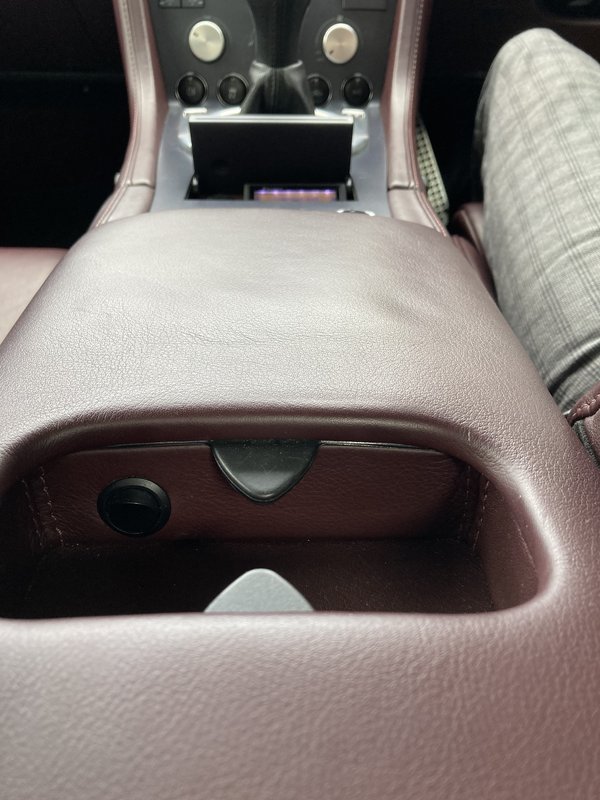
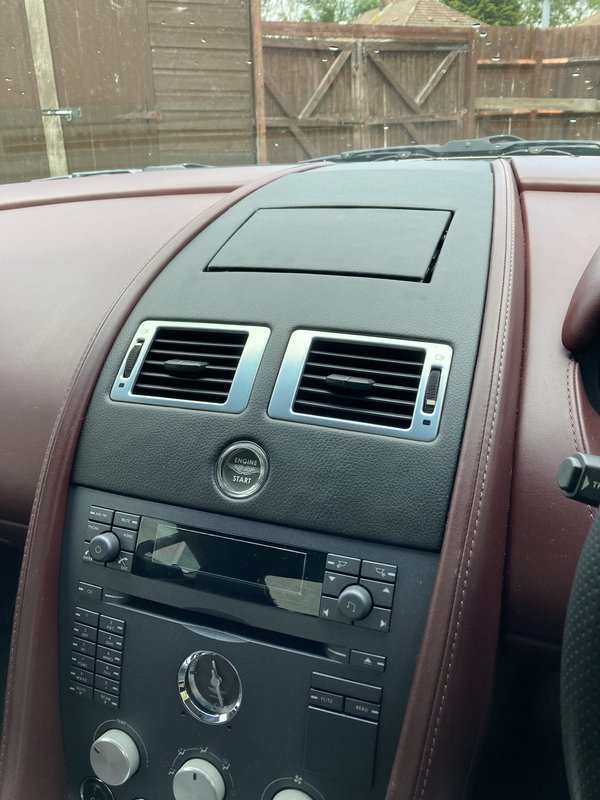



Trahison said:
On further inspection the system appears to be a "VDO Dayton PC5200". Why anyone would have swapped this in escapes me. I'll keep digging. Will keep an Aston Installations audio overhaul in the back pocket for now.
Has it been swapped of is it some sort of retrofit? Surely if the car had come with SatNav the buttons would be on the dash?Gassing Station | Aston Martin | Top of Page | What's New | My Stuff