
Inundated with Mcaffee pop ups
Discussion


Since i watched a football game of a live stream, i have been inundated with pops ups from macaffee telling me i have viruses and my subscription has run out and should be renewed
Only problem is i don't and never have had them on my system... unless they were a freebie on Win !0 that i don't know about
Also allied to this is one that suggests i sign up to only sex with the rider ( scuse the pun) that it is NOT a dating siteI do have a virus checker on my laptop is there a simple way i can rid my laptop of them?
Only problem is i don't and never have had them on my system... unless they were a freebie on Win !0 that i don't know about
Also allied to this is one that suggests i sign up to only sex with the rider ( scuse the pun) that it is NOT a dating siteI do have a virus checker on my laptop is there a simple way i can rid my laptop of them?
Do they come up in all browsers, or only the one you streamed your football on?
On a tangential point, did anyone notice the illegal streaming 'warning' on the advert banners during the MCFC/LFC match yesterday?
"Half of of all illegal streamers get hacked"
Now, I was watching legally via a SkySports subscription, but it got me wondering how they measured that figure! Did all illegal streamers voluntarily offer their post-stream hacking experiences or are the TV companies putting out 'illegal' streams themselves then trying to hack users?
Seems it was also shown in other matches...
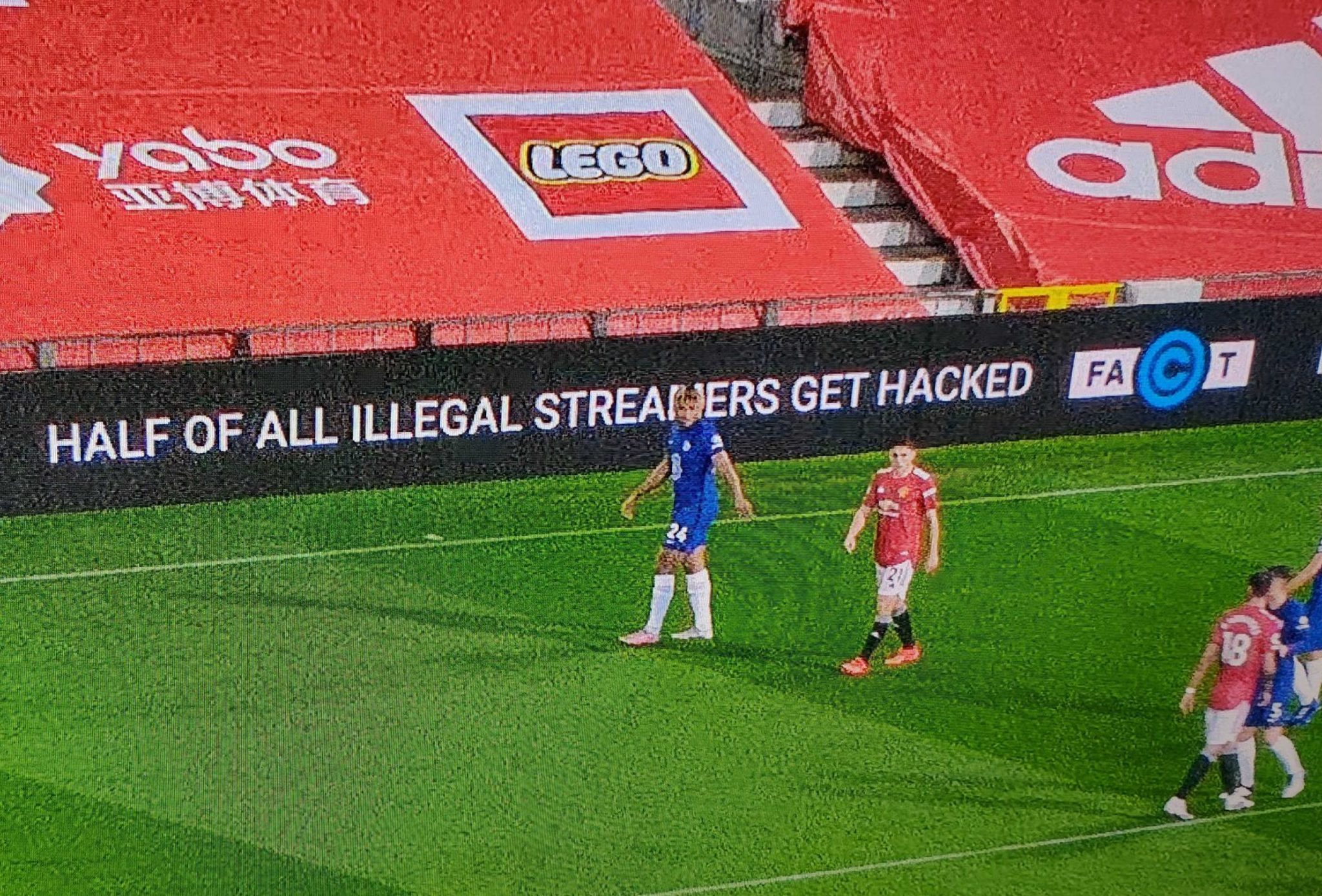
On a tangential point, did anyone notice the illegal streaming 'warning' on the advert banners during the MCFC/LFC match yesterday?
"Half of of all illegal streamers get hacked"
Now, I was watching legally via a SkySports subscription, but it got me wondering how they measured that figure! Did all illegal streamers voluntarily offer their post-stream hacking experiences or are the TV companies putting out 'illegal' streams themselves then trying to hack users?
Seems it was also shown in other matches...
it could be just a coincidence that the pre installed term has expired and its warning you. Being Pre installed is quite common.
check installed apps and remove it
type "uninstall" in the white box on bottom left, choose Add Remove Programs and take it from there. it's relatively simple even for a novice
check installed apps and remove it
type "uninstall" in the white box on bottom left, choose Add Remove Programs and take it from there. it's relatively simple even for a novice
Go to the Trend AV website and do a "house call scan" you will be prompted to download their portable scanner, and then run it.
https://www.trendmicro.com/en_gb/forHome/products/...
https://www.trendmicro.com/en_gb/forHome/products/...
Gassing Station | Computers, Gadgets & Stuff | Top of Page | What's New | My Stuff