
2014 Macbook 10.9.5 update
Discussion


Evening guys,
I am looking for a quick bit of advice, my mother has a late 2014 Macbook pro which is running 10.9.5.
She has to run some software for work and its not allowing her due to the system being too old yet there is no updates in the app store?
How do we get past this and update it to Big Sur or similar, I presume it more of a full system update rather than a quick update?
Any tips much appreciated as she has been quoted £80 to install the new software which I am sure I could probably do for her with some advice.
I am looking for a quick bit of advice, my mother has a late 2014 Macbook pro which is running 10.9.5.
She has to run some software for work and its not allowing her due to the system being too old yet there is no updates in the app store?
How do we get past this and update it to Big Sur or similar, I presume it more of a full system update rather than a quick update?
Any tips much appreciated as she has been quoted £80 to install the new software which I am sure I could probably do for her with some advice.
You could try upgrading to High Sierra first and then Catalina:
https://support.apple.com/en-us/HT211683
https://support.apple.com/en-us/HT211683
Sarkmeister said:
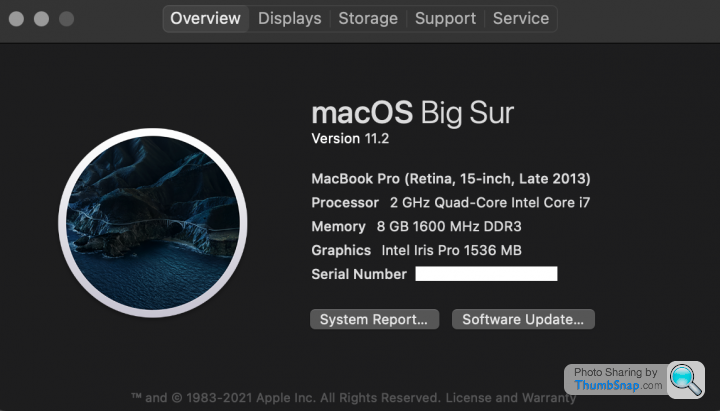
I had a similar problem with my Late 2013 Macbook Pro. By searching a few forums I managed to find a way to upgrade and now have 10.14.6 (Mojave) which seems happy to run everything I've come across.
The big problem was clearing the storage space for the install.
I'm running Big Sur 11.2 no issues whatsoever with about 25GB space left.The big problem was clearing the storage space for the install.
JCKST1 said:
Evening guys,
I am looking for a quick bit of advice, my mother has a late 2014 Macbook pro which is running 10.9.5.
She has to run some software for work and its not allowing her due to the system being too old yet there is no updates in the app store?
What apps are they? What ever you do DON'T update to Big Sir on the system as it disables ALL 32bit apps which these almost certainly are.I am looking for a quick bit of advice, my mother has a late 2014 Macbook pro which is running 10.9.5.
She has to run some software for work and its not allowing her due to the system being too old yet there is no updates in the app store?
The App store is frankly C**P for longterm app support and renders perfectly usable apps useless all based on how Apple is feeling on the day.
Can you obtain the App from developer websites directly rather than the App store?
https://www.scu.edu/technology/computing-services-...
gangzoom said:
JCKST1 said:
Evening guys,
I am looking for a quick bit of advice, my mother has a late 2014 Macbook pro which is running 10.9.5.
She has to run some software for work and its not allowing her due to the system being too old yet there is no updates in the app store?
What apps are they? What ever you do DON'T update to Big Sir on the system as it disables ALL 32bit apps which these almost certainly are.I am looking for a quick bit of advice, my mother has a late 2014 Macbook pro which is running 10.9.5.
She has to run some software for work and its not allowing her due to the system being too old yet there is no updates in the app store?
The App store is frankly C**P for longterm app support and renders perfectly usable apps useless all based on how Apple is feeling on the day.
Can you obtain the App from developer websites directly rather than the App store?
https://www.scu.edu/technology/computing-services-...
https://support.apple.com/en-gb/HT208436
Gassing Station | Computers, Gadgets & Stuff | Top of Page | What's New | My Stuff