
Is there a way to undo a phone software update?
Discussion


I usually keep my mobile phone updated as many say this is the best way to secure it against hacking etc.
But, when an update removes a very useful function of the phone such as WIFI direct then I would prefer to take the risk against hacking and revert back to the previous version of the software.
Is this possible?
Can I undo the recent software update or roll back to two versions ago?
I have a Samsung phone and apparently after reading about the issue on the internet, Samsung decided that they would like to bow to google and remove WIFI direct so that users would then have to download google apps instead to perform the function. But I also read that google apps for WIFI direct don't operate in the same way and will transfer files via a website (likely a data mining web service).
But, when an update removes a very useful function of the phone such as WIFI direct then I would prefer to take the risk against hacking and revert back to the previous version of the software.
Is this possible?
Can I undo the recent software update or roll back to two versions ago?
I have a Samsung phone and apparently after reading about the issue on the internet, Samsung decided that they would like to bow to google and remove WIFI direct so that users would then have to download google apps instead to perform the function. But I also read that google apps for WIFI direct don't operate in the same way and will transfer files via a website (likely a data mining web service).
Corso Marche said:
Are you referring to Nearby Share?
If yes, then it supports direct wi-fi, Bluetooth, Bluetooth LE, and WebRTC.
If you don't want WebRTC just never use it. Use the direct wi-fi or Bluetooth options if that's what you want to use, and used previously.
No not nearby share, but WIFI direct, which used to be a really fast option to transfer files between phones via home wifi.If yes, then it supports direct wi-fi, Bluetooth, Bluetooth LE, and WebRTC.
If you don't want WebRTC just never use it. Use the direct wi-fi or Bluetooth options if that's what you want to use, and used previously.
Bluetooth is only a fraction of the speed for transferring files.
The icon looked liked this:
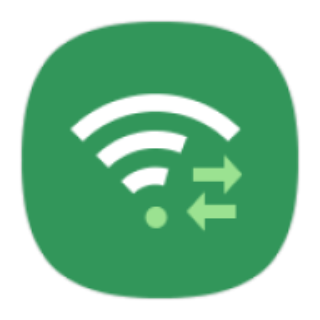
The latest samsung updates have removed it and will now only allow the phone to receive files via WIFI direct, but not send them using the same method.
Nearby share is a different function and although probably still uses home wifi, it is not an app that is common to most phones. The WIFI direct option was very useful for transferring photos & videos from my phone to the wife's phone, both had WIFI direct. But both do not have nearby share.
I am hoping there may be a way to undo the latest samsung software updates and roll back to a previous version.... even if that may mean doing a full factory re-set? Can I even do a full factory re-set and would that work? Darn my lack of IT knowledge!
I'm guessing you'll need to unlock your bootloader and then use a flashing utility linked by pc to your phone then find the relevant update and flash it your phone.
I just share my Google photos access of whatever folder I want with Mrs, she can see whatever I put in that folder in an instant.
I'm not sure whether that's an alternative you want.
I just share my Google photos access of whatever folder I want with Mrs, she can see whatever I put in that folder in an instant.
I'm not sure whether that's an alternative you want.
Radec said:
I'm guessing you'll need to unlock your bootloader and then use a flashing utility linked by pc to your phone then find the relevant update and flash it your phone.
I just share my Google photos access of whatever folder I want with Mrs, she can see whatever I put in that folder in an instant.
I'm not sure whether that's an alternative you want.
Don't suppose you would have any example of what I need to download to do this?I just share my Google photos access of whatever folder I want with Mrs, she can see whatever I put in that folder in an instant.
I'm not sure whether that's an alternative you want.
Cheers.
p.s. yes google drive is an option, but would rather just have a very simple phone to phone transfer option without having to give google all my data. (WIFI direct also worked via wifi hotspot, so didn't need to even be at home to transfer vids/photos).
I have a drone and often take pics and video of the places we visit when we go out. The WIFI direct used to be a very simple method of transferring these between phones as my wife likes to place them on social media to show her friends etc.
So anything I can do to bring that option back is something I am willing to try. And I don't think I'll be doing any more samsung updates, it seems to be a method they use to make their phones less functional - for what ever reason (some saying that they are pandering to the pressure of google with them wanting users to use only apps found on google play store rather than samsung's own apps).
You could try this https://www.google.com/amp/s/www.androidcentral.co...
It's from a couple years back but should still work.
Have a look on Android Central or XDA forums or better still join up and ask on there, someone will deffo be able to help out.
It's from a couple years back but should still work.
Have a look on Android Central or XDA forums or better still join up and ask on there, someone will deffo be able to help out.
I think you might have misunderstood my earlier comment to some degree.
What you are witnessing is Samsung having to row back from creating their own ecosystem within android where some of their stuff only worked on Samsung to Samsung devices, creating lock-in, and isolating Samsung users from having full interaction with users of android devices from other manufacturers.
Nearby Share is on the most recent versions of android and is effectively the replacement for wi-fi direct, which is built into Nearby Share as a method of connectivity, as well as the other connectivity options I mentioned.
Of course if your wife's phone is on an older version of android then you've an issue, as she won't have Nearby Share.
My Pixel 2 XL has Nearby Share on android 11, and my wife's Huawei P10 also has Nearby Share and it's only running android 9.
So it is commonplace, but if your wife has a phone where the manufacturer hasn't enabled or (worse) has deactivated standard features of android then the issue is with the manufacturer and that particular device.
This P10 we have is now 4 years old and only on android 9.
ETA; For clarity, Nearby Share is a standard part of the android OS. It is not a separate app.
What you are witnessing is Samsung having to row back from creating their own ecosystem within android where some of their stuff only worked on Samsung to Samsung devices, creating lock-in, and isolating Samsung users from having full interaction with users of android devices from other manufacturers.
Nearby Share is on the most recent versions of android and is effectively the replacement for wi-fi direct, which is built into Nearby Share as a method of connectivity, as well as the other connectivity options I mentioned.
Of course if your wife's phone is on an older version of android then you've an issue, as she won't have Nearby Share.
My Pixel 2 XL has Nearby Share on android 11, and my wife's Huawei P10 also has Nearby Share and it's only running android 9.
So it is commonplace, but if your wife has a phone where the manufacturer hasn't enabled or (worse) has deactivated standard features of android then the issue is with the manufacturer and that particular device.
This P10 we have is now 4 years old and only on android 9.
ETA; For clarity, Nearby Share is a standard part of the android OS. It is not a separate app.
Edited by Corso Marche on Sunday 4th April 19:01
Thanks for all replies from everyone, my IT knowledge is rather limited.
Corso - I'm not sure that might be the case with samsung creating its own 'ecosystem' as such, because WIFI direct, as I read on the likes of wikipedia, is a cross-platform standardised file transfer option, so this would suggest it is not something that is solely the possession of Samsung. This would then lead me to believe it wouldn't be samsung's realm to create its own 'ecosystem' for the likes of wifi direct if many other non-samsung phones and tablets were already using it.
From that, if samsung were wanting to open up its options, it would make more sense for them to simply just add options such as Quick Share and Nearby Share to the existing functions rather than delete options that were in common use?
It appears that the removal of wifi direct is something that samsung have done due to pressure from google, but again this is just what I've picked up from the internet comments. Could it even be the case that WIFI DIRECT is a google product?
As this is a fairly recent development by samsung (past couple of months since the latest software updates took effect), I am hoping there will be an app that can appear somewhere that I can download to bring it back. I'm guessing it won't be on google play store so I may have to side-load it? (is that the correct term)?
Either that or take the risky route of flashing the phone back to its original software as mentioned by a previous reply.
Thanks all the same for your information, much appreciated.
Corso - I'm not sure that might be the case with samsung creating its own 'ecosystem' as such, because WIFI direct, as I read on the likes of wikipedia, is a cross-platform standardised file transfer option, so this would suggest it is not something that is solely the possession of Samsung. This would then lead me to believe it wouldn't be samsung's realm to create its own 'ecosystem' for the likes of wifi direct if many other non-samsung phones and tablets were already using it.
From that, if samsung were wanting to open up its options, it would make more sense for them to simply just add options such as Quick Share and Nearby Share to the existing functions rather than delete options that were in common use?
It appears that the removal of wifi direct is something that samsung have done due to pressure from google, but again this is just what I've picked up from the internet comments. Could it even be the case that WIFI DIRECT is a google product?
As this is a fairly recent development by samsung (past couple of months since the latest software updates took effect), I am hoping there will be an app that can appear somewhere that I can download to bring it back. I'm guessing it won't be on google play store so I may have to side-load it? (is that the correct term)?
Either that or take the risky route of flashing the phone back to its original software as mentioned by a previous reply.
Thanks all the same for your information, much appreciated.
You need to reread my comment.
Android has that feature as a native part of the OS. That native feature is called Nearby Share.
It is built into android, so there is no need for manufacturers or users to require a separate app. Which is what you were doing previously.
As pointed out above, my wife's old Huawei P10 on android 9 supports it. This morning I booted my old Nexus 6P and checked out of curiosity - it also had Nearby Share on android 8.1
I don't know why your wife's phone doesn't support a standard feature of android, but perhaps recheck.
It makes no sense to be trying to flash devices, roll back updates, or sideload an app for what has been a standard feature on Android for years.
Android has that feature as a native part of the OS. That native feature is called Nearby Share.
It is built into android, so there is no need for manufacturers or users to require a separate app. Which is what you were doing previously.
As pointed out above, my wife's old Huawei P10 on android 9 supports it. This morning I booted my old Nexus 6P and checked out of curiosity - it also had Nearby Share on android 8.1
I don't know why your wife's phone doesn't support a standard feature of android, but perhaps recheck.
It makes no sense to be trying to flash devices, roll back updates, or sideload an app for what has been a standard feature on Android for years.
I wasn’t aware of nearby share.
I looked on my Android 9 phone and couldn’t see it, so did a search and read this article:
https://www.pocket-lint.com/phones/news/google/153...
It does seem to do exactly what the OP wants.
I have now enabled it on my phone (it was disabled as standard) and tried it out. It works well.

I looked on my Android 9 phone and couldn’t see it, so did a search and read this article:
https://www.pocket-lint.com/phones/news/google/153...
It does seem to do exactly what the OP wants.
I have now enabled it on my phone (it was disabled as standard) and tried it out. It works well.
Corso- not disputing at all the Nearby Share isn't a standard android app, we have no disagreement there.
I've tried Nearby Share and as you mentioned previously my wife's phone (on an earlier android software) doesn't operate well with this method, so I will continue to look for a method of bringing back WIFI DIRECT.
I've tried Nearby Share and as you mentioned previously my wife's phone (on an earlier android software) doesn't operate well with this method, so I will continue to look for a method of bringing back WIFI DIRECT.
What phone and version of android is it?
What does "doesn't operate well" mean? What's happening?
I'm just trying to guide you to the simplest, cleanest option - that which is built into the OS, and doesn't rely on third party apps.
It's not being able to use a third party app which led to this situation, so let's avoid those occurrences in the future for the sake of simplicity.
Also, with due respect, if the version of the OS on your wife's phone is that old the device shouldn't be used for anything sensitive - banking, emails, financial services, payment services, online shopping etc etc etc
I'm trying to establish why your wife's phone doesn't have the standard functionality which the OS has provided for years (albeit under different names as it evolved over time).
What does "doesn't operate well" mean? What's happening?
I'm just trying to guide you to the simplest, cleanest option - that which is built into the OS, and doesn't rely on third party apps.
It's not being able to use a third party app which led to this situation, so let's avoid those occurrences in the future for the sake of simplicity.
Also, with due respect, if the version of the OS on your wife's phone is that old the device shouldn't be used for anything sensitive - banking, emails, financial services, payment services, online shopping etc etc etc
I'm trying to establish why your wife's phone doesn't have the standard functionality which the OS has provided for years (albeit under different names as it evolved over time).
Edited by Corso Marche on Monday 5th April 13:26
Cheers again for the replies.
Strangely enough, as it seems google is currently doing away with functions such as simple WIFI direct, and trying to get users on to apps such as Quick Share or Nearby Share, I've been able to find a WIFI direct option for file transfer within a google app called Google Files.
So this was tested on my phone and the wife's and all is working fine now. Albeit there are a couple of additional steps to get the files transferring via wifi, but an acceptable solution that both phones will once again be able to use this function.
Strangely enough, as it seems google is currently doing away with functions such as simple WIFI direct, and trying to get users on to apps such as Quick Share or Nearby Share, I've been able to find a WIFI direct option for file transfer within a google app called Google Files.
So this was tested on my phone and the wife's and all is working fine now. Albeit there are a couple of additional steps to get the files transferring via wifi, but an acceptable solution that both phones will once again be able to use this function.
Similar but slight different question for the iphone owners in the the audience.
I am currently on 12.something ,,, if I do a backup in iTunes, and then upgrade to 14.something (latest version) can I roll back to the old version using the backup?
In other words is the backup a full image that I can blat it back to exactly the state it was in before updating if it runs like a dog on the latest version?
Thanks in advance.
I am currently on 12.something ,,, if I do a backup in iTunes, and then upgrade to 14.something (latest version) can I roll back to the old version using the backup?
In other words is the backup a full image that I can blat it back to exactly the state it was in before updating if it runs like a dog on the latest version?
Thanks in advance.
Ground zero - you need to understand this is a standard part of the android OS, it is not an app!
They've not done away with anything, it's all still there, just as it always has been, built into the OS.
Any app can call on it if the app developer wants to use it in their app.
From a user point of view, all you have to do is turn it on, just like Bluetooth, or NFC, or WiFi etc
Either way, I'm glad you're now sorted.
They've not done away with anything, it's all still there, just as it always has been, built into the OS.
Any app can call on it if the app developer wants to use it in their app.
From a user point of view, all you have to do is turn it on, just like Bluetooth, or NFC, or WiFi etc
Either way, I'm glad you're now sorted.
Gassing Station | Computers, Gadgets & Stuff | Top of Page | What's New | My Stuff