
Scanning photos
Discussion


I am starting to scan a number of old family photos on the printer at work, so I have them saved digitally, and to send off to be printed on photo paper.
They are ending up as pdf files with the photo appearing in the corner of the document, but I just want the photo on its own. If I zoom into the photo to screenshot it then it gets pixelated, Is there a way to separate it from the rest of the document whilst maintaining the quality of the photo image?

They are ending up as pdf files with the photo appearing in the corner of the document, but I just want the photo on its own. If I zoom into the photo to screenshot it then it gets pixelated, Is there a way to separate it from the rest of the document whilst maintaining the quality of the photo image?
Edited by LeadFarmer on Tuesday 1st February 19:24


h0b0 said:
Nice, thanks. What did you use to colourise it?I'd have to use my iPhone 12 to take photos of them, I'll give it a try. I assumed scanning would be better to eliminate light selection etc, though I do have an app that was suggested on this forum that deals with that, I shall give it a try.
LeadFarmer said:
h0b0 said:
Nice, thanks. What did you use to colourise it?I'd have to use my iPhone 12 to take photos of them, I'll give it a try. I assumed scanning would be better to eliminate light selection etc, though I do have an app that was suggested on this forum that deals with that, I shall give it a try.
Colourising (two spelling worlds colliding there as I now cant spell in either UK or US) was done by using the first site that came up on searching for colourising black and white photos. I have used several in the past with success.
Edited to change from best as it clearly is not the "best" but with the tools to hand, including a scanner, I knew my phone would take better quality photos than any other option.
Edited by h0b0 on Tuesday 1st February 22:30
colin79666 said:
There is a Google photoscan app that works very well. You take photos from a few points so it can remove any reflected light and auto crop out the background.
I have that app actually, but thought I'd try using a scanner first.thebraketester said:
Using a phone absolutely isn't the best way to do this. It might be the easiest/quickest, but it's not the best in terms of archiving with repeatable quality
The printer/scanner where I work must have cost many thousands of £ so assumed it would do a decent jub. If I can adjust the size of the scan so I just end up with a copy of the image and not a big white area then I'll be happy.LeadFarmer said:
The printer/scanner where I work must have cost many thousands of £ so assumed it would do a decent jub. If I can adjust the size of the scan so I just end up with a copy of the image and not a big white area then I'll be happy.
The thing is it’s likely to be optimised for a4 office documents not photo scanning, not to say it won’t scan them but it doesn’t mean it’ll give the best outcome.As others have said you’ll need to play with the scanning softwear to scan as a photo to a jpg or tiff format and use the highest dpi on offer
I'm now managing to make great scans using a HP printer/scanner we have at home. Forgotten we had it, but my wife's previous employer never asked for it back when she left.
The HP Smart app allows me to choose jpeg, crop the photo where needed and add text, then send the image to my MacBook. The family tree i'm creating using myheritage.com also does a good job of restoring and colourising old black & white photos, and adding them to the tree.

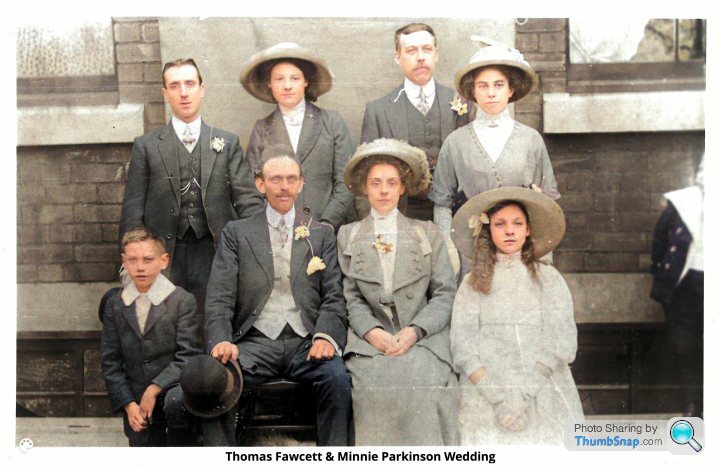

The HP Smart app allows me to choose jpeg, crop the photo where needed and add text, then send the image to my MacBook. The family tree i'm creating using myheritage.com also does a good job of restoring and colourising old black & white photos, and adding them to the tree.
Edited by LeadFarmer on Friday 4th February 21:51
thebraketester said:
Using a phone absolutely isn't the best way to do this. It might be the easiest/quickest, but it's not the best in terms of archiving with repeatable quality
This is very true but many people don't have enough 'technical' knowledge of photography to use a camera properly. It's quite impressive to see what is now available, good stuff.Gassing Station | Computers, Gadgets & Stuff | Top of Page | What's New | My Stuff