
Amazon app crash when I open a link
Discussion


Hi,
So when I come across a link to a product on amazon in chrome on my android phone, it knows its amazon and opens up the app however the app window doesn't fully open and you can still see a shrunken chrome window and the app crashes or something but it never opens the link. Is there a way to fix this or force chrome to open up the link in itself as the website interface instead? The app when opened up by itself is perfectly fine to use it just seems to be crashing on opening a link. Thanks in advance.
So when I come across a link to a product on amazon in chrome on my android phone, it knows its amazon and opens up the app however the app window doesn't fully open and you can still see a shrunken chrome window and the app crashes or something but it never opens the link. Is there a way to fix this or force chrome to open up the link in itself as the website interface instead? The app when opened up by itself is perfectly fine to use it just seems to be crashing on opening a link. Thanks in advance.
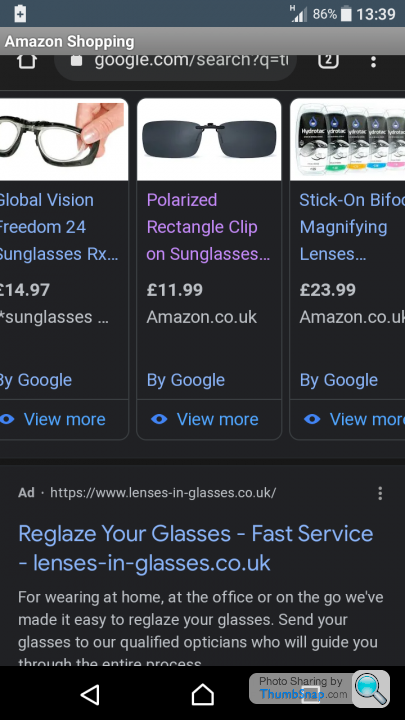
That doesn't look like the Amazon app.
That looks like the results from a google search page.
If you know what you're looking for, then go to Amazon website or open the app directly.
BTW, if I accidentally click on of the google ads at the top of the search results, my browser settings just means I get shown an error page due to the amount of 'referrer' code in the link.
That looks like the results from a google search page.
If you know what you're looking for, then go to Amazon website or open the app directly.
BTW, if I accidentally click on of the google ads at the top of the search results, my browser settings just means I get shown an error page due to the amount of 'referrer' code in the link.
mmm-five said:
That doesn't look like the Amazon app.
That looks like the results from a google search page.
If you know what you're looking for, then go to Amazon website or open the app directly.
BTW, if I accidentally click on of the google ads at the top of the search results, my browser settings just means I get shown an error page due to the amount of 'referrer' code in the link.
It is the app, I just discovered if I click on the button that shows open apps as seperate windows, close chrome, then click on the semi-opened app it then shows the product in the app properly. Curiously while trying playing around to see if I can perfect the sequence necessary to do the app opening next time I found when clicking on the app several times i get several mess-up windows, I'd hazard a guess this is a video graphics issue doing this?That looks like the results from a google search page.
If you know what you're looking for, then go to Amazon website or open the app directly.
BTW, if I accidentally click on of the google ads at the top of the search results, my browser settings just means I get shown an error page due to the amount of 'referrer' code in the link.
What I have to do is close chrome, swipe down from the top of the screen, it shows running apps,I then click on amazon app and it opens to the page.
OK so I found a way to open it in the app but at the inconvenience of closing down chrome?
Gassing Station | Computers, Gadgets & Stuff | Top of Page | What's New | My Stuff