
Ubiquity & VPN
Discussion


I know there's a fair few Ubiquity users on here, is anyone running a VPN on one, and more specifically have you managed to get destination domain routing working?
I've set up one on my UDR7 using Open VPN.
If I set the source and destination to "any" it routes all my traffic through the VPN, confirmed with a couple of what's my IP address websites.
If I set the source to a specific device on my network, it routes traffic from that machine through the VPN, confirmed by routing my PC's traffic and it showing a remote location while my phone shows where I really am on a what's my IP site.
However my goal is to route all traffic to specific domain addresses through the VPN and I can't get it work at all. I initially tried with a massive list of domain names from Github that Youtube uses, but it clearly wasn't using the VPN. I then tried it with the domains for various What's My IP Address sites and that doesn't seem to work either.
Has anyone got this working?
I've set up one on my UDR7 using Open VPN.
If I set the source and destination to "any" it routes all my traffic through the VPN, confirmed with a couple of what's my IP address websites.
If I set the source to a specific device on my network, it routes traffic from that machine through the VPN, confirmed by routing my PC's traffic and it showing a remote location while my phone shows where I really am on a what's my IP site.
However my goal is to route all traffic to specific domain addresses through the VPN and I can't get it work at all. I initially tried with a massive list of domain names from Github that Youtube uses, but it clearly wasn't using the VPN. I then tried it with the domains for various What's My IP Address sites and that doesn't seem to work either.
Has anyone got this working?
So does the policy based routing not work at all?
I tried following this approach to send everything to a list of domains via the VPN
https://help.ui.com/hc/en-us/articles/125661751257...
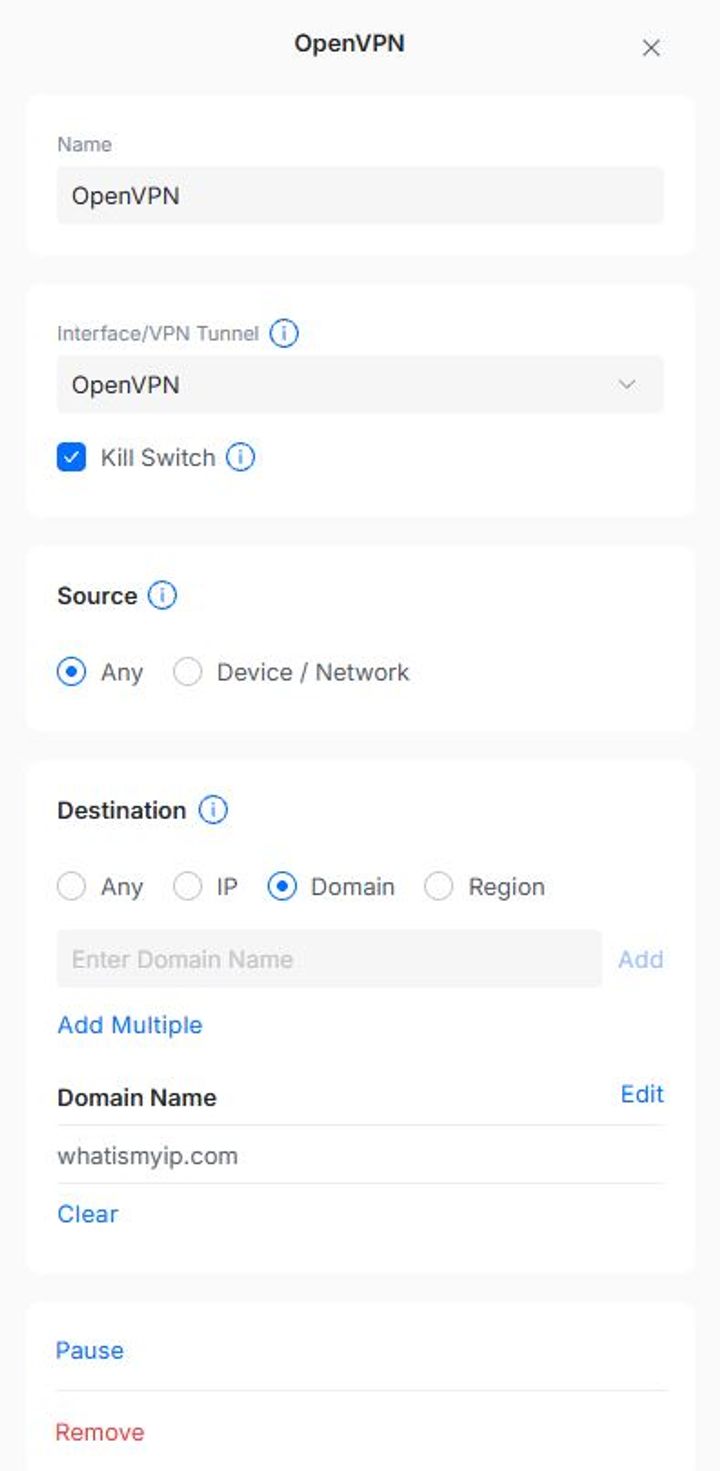
Can you set routes for domains in the same way as the IP address example in your post?
I tried following this approach to send everything to a list of domains via the VPN
https://help.ui.com/hc/en-us/articles/125661751257...
Can you set routes for domains in the same way as the IP address example in your post?
The gateway's awareness of domain is formed from DNS responses, so you'll need to make sure you are using the gateway's DNS resolver for your clients and not PiHole, ISP nameservers or something else
https://help.ui.com/hc/en-us/articles/125661751257...
Domain: Specify one or more domains associated with the destination traffic.
Note: Requires the client devices to use the UniFi gateway as the DNS server.
Browser's often have a built-in DNS client + encryption and bypass the OS's resolver so check browser settings as well.
https://help.ui.com/hc/en-us/articles/125661751257...
Domain: Specify one or more domains associated with the destination traffic.
Note: Requires the client devices to use the UniFi gateway as the DNS server.
Browser's often have a built-in DNS client + encryption and bypass the OS's resolver so check browser settings as well.
Bugger, I'm using a pihole, so does that mean I can't route specific domains or do I need to look in to how to set that up in the pihole?
I completely missed the "Note: Requires the client devices to use the UniFi gateway as the DNS server." caveat
I completely missed the "Note: Requires the client devices to use the UniFi gateway as the DNS server." caveat
Edited by RizzoTheRat on Tuesday 10th February 19:01
RizzoTheRat said:
Bugger, I'm using a pihole, so does that mean I can't route specific domains or do I need to look in to how to set that up in the pihole?
I completely missed the "Note: Requires the client devices to use the UniFi gateway as the DNS server." caveat
Can you set the router up to give out the pihole info via DHCP, but use its own resolver locally ? FWIW you can do that with the Ubiquiti Edgerouters.I completely missed the "Note: Requires the client devices to use the UniFi gateway as the DNS server." caveat
Edited by RizzoTheRat on Tuesday 10th February 19:01
Er...possibly, if I knew what that meant  I'm learning slowly, I'll have a google around that one.
I've set the DNS back to auto but it has default lease time of 86400s. Is that just for leasing local IP addresses or will it remember wherever it's been sending the previous requests for that long so I need to reboot the router to check if it's doing what I want it to?
I'm learning slowly, I'll have a google around that one.I've set the DNS back to auto but it has default lease time of 86400s. Is that just for leasing local IP addresses or will it remember wherever it's been sending the previous requests for that long so I need to reboot the router to check if it's doing what I want it to?
Gassing Station | Computers, Gadgets & Stuff | Top of Page | What's New | My Stuff