
Connecting to a NAS problems
Discussion


I have a strange problem with the above, The way I've got my system set up is a mini windows PC at each TV hard wired with ethernet back to the router and the Qnap NAS is connected via ethernet to the router as well so no wifi involved. Every PC (6 of them) work flawlessly and always connect as they should, the way I've done it is to map a folder on the NAS to the PC so the folder shows up as an extra drive and it all works and has done for at least 10 years.
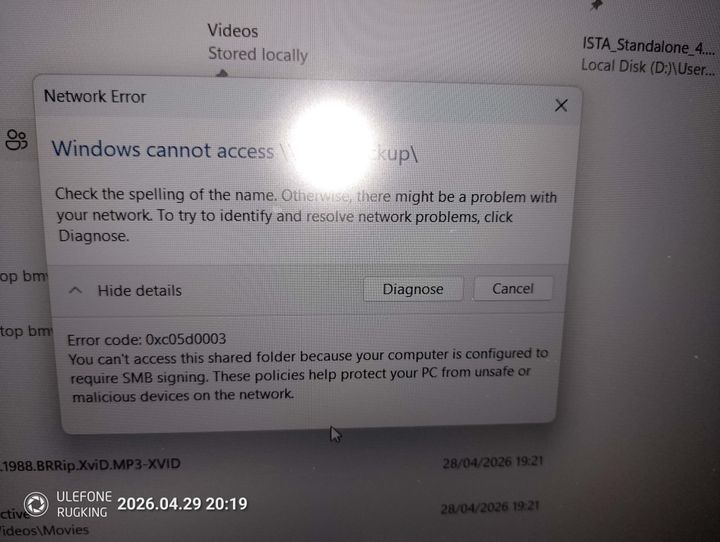
The problem I have is with the laptop over wifi, I can set the folder up in exactly the same way I do the other PC's, using the q-finder program to map the drive and it shows up as normal and I can access it fine. However when shutting down and restarting the laptop I get this error
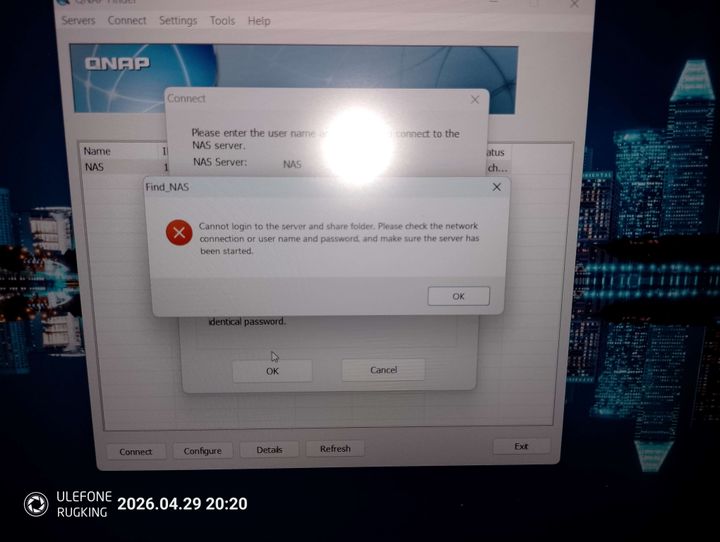
If I try and remap it using qfinder I then get this error, obviously the password/user is correct
But if I disconnect the mapped drive and run q-finder again I can then get it working until it shuts down again.
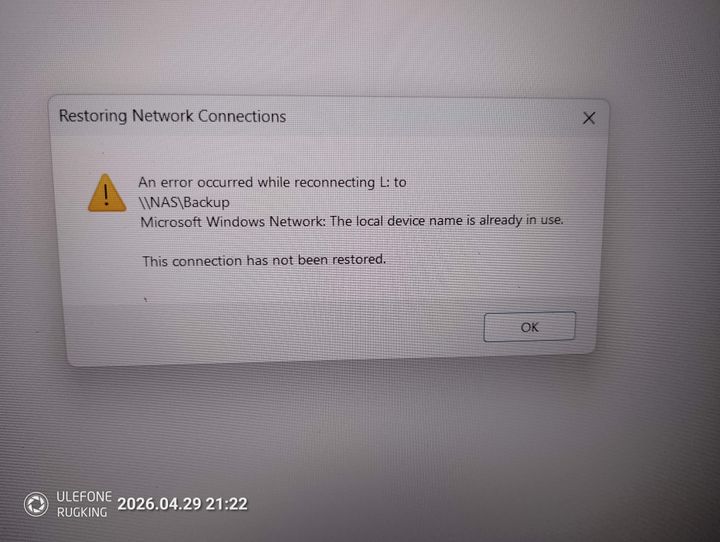
I've tried various registry/powershell hacks that I've tried on line like disabling SMB signature but then I get this error.
I'm sure it used to work fine over wifi, I think it may have been since I upgraded to W11. Its not the laptop BTW as I've tried on two different ones and had the same problem.
Edited to add - I can log into the web server of the NAS on the laptop no problem using the same credentials as I'm using in the mapping tool.
The problem I have is with the laptop over wifi, I can set the folder up in exactly the same way I do the other PC's, using the q-finder program to map the drive and it shows up as normal and I can access it fine. However when shutting down and restarting the laptop I get this error
If I try and remap it using qfinder I then get this error, obviously the password/user is correct
But if I disconnect the mapped drive and run q-finder again I can then get it working until it shuts down again.
I've tried various registry/powershell hacks that I've tried on line like disabling SMB signature but then I get this error.
I'm sure it used to work fine over wifi, I think it may have been since I upgraded to W11. Its not the laptop BTW as I've tried on two different ones and had the same problem.
Edited to add - I can log into the web server of the NAS on the laptop no problem using the same credentials as I'm using in the mapping tool.
I've had similar on a Synology NAS.
I could get in via IP address but not with the name. This was a couple of years ago and I think it was that the firewall started blocking it as I could also get in with the name on another machine.
I've also had the situation where the IP address changed.
I could get in via IP address but not with the name. This was a couple of years ago and I think it was that the firewall started blocking it as I could also get in with the name on another machine.
I've also had the situation where the IP address changed.
I may have solved it, I updated the NAS firmware - not done it for ages, then another w11 pc wouldnt connect. So I made sure file sharing etc was on and used the windows software to map the drive/folder instead of the ancient Qnap software and that seems to work, I can now restart the pc's and laptop and still connect.
On a side note how do you find a network folder address when mapping it, mine seemed to be stored in the history and was something like \\NAS\\....
On a side note how do you find a network folder address when mapping it, mine seemed to be stored in the history and was something like \\NAS\\....
Gassing Station | Computers, Gadgets & Stuff | Top of Page | What's New | My Stuff