
Google Timeline
Discussion


Many years ago i had this, but being rather sedentary at the time, it became very boring seeing the same routes each week.
Changes of phone and i never bothered with it but now , i thought i would 'rejoin'
First use was a visit to Prague and was looking forward to seeing where i had been on the trams and Metro.
Disappointed to find out that (if my memory serves me correctly) that the various modes of movement are no longer shown
eg Drive to airport, flight, walk, transport etc. just two straight lines Home to destination and return
There was a sort of list underneath but it was very sparce in info.
In its defence i was not getting a very good internet signal, but my lad said that even if the phone was turned off, it would still have registered
So did it used to register the movement in detail ,or was it just a bad memory?
Changes of phone and i never bothered with it but now , i thought i would 'rejoin'
First use was a visit to Prague and was looking forward to seeing where i had been on the trams and Metro.
Disappointed to find out that (if my memory serves me correctly) that the various modes of movement are no longer shown
eg Drive to airport, flight, walk, transport etc. just two straight lines Home to destination and return
There was a sort of list underneath but it was very sparce in info.
In its defence i was not getting a very good internet signal, but my lad said that even if the phone was turned off, it would still have registered
So did it used to register the movement in detail ,or was it just a bad memory?
If I remember correctly I kept having messages about keeping timelines
I got fed up and turned it off , have a look if yours is off
On Android: Go to Google Maps > Profile > Your Timeline > More > Location & privacy settings > Timeline is on/off > tap Turn on
.On iPhone/iPad: Go to Google Maps > Profile > Your Timeline > More > Location & privacy settings > ensure Location Services are set to "Always." Under Timeline, tap Turn on.
I got fed up and turned it off , have a look if yours is off
On Android: Go to Google Maps > Profile > Your Timeline > More > Location & privacy settings > Timeline is on/off > tap Turn on
.On iPhone/iPad: Go to Google Maps > Profile > Your Timeline > More > Location & privacy settings > ensure Location Services are set to "Always." Under Timeline, tap Turn on.
silverfoxcc said:
...
So did it used to register the movement in detail ,or was it just a bad memory?
It used to (or still does) guess at the movement. If I was on a 'spirited drive' in the MX-5, it would register as 'riding a motorcycle'. If I was pedalling my rusty old bike into town, it would think I was walking...So did it used to register the movement in detail ,or was it just a bad memory?
Timeline was turned off / functionality hobbled for many under legislation for users privacy.
Loads of regular emails were sent out over the course of 12 months to notify users.
Dig around in the Timeline settings in G Maps, followed by the Location settings on your device, and finally the location, timeline, and privacy settings for your account online (via a web browser).
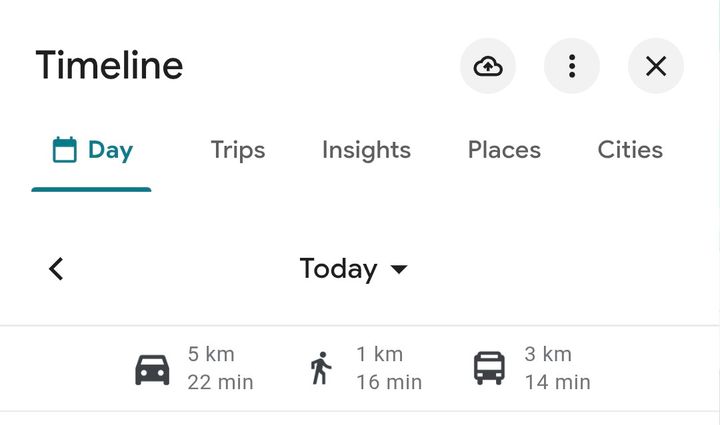
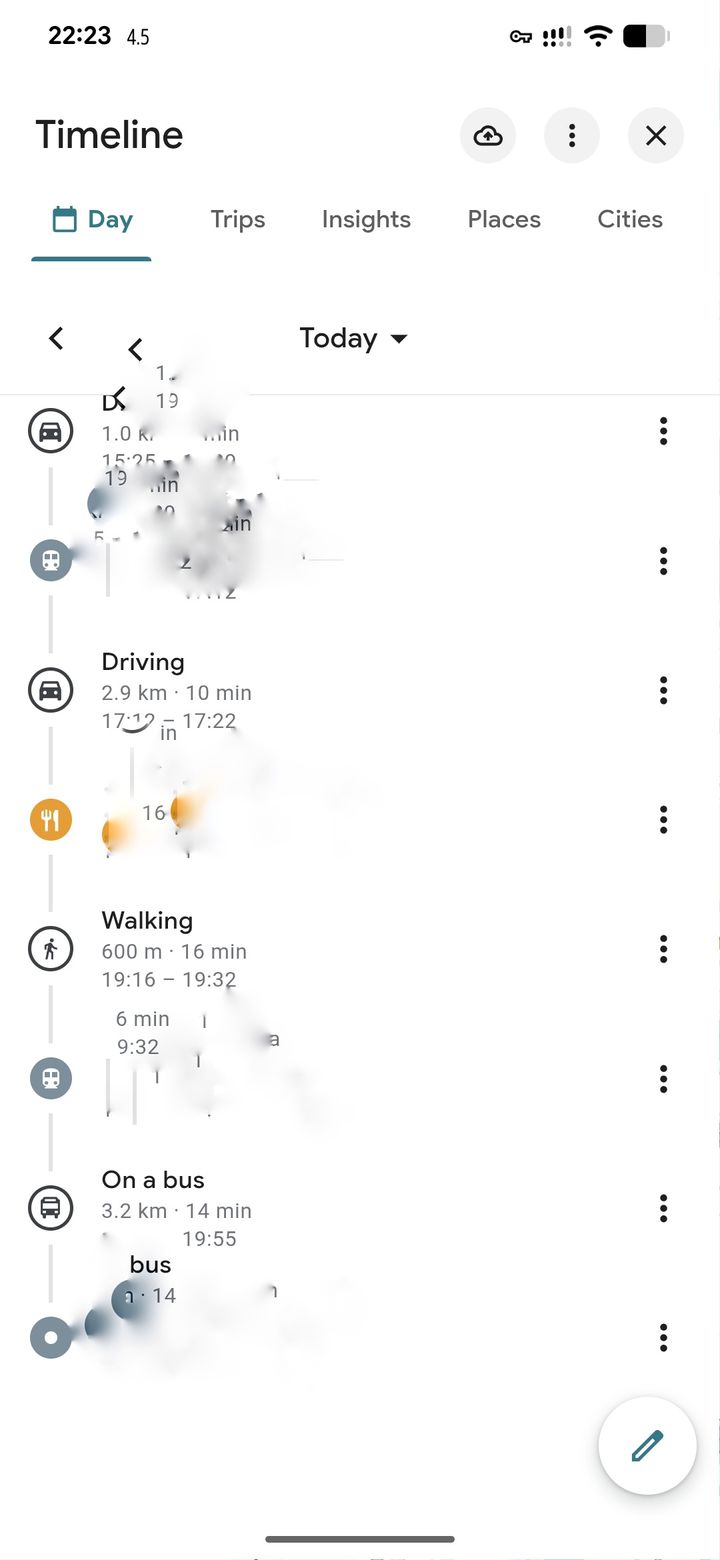
Suffice to say it still works, below is my day where it recognised Driving, Walking, Trams, and Buses.
I've blurred out or cropped the screenshots for some degree of privacy.
If your device is powered off it's not going to track your location, so that information is spurious.
Loads of regular emails were sent out over the course of 12 months to notify users.
Dig around in the Timeline settings in G Maps, followed by the Location settings on your device, and finally the location, timeline, and privacy settings for your account online (via a web browser).
Suffice to say it still works, below is my day where it recognised Driving, Walking, Trams, and Buses.
I've blurred out or cropped the screenshots for some degree of privacy.
If your device is powered off it's not going to track your location, so that information is spurious.
Gassing Station | Computers, Gadgets & Stuff | Top of Page | What's New | My Stuff