
Dedicated Home Cinema Room on a Budget - Build
Discussion


EDIT - Home Cinema is pretty much finito - here are a couple pics! See thread on AV forums for full details and build thread (details below these pics).
Back of the room - Will eventually add racking to both sides, small bit of coving needs sorting and I may put a couple pictures up.

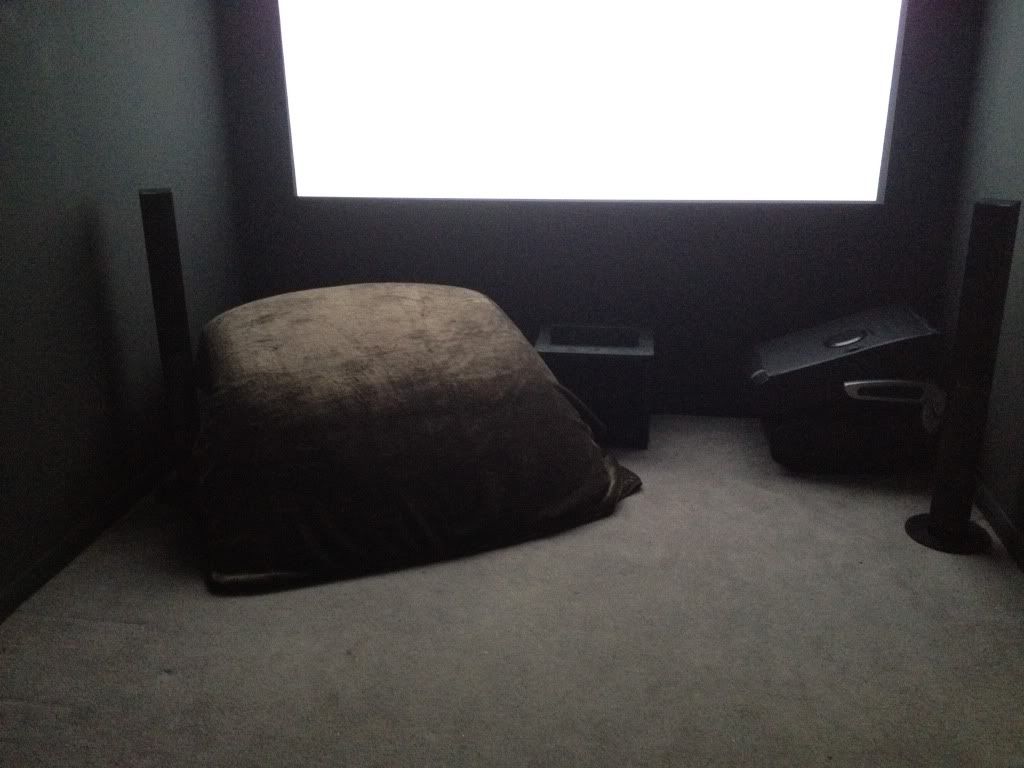
Front-ish of room. Excuse my S2000 roof in the corner, I have a blanket over it to minimise reflections.

Front of room. Gaming chair in the corner for when I get the PS3 steering wheel out!
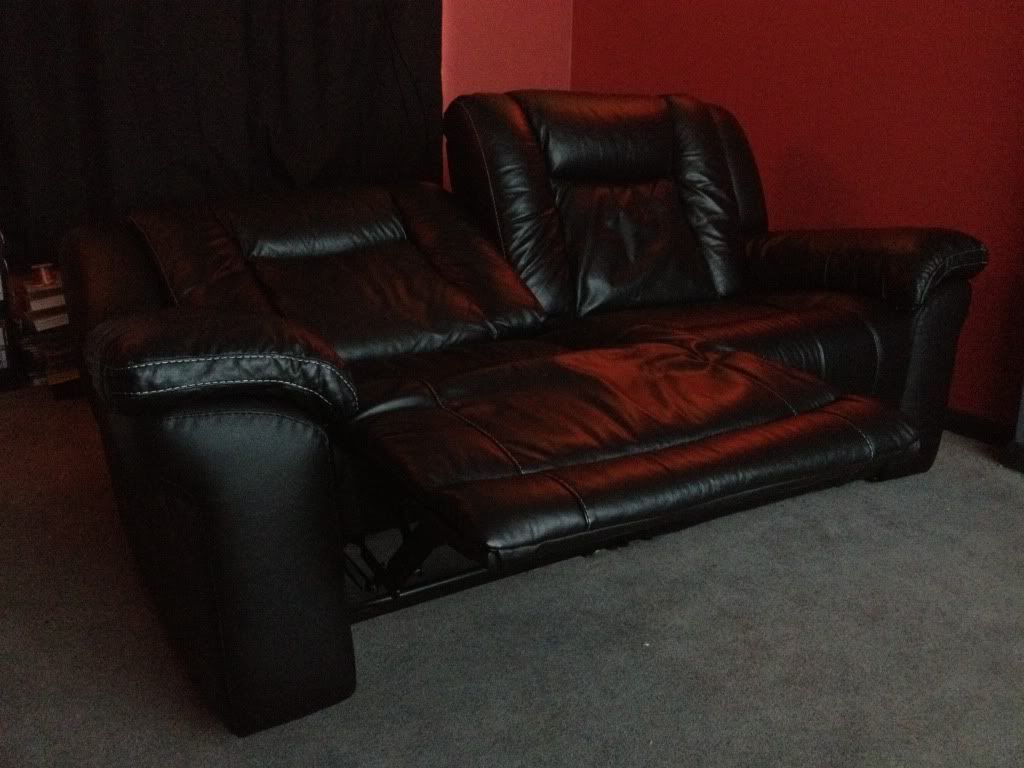
Reclining Sofa in action. This thing is stupidly comfy, It eats hours of my life!
My Cinema De Rowe screensaver - screen is about 117 inches.

All lights in the room are remote control, using Varilight switches. It will all soon be hooked up via a Harmony 900 or 1100 remote.

Morning people,
Quick build thread of my Dedicated Home Cinema Room.
I know linking off to another forum is bad, but I dont want to be writing it up twice.
http://www.avforums.com/forums/members-home-cinema...
Have a look if you are interested.
Cheers.
Back of the room - Will eventually add racking to both sides, small bit of coving needs sorting and I may put a couple pictures up.
Front-ish of room. Excuse my S2000 roof in the corner, I have a blanket over it to minimise reflections.
Front of room. Gaming chair in the corner for when I get the PS3 steering wheel out!
Reclining Sofa in action. This thing is stupidly comfy, It eats hours of my life!
My Cinema De Rowe screensaver - screen is about 117 inches.
All lights in the room are remote control, using Varilight switches. It will all soon be hooked up via a Harmony 900 or 1100 remote.
Morning people,
Quick build thread of my Dedicated Home Cinema Room.
I know linking off to another forum is bad, but I dont want to be writing it up twice.
http://www.avforums.com/forums/members-home-cinema...
Have a look if you are interested.
Cheers.
Edited by russy01 on Saturday 21st January 17:01

Screens are tricky. A decent projector screen will set you back a few hundred quid, however I had a perfectly flat wall which I thought was suitable. There are companies out there offering specific projector paint (basically white paint with a reflective additive) however these guys have cottoned onto it and charge £100 for a litre or two.
Dulux sell this paint called light and space it also contains a reflective substance to make your room look brighter and well a few guys from the AV forum have tried it and said its works almost aswell as the specialist paint and not too far off an expensive screen. So I thought I'd give it a go.
Dulux sell this paint called light and space it also contains a reflective substance to make your room look brighter and well a few guys from the AV forum have tried it and said its works almost aswell as the specialist paint and not too far off an expensive screen. So I thought I'd give it a go.


Looks very good!!
I would love a dedicated room but, have to use mine as a lounge too so, only have 1 dark wall and some black out blinds (for 2 very big sash windows.) From your pictures, it looks like the black ceiling/walls/floor at the front really makes the image pop out. Good work!
I would love a dedicated room but, have to use mine as a lounge too so, only have 1 dark wall and some black out blinds (for 2 very big sash windows.) From your pictures, it looks like the black ceiling/walls/floor at the front really makes the image pop out. Good work!
Speckle said:
Looks very good!!
I would love a dedicated room but, have to use mine as a lounge too so, only have 1 dark wall and some black out blinds (for 2 very big sash windows.) From your pictures, it looks like the black ceiling/walls/floor at the front really makes the image pop out. Good work!
Thanks, luckily this was a spare room that was just full to the brim with junk. So I had a massive tip run and got started. We still have a half decent set up in the lounge so the OH can watch eastbenders etc.I would love a dedicated room but, have to use mine as a lounge too so, only have 1 dark wall and some black out blinds (for 2 very big sash windows.) From your pictures, it looks like the black ceiling/walls/floor at the front really makes the image pop out. Good work!
I am yet to watch a proper feature, but from half hour of testing the other night this paint really does work nicely, like you said the contrasting walls make the picture pop out.
russy01 said:
Thanks, luckily this was a spare room that was just full to the brim with junk. So I had a massive tip run and got started. We still have a half decent set up in the lounge so the OH can watch eastbenders etc.
I am yet to watch a proper feature, but from half hour of testing the other night this paint really does work nicely, like you said the contrasting walls make the picture pop out.
I've also had to go for a pulldown screen (105") which I have with an Epson 1080p projector. I imagine your painted wall will make motion a bit crisper (as there will be no risk of 'ripples') My sound set up is similar to yours and is just an old Sony 5.1 setup which I've had for the last 4 years. It works very well indeed and I don't feel the urge to upgrade at all.I am yet to watch a proper feature, but from half hour of testing the other night this paint really does work nicely, like you said the contrasting walls make the picture pop out.
My first evening's viewing consisted of Avatar and the Star Trek movie.
F1 and UFC events are also pretty spectacular on the big screen...
Nice job.  I'd love a dedicated room as I know how much the room effects the image on a projection screen. I even made a removable 'tent' to reduce room reflections, but it's too much of a faff to put up each time.
I like the screen too, don't have to worry about it curling up at the edges, or if it does then you've got bigger worries than just your screen. I'd highly recommed making up some kind of masking though as you'll soon find that many films are in 2.40:1 aspect so you'll see the black bars top and bottom: If you shift the image down to the bottom of the screen for these films, then you only need one wider piece of masking across the top. I have the opposite problem as my screen is 2.40:1 and for TV type content I have bars each side. Tests using masking showed that the picture looked much better masked up.
I'd love a dedicated room as I know how much the room effects the image on a projection screen. I even made a removable 'tent' to reduce room reflections, but it's too much of a faff to put up each time.I like the screen too, don't have to worry about it curling up at the edges, or if it does then you've got bigger worries than just your screen.
I'd highly recommed making up some kind of masking though as you'll soon find that many films are in 2.40:1 aspect so you'll see the black bars top and bottom: If you shift the image down to the bottom of the screen for these films, then you only need one wider piece of masking across the top. I have the opposite problem as my screen is 2.40:1 and for TV type content I have bars each side. Tests using masking showed that the picture looked much better masked up.OldSkoolRS said:
I like the screen too, don't have to worry about it curling up at the edges, or if it does then you've got bigger worries than just your screen. I'd highly recommed making up some kind of masking though as you'll soon find that many films are in 2.40:1 aspect so you'll see the black bars top and bottom: If you shift the image down to the bottom of the screen for these films, then you only need one wider piece of masking across the top. I have the opposite problem as my screen is 2.40:1 and for TV type content I have bars each side. Tests using masking showed that the picture looked much better masked up.
This is probably good advice, depending on your projector and how good/deep the blacks are. I started making some sort of 'clip on' masking for my pulldown screen but, it turned out to be a right faff so I didn't bother. Luckily, having played around with the various projector settings, my blacks are pretty good and I don't really notice the black bars anymore. If I had your set up though, I definitely would use masking as the better the contrast, the better the perceived image. I'd highly recommed making up some kind of masking though as you'll soon find that many films are in 2.40:1 aspect so you'll see the black bars top and bottom: If you shift the image down to the bottom of the screen for these films, then you only need one wider piece of masking across the top. I have the opposite problem as my screen is 2.40:1 and for TV type content I have bars each side. Tests using masking showed that the picture looked much better masked up.Not sure if you meant 'my setup' or the OP's setup?
We watched a few really old films (my OH likes B&W and other 'Saturday afternoon' films) and as they are 4:3 they looked really silly on my 2.40:1 screen, so for 'Gone with the Wind' I made the effort and clipped two pieces of black velvet each side of the picture to give a crisp border and the picture seemed much better for it. However, these days I seem to find nearly every film I watch is 2.40:1 so I haven't got round to making up anything slicker. I did think about buying a second screen in 16:9 and fitting it in front of my 2.40:1 one, but I've hidden my screen inside a pelmet so I'd have to rebuild that to allow it and I can't be bothered.
Sorry OP for dragging your thread off topic.
We watched a few really old films (my OH likes B&W and other 'Saturday afternoon' films) and as they are 4:3 they looked really silly on my 2.40:1 screen, so for 'Gone with the Wind' I made the effort and clipped two pieces of black velvet each side of the picture to give a crisp border and the picture seemed much better for it. However, these days I seem to find nearly every film I watch is 2.40:1 so I haven't got round to making up anything slicker. I did think about buying a second screen in 16:9 and fitting it in front of my 2.40:1 one, but I've hidden my screen inside a pelmet so I'd have to rebuild that to allow it and I can't be bothered.
Sorry OP for dragging your thread off topic.
OldSkoolRS said:
Not sure if you meant 'my setup' or the OP's setup?
Sorry, I meant the OP's set up. Mainly because he could use something rigid like MDF and fix it either side with hooks. That way it would be dead easy to switch over depending on what he is watching.
I did consider a letterbpx screen like yours but, I knew I would be watching a fair bit of TV (sports etc.) on it so, opted for the compromise of a 16:9 which I have been very happy with.
Yes, it's really just a matter of working out what you watch more of and what's most important to you. Probably 90% plus of my viewing is 2.40:1 and I don't watch sport (apart from F1) hence my screen choice. I can see how a sports fan or someone who likes to watch TV series on their projector would want the opposite.

the room is pretty much bare at the moment all that there is in it is a set of grey ikea wardrobes
the floor area is 10'x10' or 3x3 meters roughly room is 2.43 tall
plan was sofa on door wall and screen on the far wall issues are the wardrobes are grey glass so i imagine there will be reflections ago-go. i have never had a projector before so im starting from scratch. my potential budget wont be huge say say 700 ish for screen and projector i can have a fixed screen she says
it will be mainly for gaming and films sky hd/bluray obviously if i can spend less then better chances of me getting the go ahead


the floor area is 10'x10' or 3x3 meters roughly room is 2.43 tall
plan was sofa on door wall and screen on the far wall issues are the wardrobes are grey glass so i imagine there will be reflections ago-go. i have never had a projector before so im starting from scratch. my potential budget wont be huge say say 700 ish for screen and projector i can have a fixed screen she says
it will be mainly for gaming and films sky hd/bluray obviously if i can spend less then better chances of me getting the go ahead
Thats a tricky one, its very tight on space. A projector might not be suitable first of all because of the distance you have to throw the picture and secondly because of chucking all that light around in the room with that wardrobe.
First thing is to establish whether you can get away with a PJ, the most important factor with a Projectors screen size is the "throw distance", see http://www.projectorcentral.com/Optoma-HD67-projec... . This is a screen size/light calculator based on my budget projector. e.g if you have the PJ 2.5m from the screen you are looking at a 70inch picture.
In such a small space I would be tempted to pick up a 50' TV and chuck it on the wall, the picture may not be as big but you wont have the noise from the PJ which may be more noticeable in your smaller room.
First thing is to establish whether you can get away with a PJ, the most important factor with a Projectors screen size is the "throw distance", see http://www.projectorcentral.com/Optoma-HD67-projec... . This is a screen size/light calculator based on my budget projector. e.g if you have the PJ 2.5m from the screen you are looking at a 70inch picture.
In such a small space I would be tempted to pick up a 50' TV and chuck it on the wall, the picture may not be as big but you wont have the noise from the PJ which may be more noticeable in your smaller room.
Gassing Station | Home Cinema & Hi-Fi | Top of Page | What's New | My Stuff