
More beginners photoshop fiddling
Discussion


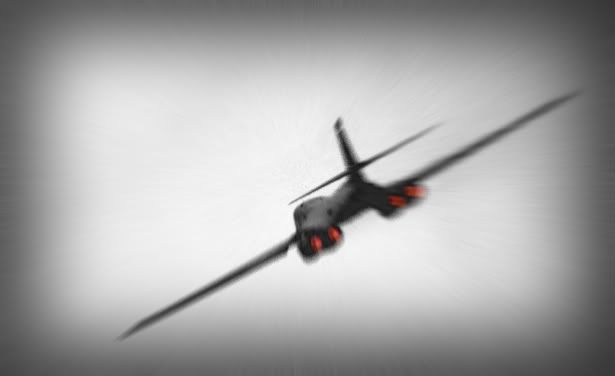
Anyone like this effort? I'm quite pleased with it:

full size one here:
http://stephenclarke.fotopic.net/p12081767.html
>>> Edited by clarkey on Tuesday 22 February 15:05
full size one here:
http://stephenclarke.fotopic.net/p12081767.html
>>> Edited by clarkey on Tuesday 22 February 15:05


Bee_Jay said:
I just bought an excellent book for Photoshoppers - "The Photoshop CS book for digital photographers, Scott Kelby".
It is fantastic and I can't recommend it enough - excellent step by step examples with good explanations and images.
And I've got it's prequal (same name without the CS) by the same author (given to me by our very own Luca Brazzi
 ) and would reccommend it without question.
 Martin.
selmer said:So was I, but it's dead easy and addictive.
i still can't do that thing where you make a colour object stand out in a b/w background, and I'm afraid to ask
Described in this thread
beano500 said:
i still can't do that thing where you make a colour object stand out in a b/w background, and I'm afraid to ask
So was I, but it's dead easy and addictive.
Described in this thread
I know I've seen the results and they're great. Unfortunatley I'm such an arse when it comes to anything like this, I can't do it yet. I'll keep trying

I know exactly what you mean - i've had PS (still on version 6) for a few years and have hardly worked anything out.
However this website has made sense and there are a few simple tutorials on there which have helped me to make sense of it all.
However this website has made sense and there are a few simple tutorials on there which have helped me to make sense of it all.


selmer said:
still trying by the way
Right mate i am no expert but i will try and help.
Spot colour.
Find a simple picture and open it in ps as a copy so you don't ruin your original.
Goto the dropdowns at the top, you want the image tab then adjustments then channel mixer then tick the small box at the bottom left which says monochrome. Or simply make the picture grayscale if you know how.
Next go to the tools on the left of the ps screen and click on the one that looks like a brush. Hover over it and make sure it says history brush tool ( Y ), not the art history brush.
Go back to your picture and draw an outline of the simple shape in the middle, see thatyou can change the size of the brush by right clicking the picture with the brush selected. finish brushing the rest of the shape and it should be returned to it's original colour.
If the colour you have now exposed is too bright go to the dropdowns at the top and select , image, adjustments, hue/saturation and use the slider on the saturation bar to desaturate the colour to your liking. This took 3 mins

ps let us know how you get on

>> Edited by bilko2 on Thursday 24th February 00:19
bilko2 said:
still trying by the way
Right mate i am no expert but i will try and help.
Spot colour.
Find a simple picture and open it in ps as a copy so you don't ruin your original.
Goto the dropdowns at the top, you want the image tab then adjustments then channel mixer then tick the small box at the bottom left which says monochrome. Or simply make the picture grayscale if you know how.
Next go to the tools on the left of the ps screen and click on the one that looks like a brush. Hover over it and make sure it says history brush tool ( Y ), not the art history brush.
Go back to your picture and draw an outline of the simple shape in the middle, see thatyou can change the size of the brush by right clicking the picture with the brush selected. finish brushing the rest of the shape and it should be returned to it's original colour.
If the colour you have now exposed is too bright go to the dropdowns at the top and select , image, adjustments, hue/saturation and use the slider on the saturation bar to desaturate the colour to your liking. This took 3 mins
ps let us know how you get on
>> Edited by bilko2 on Thursday 24th February 00:19
Thanks Bilko, I'm trying it now. However when I try to find that tool, I get the dropper tool instead. If I press shift Y, I get the red eye tool. Nowhere can I find the history brush.
I also get a 'gradient map' not a 'channel mixer'. Is it the same thing or completely different. SorryI'm such a dick over this, but it's really frustrating me.
I also have the added problem (a common one by all accounts, according to the Microsoft problem page) of my 'Help' feature only opening in Wordpad, which is just mumbo-jumbo to me
Hope you can help. Cheers.


No problem Selmer
Channel mixer is directly above gradient map in version 7
Also do you have the toolbox displayed?, the history brush is the one helpfully displayed. If not goto the window tab along the top and tick tools.
This should bring up the displayed toolbox
If not then i don't know how to help mate.
Channel mixer is directly above gradient map in version 7
Also do you have the toolbox displayed?, the history brush is the one helpfully displayed. If not goto the window tab along the top and tick tools.
This should bring up the displayed toolbox
If not then i don't know how to help mate.
Gassing Station | Photography & Video | Top of Page | What's New | My Stuff