
Router recommendations
Discussion


Tried the search but didn't find anything recent so ....
I'm in need of a new router (no modem) to replace my ageing Netgear N600. It needs fast and stable wifi, with good range in a largish house and a good user interface. Budget is to £200ish as I won't be replacing it for quite a while. The wifi range and stability is especially important as it's been degrading on the N600 and that's the source of much complaining at home!
I've been looking at the Asus RT-AC3200 (£180) and Netgear R8000 X6 (£160) or maybe even the R8000P X6S although at £230 it's a lot more so not sure that last one is worth it?
Any thoughts or maybe suggestions for alternatives?
Thanks!
Steve
I'm in need of a new router (no modem) to replace my ageing Netgear N600. It needs fast and stable wifi, with good range in a largish house and a good user interface. Budget is to £200ish as I won't be replacing it for quite a while. The wifi range and stability is especially important as it's been degrading on the N600 and that's the source of much complaining at home!
I've been looking at the Asus RT-AC3200 (£180) and Netgear R8000 X6 (£160) or maybe even the R8000P X6S although at £230 it's a lot more so not sure that last one is worth it?
Any thoughts or maybe suggestions for alternatives?
Thanks!
Steve
Unfortunately I think my N600 is on it's way out as it's becoming a bit unstable and prone to dropping the network for several minutes at a time. I suspect it's struggling with the increasing amount of wifi kit ... and my wife's obsession with Farmville 2! 
Ubiquiti stuff looks impressive....
Ubiquiti stuff looks impressive....
StephenP said:
Unfortunately I think my N600 is on it's way out as it's becoming a bit unstable and prone to dropping the network for several minutes at a time. I suspect it's struggling with the increasing amount of wifi kit ... and my wife's obsession with Farmville 2!
Ubiquiti stuff looks impressive....
once you have the hardwired access points, just turn the wifi off on the router.. you wont need itUbiquiti stuff looks impressive....
Thanks, although that may not have helped in the way I hoped as I'm now off to look at the various access points. Daft question but presumably the idea is to use them with the existing router? (or a replacement as the router is possibly on it's way out)
ETA - you answered my question before I asked it ...
ETA - you answered my question before I asked it ...
StephenP said:
Thanks, although that may not have helped in the way I hoped as I'm now off to look at the various access points. Daft question but presumably the idea is to use them with the existing router? (or a replacement as the router is possibly on it's way out)
ETA - you answered my question before I asked it ...
Just to b clear... you WILL need the router...ETA - you answered my question before I asked it ...
Just turn the wifi off on it

It will be far less stressed, and can focus on what its good at ( routing ), instead of trying and failing to be good at everything
SystemParanoia said:
UAP AC Lite's are just £73ish each.. it wont blow his budget at all.
the TP link EAP225 are much cheaper and similar spec, you'll get a pair of em for just over £120
It would if he got the USG and a POE switch to go with the UAPs which I assumed as he said he wanted a new router.the TP link EAP225 are much cheaper and similar spec, you'll get a pair of em for just over £120
skahigh said:
SystemParanoia said:
UAP AC Lite's are just £73ish each.. it wont blow his budget at all.
the TP link EAP225 are much cheaper and similar spec, you'll get a pair of em for just over £120
It would if he got the USG and a POE switch to go with the UAPs which I assumed as he said he wanted a new router.the TP link EAP225 are much cheaper and similar spec, you'll get a pair of em for just over £120
The TP links, i'm unsure if they come with injectors or regular power bricks, it seems to depend on where you get then from
SystemParanoia said:
The Ubiquity's come with PoE injectors included, so you dont need a PoE switch.
The TP links, i'm unsure if they come with injectors or regular power bricks, it seems to depend on where you get then from
I'm not certain but I don't think mine came with injectors, I've got two UAP-AC-IW and one UAP-AC-LITE.The TP links, i'm unsure if they come with injectors or regular power bricks, it seems to depend on where you get then from
SystemParanoia said:
Just to b clear... you WILL need the router...
In hindsight that was a pretty dumb question on my part! Looks like a pair of these might be the answer? One upstairs on the landing and the other downstairs at the toward the other end of the house.
https://www.amazon.co.uk/Ubiquiti-Networks-UAP-AC-...
You've set me on a dark path I think ... now looking at the other bits of kit they do although I think it's a task for when I'm not falling asleep! Unifi Cloud Key(?!), Unifi Security Gateway Router ... this could get expensive if I ever work out what I might need! (budget might be expanding too....)
Edited by StephenP on Wednesday 21st March 22:00
StephenP said:
In hindsight that was a pretty dumb question on my part!
Looks like a pair of these might be the answer?
https://www.amazon.co.uk/Ubiquiti-Networks-UAP-AC-...
You've set me on a dark path I think ... now looking at the other bits of kit they do although I think it's a task for when I'm not falling asleep! Unifi Cloud Key(?!), Unifi Security Gateway Router ... this could get expensive if I ever work out what I might need! (budget might be expanding too....)
if you have a computer to run the controller software you won't need the cloud key. The controller software doesn't need to be on all the time, just fire it up when you want to change the config. My AP's came with POE injectors.Looks like a pair of these might be the answer?
https://www.amazon.co.uk/Ubiquiti-Networks-UAP-AC-...
You've set me on a dark path I think ... now looking at the other bits of kit they do although I think it's a task for when I'm not falling asleep! Unifi Cloud Key(?!), Unifi Security Gateway Router ... this could get expensive if I ever work out what I might need! (budget might be expanding too....)
Contact your ISP and ask them for a router - you may get one free. As it's a large house spend the budget on a mesh Wi-Fi system. The BT wholehome is good value and easy to setup.
Ubiquiti AP's are very good too, but they're not really a consumer product - especially if the property doesn't already have network cabling. Mesh Wi-Fi is far easier in this situation.
Ubiquiti AP's are very good too, but they're not really a consumer product - especially if the property doesn't already have network cabling. Mesh Wi-Fi is far easier in this situation.
StephenP said:
SystemParanoia said:
Just to b clear... you WILL need the router...
In hindsight that was a pretty dumb question on my part! Looks like a pair of these might be the answer? One upstairs on the landing and the other downstairs at the toward the other end of the house.
https://www.amazon.co.uk/Ubiquiti-Networks-UAP-AC-...
You've set me on a dark path I think ... now looking at the other bits of kit they do although I think it's a task for when I'm not falling asleep! Unifi Cloud Key(?!), Unifi Security Gateway Router ... this could get expensive if I ever work out what I might need! (budget might be expanding too....)
Edited by StephenP on Wednesday 21st March 22:00
use the software on your current computer to set them up, then you dont need to run it again
Also, don't bother with the LR model. its not the power of the wifi access point that matters, its the lack of power in the devices meaning they cant reply to the router with a decent amount of power.
the AC Lite is great with 2x2 MIMO
the AC Pro is better with 3x3 MIMO
but hardly anything other than very top end laptops currently use 3x3 so.. beyond a bit of future proofing.. its a bit of a waste
ffc said:
if you have a computer to run the controller software you won't need the cloud key. The controller software doesn't need to be on all the time, just fire it up when you want to change the config. My AP's came with POE injectors.
Looks like I could go with for just under £300 ...2x UAP-AC-LR (https://www.ubnt.com/unifi/unifi-ap-ac-lr/) which comes with PoE adapters
1x USG (https://www.ubnt.com/unifi-routing/usg/)
I've got a spare 24 port gigabit switch and an Openreach modem.
Bikerjon said:
Contact your ISP and ask them for a router - you may get one free. As it's a large house spend the budget on a mesh Wi-Fi system. The BT wholehome is good value and easy to setup.
Ubiquiti AP's are very good too, but they're not really a consumer product - especially if the property doesn't already have network cabling. Mesh Wi-Fi is far easier in this situation.
Good point - I may give them a call tomorrow.Ubiquiti AP's are very good too, but they're not really a consumer product - especially if the property doesn't already have network cabling. Mesh Wi-Fi is far easier in this situation.
As a techie though, the Ubiquiti kit is calling calling out to me as it's pretty neat and I can get CAT5 or CAT6 to the two location I would mount the APs ....
StephenP said:
Looks like I could go with for just under £300 ...
2x UAP-AC-LR (https://www.ubnt.com/unifi/unifi-ap-ac-lr/) which comes with PoE adapters
1x USG (https://www.ubnt.com/unifi-routing/usg/)
I've got a spare 24 port gigabit switch and an Openreach modem.
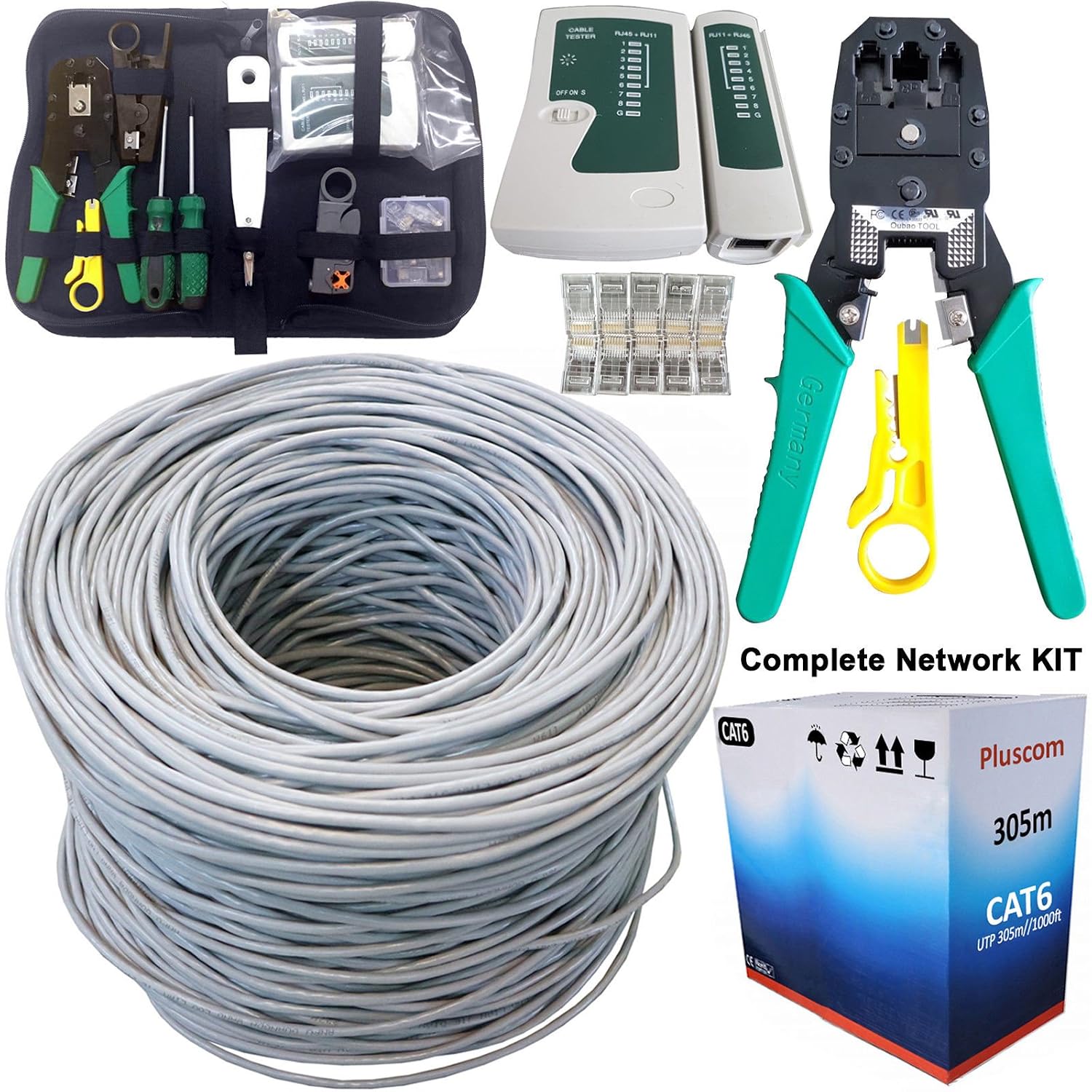
you may need some cable 2x UAP-AC-LR (https://www.ubnt.com/unifi/unifi-ap-ac-lr/) which comes with PoE adapters
1x USG (https://www.ubnt.com/unifi-routing/usg/)
I've got a spare 24 port gigabit switch and an Openreach modem.

https://www.amazon.co.uk/Ethernet-Internet-Punchdo...
SystemParanoia said:
Also, don't bother with the LR model. its not the power of the wifi access point that matters, its the lack of power in the devices meaning they cant reply to the router with a decent amount of power.
Ah, I might have misunderstood their website then as I though the LR model was better in both directions because of it's high gain antenna design?Gassing Station | Computers, Gadgets & Stuff | Top of Page | What's New | My Stuff