
Removing people from pics
Discussion


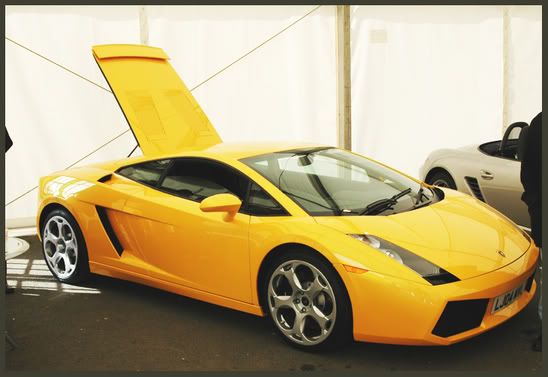
I was at the Scottish Motor Show today and got apic of a Gallardo but unfortunately there is a stranger staring right into camera next to car!
Is their a way to get him out as behind him their is a boxster so if i just cut him out i would have half a boxster, which would look strange.
Dont you hate when people see you taking a shot but look at the camera as they walk into your shot. If i see someone taking a pic at a show etc then I wait till their finished before I look at car. Its common courtesy!!
-
Stuart
Is their a way to get him out as behind him their is a boxster so if i just cut him out i would have half a boxster, which would look strange.
Dont you hate when people see you taking a shot but look at the camera as they walk into your shot. If i see someone taking a pic at a show etc then I wait till their finished before I look at car. Its common courtesy!!
-
Stuart
How do u use the clone tool?
When i try to use it I Alt-Click the background colour I want to use to clone him out. Then click the area to 'clone' onto but nothing happens. If i click-drag over the area it replicates the whole row above and I get a tiled effect.??
Cant crop him or I'd lose a bit of car.
Looking at the photo again I doubt he could be removed due to the background
-
Stuart
When i try to use it I Alt-Click the background colour I want to use to clone him out. Then click the area to 'clone' onto but nothing happens. If i click-drag over the area it replicates the whole row above and I get a tiled effect.??
Cant crop him or I'd lose a bit of car.
Looking at the photo again I doubt he could be removed due to the background
-
Stuart
Heres the pic 
Ive done a crop on it to get rid of the majority of him, but it still looks a bit dodgy on right hand side where I cant remove him.
Dont know if brightness / contrast is right either as all my pics came of the camera very dull but i read on here that is a "feature" of the D70.
-
Stuart
Ive done a crop on it to get rid of the majority of him, but it still looks a bit dodgy on right hand side where I cant remove him.
Dont know if brightness / contrast is right either as all my pics came of the camera very dull
but i read on here that is a "feature" of the D70. -
Stuart


for a proper example which will completely stun you, check out dcw@pr's post : www.pistonheads.com/gassing/topic.asp?t=139017&f=109&h=0


docevi1 said:
for a proper example which will completely stun you, check out dcw@pr's post : www.pistonheads.com/gassing/topic.asp?t=139017&f=109&h=0
The reference is indeed impressive to behold.
I do wonder if it might have been worth considering revisiting the location and shooting an empty interior and then layering a cut out of the bride over the top.
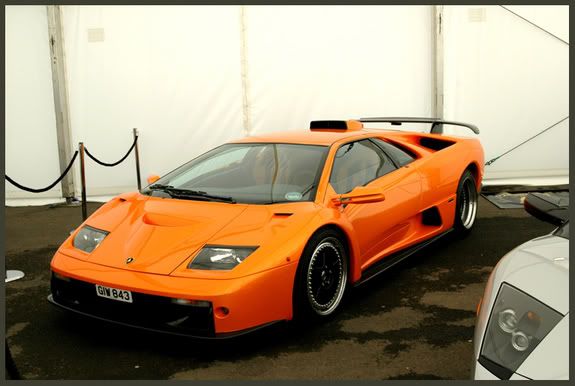
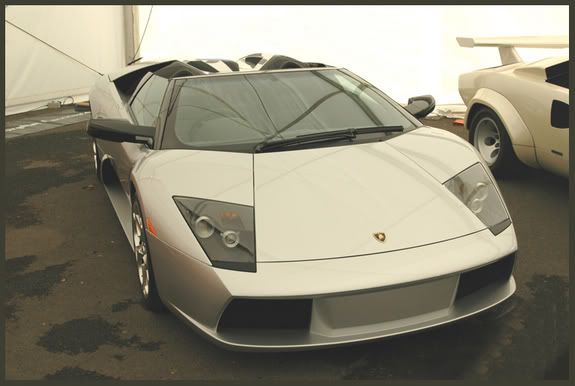
Still, not to distract from the Lambo/Porsche combo above which is also an excellent presentation.
I sometimes think it's a pity you can't do this sort of thing with real people.
docevi1 said:
for a proper example which will completely stun you, check out dcw@pr's post : www.pistonheads.com/gassing/topic.asp?t=139017&f=109&h=0
 you've embarassed me now!
 glad you liked it
LongQ said:
The reference is indeed impressive to behold.
I do wonder if it might have been worth considering revisiting the location and shooting an empty interior and then layering a cut out of the bride over the top.
have you ever tried to blend in someone so it looks like they are standing on the floor? If you haven't - it's a real bastard to do!

Gassing Station | Photography & Video | Top of Page | What's New | My Stuff