
Samsung J5 (2017) storage issue
Discussion


Mrs Prolex has the above phone.
A while ago said not enough memory so got a mini sd and photos go there.
Now getting it again but she has nothing silly on the phone so we are baffled
Went to settings storage and in other it has 7gb but we can't access it to see what it is to delete
Plugged it into laptop and can't find any folder with that amount of stuff in
She can't load any new apps and its frustrating as hell that we can't see what all the data actually is...
Any ideas
A while ago said not enough memory so got a mini sd and photos go there.
Now getting it again but she has nothing silly on the phone so we are baffled
Went to settings storage and in other it has 7gb but we can't access it to see what it is to delete
Plugged it into laptop and can't find any folder with that amount of stuff in
She can't load any new apps and its frustrating as hell that we can't see what all the data actually is...
Any ideas
The lower end of the phone range always have issues with internal storage(not enough) and you need that to update or download new apps. Android isn't 7Gb so there must be other stuff on there somewhere. Delete as many apps as you can, but also delete the cache of any apps you don't use or aren't bothered about keeping your details in. This can all be done from the app manager. Will probably free up at least 1GB
Just had this with my old mum. Stuck 16 gb card in. Managed to move 1 app to it (all others greyed out) and all the photos video. Now just under 1 gb free on os. but the warnings will be back. It's a s t phone.
Basically you can move *some* appa to the card and get camera to save to card. You are stuck with everything else going on the os. Drive.
t phone.Basically you can move *some* appa to the card and get camera to save to card. You are stuck with everything else going on the os. Drive.
Road2Ruin said:
The lower end of the phone range always have issues with internal storage(not enough) and you need that to update or download new apps. Android isn't 7Gb so there must be other stuff on there somewhere. Delete as many apps as you can, but also delete the cache of any apps you don't use or aren't bothered about keeping your details in. This can all be done from the app manager. Will probably free up at least 1GB
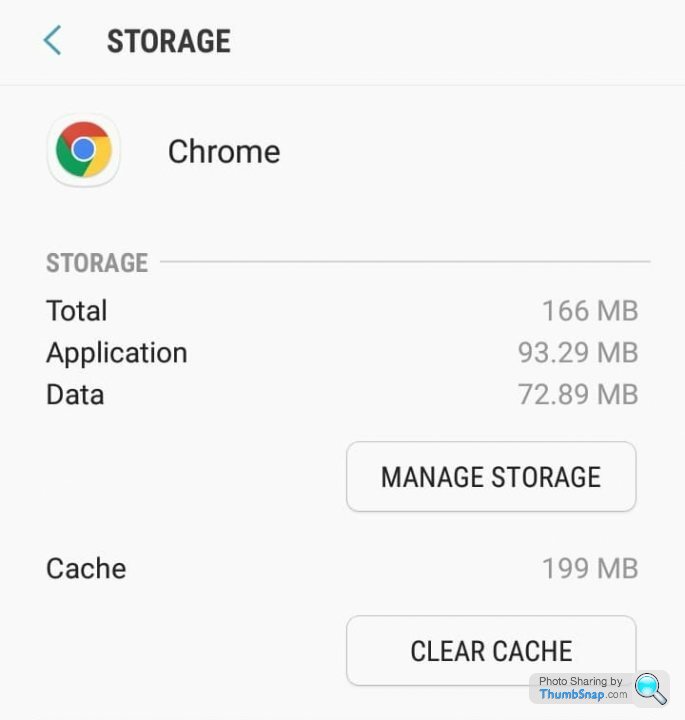
Pretty much this - you'd be amazed at how much cached/user data the likes of FB/Messenger/Whatsapp/Browser etc can hog. I just checked very briefly on my phone and Opera Browser has over 600mb, Duolingo 250mb, Reddit 460mb, Google 400+mb, Youtube 400+mb - that's over 2gb just from those.This type of housekeeping is crucial to keeping devices with lower storage capacities functional - just be careful as for the most part it's fine to clear user data/cache for things like FB/Google search/Browser as generally they'll just require you to log in, but if you do it on stuff like Duolingo, games, Whatsapp etc you'll likely lose any progress/game position/messages etc, so decide what's needed or back messages up before going gung-ho with it.
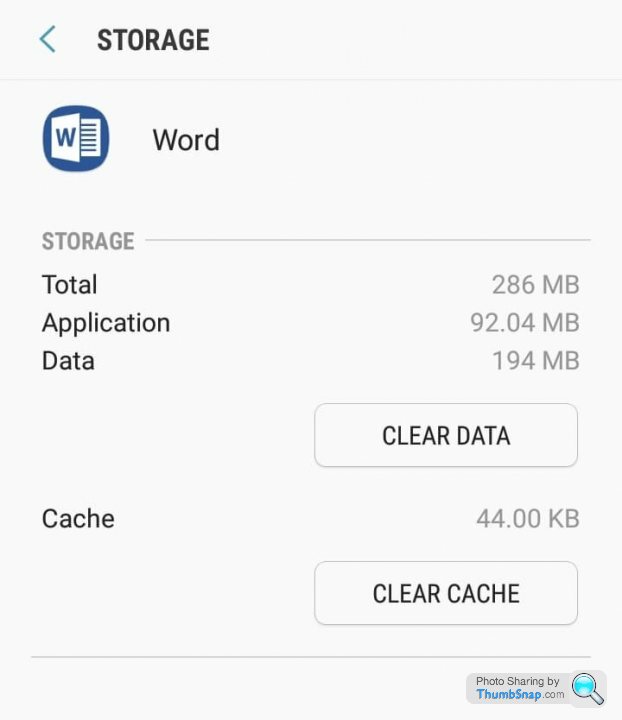
Android the OS (and I include things like Google Play services here) does actually take up a large amount of your on-board storage so there's not a huge amount you can do here to clear it. The problem on Samsung phones is the insistence they have on packing lots of bloatware on too which you cannot delete, only disable or uninstall the most recent updates to, still leaving behind the original firmware version of the app. Delights such as "Samsung Internet", "Samsung Themes", Google Hangouts. Even the Microsoft Word, Excel and Powerpoint apps which won't work properly beyond a free trial can't be removed and so hog 286MB of space each!
It doesn't matter if you have no need for these apps and could do with the space, the only way I know so far of removing them fully is to root the phone which then has knock on issues for banking apps etc which can refuse to run on rooted phones.
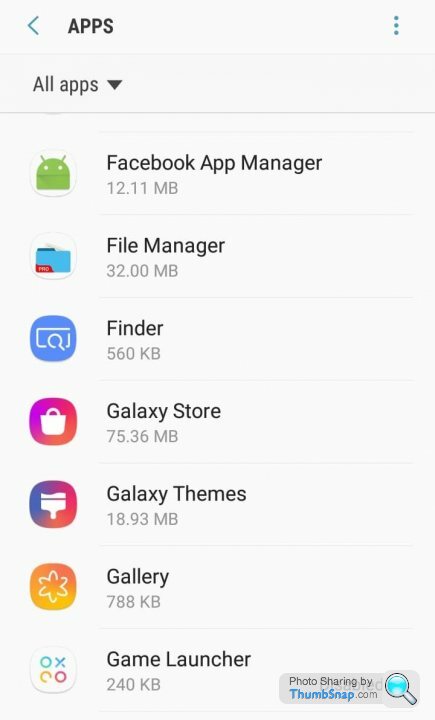
On some apps, as been pointed out above, you can clear cache and clear data to free up some storage space, but bear in mind this may remove stored login details or wipe your personal data for that app clean (e.g. notes, pictures etc).
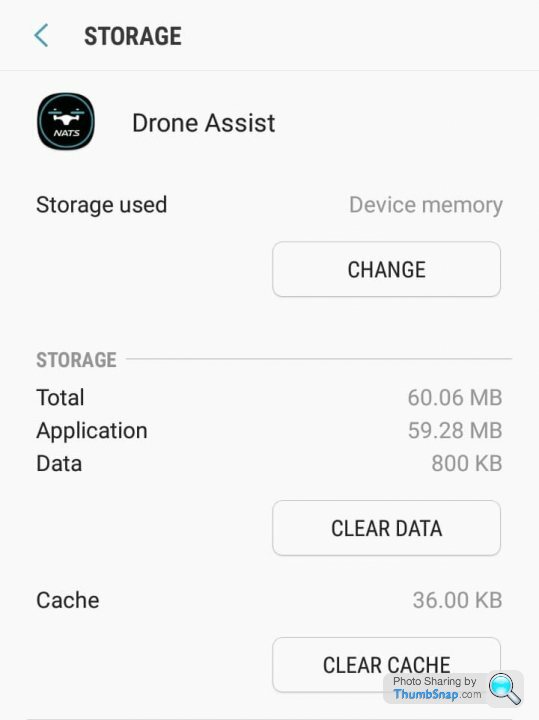
In a limited number of cases there's an option to move the app from Device memory to the SD card.
I've had this battle with Galaxy S3, J3 2016 and currently a J5 2016. Doesn't seem to matter how much better equipped they come, Android, manufacturer bloated firmware and demanding apps increasingly compete to use up all your onboard storage.
It doesn't matter if you have no need for these apps and could do with the space, the only way I know so far of removing them fully is to root the phone which then has knock on issues for banking apps etc which can refuse to run on rooted phones.
On some apps, as been pointed out above, you can clear cache and clear data to free up some storage space, but bear in mind this may remove stored login details or wipe your personal data for that app clean (e.g. notes, pictures etc).
In a limited number of cases there's an option to move the app from Device memory to the SD card.
I've had this battle with Galaxy S3, J3 2016 and currently a J5 2016. Doesn't seem to matter how much better equipped they come, Android, manufacturer bloated firmware and demanding apps increasingly compete to use up all your onboard storage.

That "Other" will be the Operating system and installed applications. You won't be able to find it because Android presents a very censored view to the computer of what lies in the storage file system, mostly to prevent people accidentally poking around in places and deleting things they shouldn't.
eltawater said:
That "Other" will be the Operating system and installed applications. You won't be able to find it because Android presents a very censored view to the computer of what lies in the storage file system, mostly to prevent people accidentally poking around in places and deleting things they shouldn't.
ThanksPretty pants really
Gassing Station | Computers, Gadgets & Stuff | Top of Page | What's New | My Stuff