
Can I use a Sky router with a Mesh network?
Discussion


Some advice please, my son is suffering from regular disconnections on the various devices in his house, a 4 bed detached,
He has Sky fibre broadband and this router:
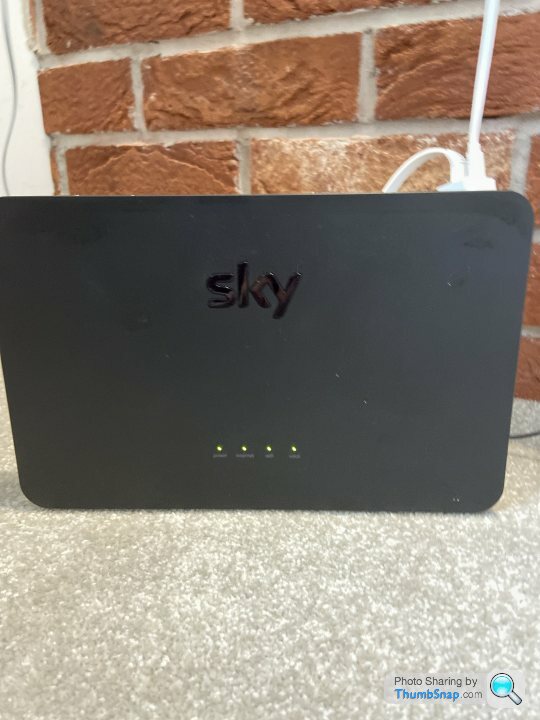
He is considering either buying a new “gaming router” or a mesh network.
He is looking at the TP-Link Archer AX6000 router or TPlink Deco M9 mesh, two devices.
He has the usual array of household connected devices but his most important connection is for fast gaming.
My understanding is that a current wifi router will have to be switched to modem mode and plug a new Mesh device into one of the Lan ports. Assuming that is right, can this router be adapted to use Modem mode and if so how?
Or does he simply plug the mesh into a Lan port and set it up from there?
He has Sky fibre broadband and this router:
He is considering either buying a new “gaming router” or a mesh network.
He is looking at the TP-Link Archer AX6000 router or TPlink Deco M9 mesh, two devices.
He has the usual array of household connected devices but his most important connection is for fast gaming.
My understanding is that a current wifi router will have to be switched to modem mode and plug a new Mesh device into one of the Lan ports. Assuming that is right, can this router be adapted to use Modem mode and if so how?
Or does he simply plug the mesh into a Lan port and set it up from there?
Mesh networks work differently depending on the type. Some will connect to your existing router/modem and create their own network. You then put the router into modem only mode and connect the first node via lan, the rest will then integrate to that. You can even change the ssid and password to your router's original to save having to plumb all your kit in again.
AFAIK the Sky router doesn't have a modem-mode; I have the same router and have thought about replacing it to gain better wifi coverage but it's not simple.
You can add Sky mini q boxes to provide mesh-type coverage but I'm not convinced they're that great.
A further complication if you want to replace the Sky router is if Sky provide your landline, as this takes the form of VOIP/SOGEA through the router (certainly for most recent provisions), which means you can't just buy a router and plug your telephone into the nte5 master socket...
You can add Sky mini q boxes to provide mesh-type coverage but I'm not convinced they're that great.
A further complication if you want to replace the Sky router is if Sky provide your landline, as this takes the form of VOIP/SOGEA through the router (certainly for most recent provisions), which means you can't just buy a router and plug your telephone into the nte5 master socket...
Edited by PeteH66 on Thursday 11th March 08:13
Can't speak for the TP Link mesh, but the BT one's just plug into a LAN port, setup is a doddle.
I gave the Mesh a different SSID and left the Router's WIFI turned on, but that is my choice.
If your son is intent on buying a new router, check that it will work with Sky BB. Last I heard, Sky don't like you using your own router and used to refuse to give out details of the connection details to enable a third party router to be used. There were (possibly still are) ways round it, but it wasn't straightforward.
I gave the Mesh a different SSID and left the Router's WIFI turned on, but that is my choice.
If your son is intent on buying a new router, check that it will work with Sky BB. Last I heard, Sky don't like you using your own router and used to refuse to give out details of the connection details to enable a third party router to be used. There were (possibly still are) ways round it, but it wasn't straightforward.
steveatesh said:
Some advice please, my son is suffering from regular disconnections on the various devices in his house, a 4 bed detached,
He has Sky fibre broadband and this router:
He is considering either buying a new “gaming router” or a mesh network.
He is looking at the TP-Link Archer AX6000 router or TPlink Deco M9 mesh, two devices.
He has the usual array of household connected devices but his most important connection is for fast gaming.
My understanding is that a current wifi router will have to be switched to modem mode and plug a new Mesh device into one of the Lan ports. Assuming that is right, can this router be adapted to use Modem mode and if so how?
Or does he simply plug the mesh into a Lan port and set it up from there?
I guess it would depend on the Mesh system but the BT Whole Home ones (which is what I am familiar with) are designed to just replace the Wireless AP in your router - they still rely on the router for routing and firewall functions, you do NOT want to use modem mode with them. You just plug in one of the discs to your router via ethernet cable and the router then sees all WiFi connected devices to the mesh as being connected to that ethernet port. I think some Mesh systems also include routing (and even modem) functionality so depends on the type of system.He has Sky fibre broadband and this router:
He is considering either buying a new “gaming router” or a mesh network.
He is looking at the TP-Link Archer AX6000 router or TPlink Deco M9 mesh, two devices.
He has the usual array of household connected devices but his most important connection is for fast gaming.
My understanding is that a current wifi router will have to be switched to modem mode and plug a new Mesh device into one of the Lan ports. Assuming that is right, can this router be adapted to use Modem mode and if so how?
Or does he simply plug the mesh into a Lan port and set it up from there?
Ideally, you turn off the old Wireless network(s) in your router (not the same thing as modem mode) after you set up the mesh and then use the SSID/pw of your old network for your new mesh network so you don't have to reconfigure all your wireless devices for the new network. Also, no point having the now redundant router WiFi congesting the available WiFi bandwidth.
Works really well and means if at some point in the future you change your router (new ISP maybe) you just plug the connected disc into the new one with no WiFi reconfiguration needed.
Gassing Station | Computers, Gadgets & Stuff | Top of Page | What's New | My Stuff