
SSE router help
Discussion


I have been with SSE broadband about 3 years same router, thought I would buy another in case this one packed up.
I bought the latest model, similar design but black instead of white. Plugged it in, everything works except it just won't connect to the line, so can't get broadband.
The red light stays in I tried turning it off in , the old router stil works.
It says ppp authentication failed, anyone know what I can do I have googled but to no avail.
I bought the latest model, similar design but black instead of white. Plugged it in, everything works except it just won't connect to the line, so can't get broadband.
The red light stays in I tried turning it off in , the old router stil works.
It says ppp authentication failed, anyone know what I can do I have googled but to no avail.
ARHarh said:
Have you put in your login details? Sorry if this is obvious.
This. Normally the first router supplies is preconfigured, this one most likely isn’t.Head to you admin settings on the current router and your user details/config settings should be displayed.
You may even be able to export your router settings and re-import to the new one
juggsy said:
ARHarh said:
Have you put in your login details? Sorry if this is obvious.
This. Normally the first router supplies is preconfigured, this one most likely isn’t.Head to you admin settings on the current router and your user details/config settings should be displayed.
You may even be able to export your router settings and re-import to the new one
You had a look at this?
https://sse.tmtx.co.uk/en/topic/broadband_tg589vac...
Looks like black and white models are different so export config may not work.
https://sse.tmtx.co.uk/en/topic/broadband_tg589vac...
Looks like black and white models are different so export config may not work.
juggsy said:
You had a look at this?
https://sse.tmtx.co.uk/en/topic/broadband_tg589vac...
Looks like black and white models are different so export config may not work.
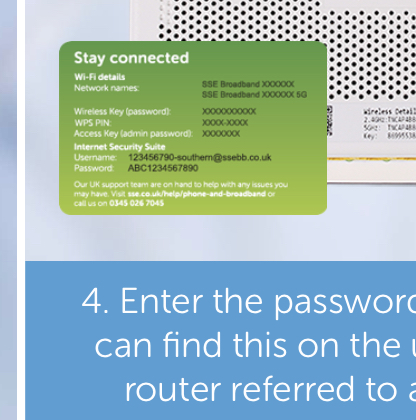
yeh cheers can logon to the router, the router has a gateway password, looks like i have to ring them up.https://sse.tmtx.co.uk/en/topic/broadband_tg589vac...
Looks like black and white models are different so export config may not work.
Gassing Station | Computers, Gadgets & Stuff | Top of Page | What's New | My Stuff