
Can't get sound from Sky Go through HDMI??
Discussion


There's two issues - trying to show Sky Go content from a laptop on a TV, connected with an HDMI cable
The first problem is that the content plays fast - from searching that can be solved by disconnecting from the HDMI cable and starting the playback on the laptop, then connecting.
That works, but the sound doesn't then 'transfer' from the laptop (MacBook Pro - LG TV) and we have to watch with the audio from the laptop.
Any thoughts, fixes or suggestions?
The first problem is that the content plays fast - from searching that can be solved by disconnecting from the HDMI cable and starting the playback on the laptop, then connecting.
That works, but the sound doesn't then 'transfer' from the laptop (MacBook Pro - LG TV) and we have to watch with the audio from the laptop.
Any thoughts, fixes or suggestions?
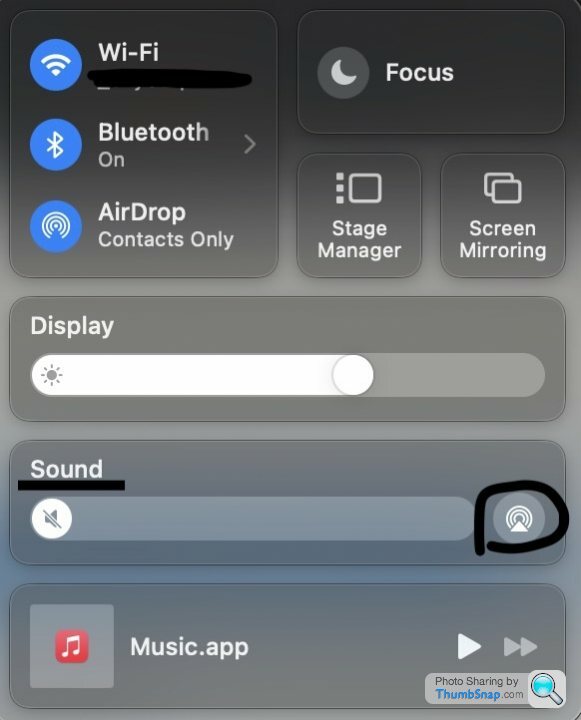
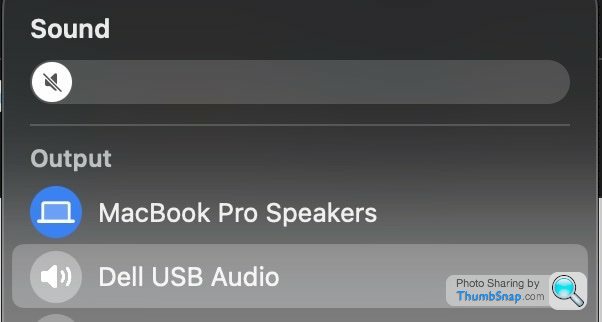
Thanks - I've been having another go with a monitor this time.
I tried again with airplay onto the TV - the ads played from Sky Go, but then the programme itself just went grey.
The interesting result is that I can't get Youtube to play on a browser either. Weird symptoms such as the video winds through in a second or so and no sound.
I tried again with airplay onto the TV - the ads played from Sky Go, but then the programme itself just went grey.
The interesting result is that I can't get Youtube to play on a browser either. Weird symptoms such as the video winds through in a second or so and no sound.
Gassing Station | TV, Film, Streaming & Radio | Top of Page | What's New | My Stuff