
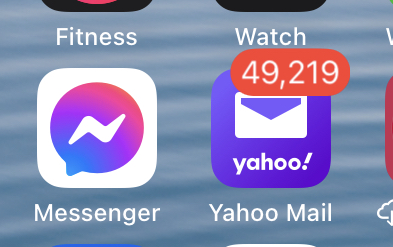
10,000 emails.
Discussion


Emails should be marked as “read” when you look at them.
Are you reading emails on more than one device? If so, you need to access your emails using IMAP, which keeps the email status on the server rather than keeping it locally. That way, when you read an email on one device, the email’s “read” status is seen by all other devices as well - reading an email on one device causes all other devices to show that email as having been read.
If however you’re accessing emails using POP (and leaving a copy on the server), each device has its own individual view of whether you’ve read an email. Reading an email on one device will not cause the email to appear “read” on any other devices.
It could be that your Mac is using POP to access your emails, therefore it has its own private view of whether or not each email has been read.
Are you reading emails on more than one device? If so, you need to access your emails using IMAP, which keeps the email status on the server rather than keeping it locally. That way, when you read an email on one device, the email’s “read” status is seen by all other devices as well - reading an email on one device causes all other devices to show that email as having been read.
If however you’re accessing emails using POP (and leaving a copy on the server), each device has its own individual view of whether you’ve read an email. Reading an email on one device will not cause the email to appear “read” on any other devices.
It could be that your Mac is using POP to access your emails, therefore it has its own private view of whether or not each email has been read.

OP. right click on the mail box on the left had pane, then click 'Mark All As Read'.
They should go to 'read' when you have read them, they go from bold to normal in the message list. They have probably imported from IMAP or Exchange as unread. Check the accounts to see if they are IMAP or Exchange, you want to avoid POP. Click mail on the top bar, settings, accounts.
Hotmail and Outlook, should be Exchange.
They should go to 'read' when you have read them, they go from bold to normal in the message list. They have probably imported from IMAP or Exchange as unread. Check the accounts to see if they are IMAP or Exchange, you want to avoid POP. Click mail on the top bar, settings, accounts.
Hotmail and Outlook, should be Exchange.
Of course you delete unwanted emails, what's the point in keeping them if you don't need to. Hotmail is far worse at 'junk' filtering than Gmail , I get lots of junk in my hotmail accounts, very little gets through to my Gmail.
I have 13 email accounts, all used for different reasons, I go through them all every month and delete the crap and tidy up the inbox. I also unsubscribe to any advertising emails etc.
I have 13 email accounts, all used for different reasons, I go through them all every month and delete the crap and tidy up the inbox. I also unsubscribe to any advertising emails etc.
nuyorican said:
Is it good/standard practice to never delete them? Seems an onerous task to sort through decades of emails, but if some toad ever got access they'd know everything (such as it is...)
There are a few things you can do;Unsubscribe from any mailing lists you don't want to be a part of is an obvious one.
In Hotmail/Outlook you can create "Sweep" rules which delete emails after a period of time. So those mailing lists you sometimes find useful, but want to read once then never see again can be set to delete themselves after 10 days, and it will perform that task on the entire inbox. Set up a series of rules and you might find that 20-30% of emails disappear very quickly.
Create a sub folder for "mailing lists" and set up a rule that any email with the word "unsubscribe" in the body gets sent to that box, this will keep your main inbox clear of spam and mailing lists, and so you can focus on what is important instead of advertising emails.
Sort your emails by oldest time first, and go through the first page or 2 setting up rules for any email lists you no longer use. I had hundreds of FHM and Nuts emails from about 15 years ago. Sadly the server hosting the pictures is no longer active so rather than seeing Keely Hazel with her tits out it was just a blank space. A couple of rules later all of these were gone, never to be seen again.
Doing all that has really cleaned up and focused my main inbox to things I want, and all the spam, advertising and other nonsense goes to a seperate inbox and generally vanishes after 10 days. There is probably more you could do - does anyone need boarding passes from 3 years ago? - but deleting all those is a lot of effort for little reward, while doing the steps above is a lot of reward for little effort.
Edited by Condi on Friday 12th January 23:51
Gassing Station | Computers, Gadgets & Stuff | Top of Page | What's New | My Stuff