
Creating Borders
Author
Discussion

rustybin

Original Poster:

1,769 posts

260 months

Saturday 8th October 2005
quotequote all
How do you do that then? I am trying to get the ones that look like a frame and working in Photoshop Elements as having seen some of the ones you guys do I reckon they really finish a picture off.

[small]Incidentally if you know how to do it in another package, why not post it anyway and we could turn this in to an FAQ thread?[/small]

Thanks in advance
_dobbo_

14,619 posts

270 months

Saturday 8th October 2005
quotequote all
In PS CS it goes like this:

Image->Canvas Size->Choose units (i use percent) set the height and width to 110% (for example) then choose the border colour, and you are done.

In Paint Shop Pro 9:

Image -> Add border -> Choose colour and size, and you are done.

HankScorpio

715 posts

259 months

Saturday 8th October 2005
quotequote all
Do multiple times for white/colour/white or rainbow efects.

GetCarter

30,679 posts

301 months

Saturday 8th October 2005
quotequote all
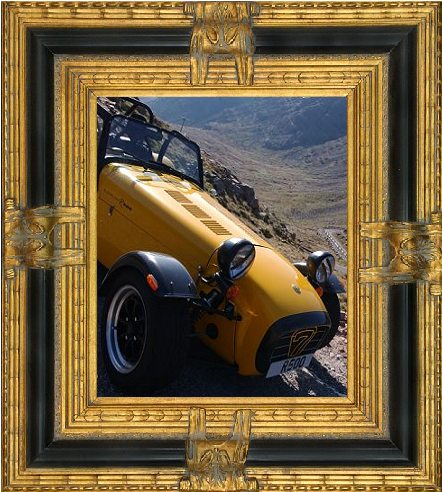
...or be silly:

LongQ

13,864 posts

255 months

Saturday 8th October 2005
quotequote all
GetCarter said:
...or be silly:


Hmm.

I suppose you have to know something about Frames to do that ... ?

simpo two

90,930 posts

287 months

Saturday 8th October 2005
quotequote all
Or you can use the rectangular marquee tool to mark just inside the edge, invert the selection and fill with the required colour.

te51cle

2,342 posts

270 months

Saturday 8th October 2005
quotequote all
_dobbo_ said:
In PS CS it goes like this:

Image->Canvas Size->Choose units (i use percent) set the height and width to 110% (for example) then choose the border colour, and you are done.

In Paint Shop Pro 9:

Image -> Add border -> Choose colour and size, and you are done.


Set the background colour first so that the newly extended cavas becomes the border colour you want. Hours of fun can be spent adding border around border working out how many border lines and exactly which colour you want them to be !

rustybin

Original Poster:

1,769 posts

260 months

Sunday 9th October 2005
quotequote all
Thanks guys. I've had a play with Elements and the canvas re-sizing method is : Image > Resize > Canvas Size

FunkyNige

9,692 posts

297 months

Sunday 9th October 2005
quotequote all
How is this done in GIMP? I can change the canvas size but can't see how to get a coloured border.