
B&W portraits, looking for tips
Discussion


I find myself increasingly using exclusively black and white shots for family and friends portraits, working mostly with a fixed focal 50 mm and a Canon 350D.
Anybody has any good tips and tricks with Photoshop when working in black and white and people shots ?
Anyone wants to share some pics ?
I'm a relevant newcomer to DLSR (had my 350D about a year now) and its my first proper camera, so I'm learning slowly. If possible shoot in RAW as it will give you greater control over the pictures. I took these for some friends at Christmas just in my kitchen and bedroom using the spotlights in the ceiling. I poked around the internet for stances/types of photos beforehand
These pics will only be here tonight, the hosting account for them runs out tonight!


www.markandflumpy.com/griggs
Mark
Gulliver911 said:
I find myself increasingly using exclusively black and white shots for family and friends portraits, working mostly with a fixed focal 50 mm and a Canon 350D.
Anybody has any good tips and tricks with Photoshop when working in black and white and people shots ?
Anyone wants to share some pics ?
At risk of repeating myself... I'm still not sure why people want to take photos in B&W using a DSLR.
These two portraits are both full colour and then desaturated... so I have both colour AND B&W
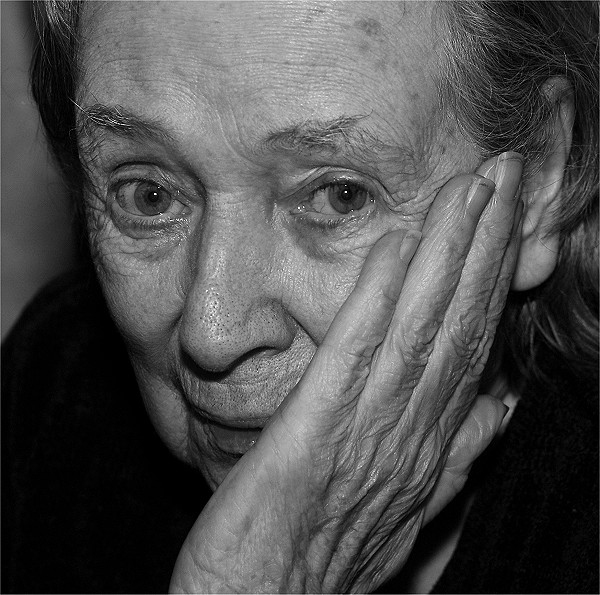
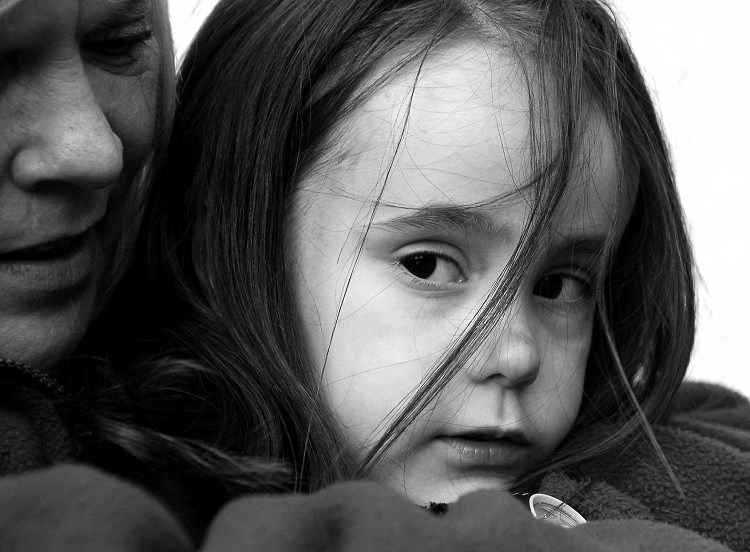
and as I said before... am I missing something?


GetCarter said:
At risk of repeating myself... I'm still not sure why people want to take photos in B&W using a DSLR.
and as I said before... am I missing something?
I don't get it either! I use different ways of making photos B&W, sometime use a gradient map instead of desaturate. Sometimes I apply a red filter over an image using multiply to simulate a red filter as used with B&W film


Edited by nick_bbb on Monday 22 January 20:23


This is done with the wonders of Picasa - original photos in crappy colour with crappy camera. It is a very easy programme to tamper photos with, photo-dummy friendly and what is even better... free.

and also these two taken by Mannginger, played with by me, as you can see I have overdone the "warming" up of the colours and the shadow / white areas contrast, but that is personal taste.


and also these two taken by Mannginger, played with by me, as you can see I have overdone the "warming" up of the colours and the shadow / white areas contrast, but that is personal taste.


 !)
!) 


Andy M said:
Cirks - there's something wrong with your resized images. They look very choppy, and bitty on my screen?
I recall your first image to be a real cracker, but it doesn't look too good here.
I recall your first image to be a real cracker, but it doesn't look too good here.
They didn't look great here either!! It might just be me doing too quick a "Save for web" in Elements and me not reading what setting it was on

[edited to say I've now put them on a better jpg conversion than 'low' ....oops. The conversions are rapid ones of jpgs rather than the original RAWs]
Edited by cirks on Monday 22 January 22:04
I think that there is a different thought process when taking black and white. The contrast of the scene becomes more important than the colours obviously, so something with lots of vibrant colour may look flat or boring in B&W, and something bland in colour may be striking in black and white. For portraits this obviously has a bearing on what you include in the image.
If your subject doesn't have particularly flattering skin, or has a few pimples, use an orange or red filter as this reduces the contrast of the different skin tones. If you are feeling evil, use a green filter to show all the blemishes they didn't know they had.
If your subject doesn't have particularly flattering skin, or has a few pimples, use an orange or red filter as this reduces the contrast of the different skin tones. If you are feeling evil, use a green filter to show all the blemishes they didn't know they had.
Edited by tank slapper on Monday 22 January 22:49
Theres definatly a different way of looking at a scene, as said, reds , blues, greens all the same luminescence will appear very flat in B&W.
But mechanicaly the sensor works in colour, RAW is in colour, no point taking B&W pictures (in jpg) in digital, dont even think you can take a B&W raw?
But mechanicaly the sensor works in colour, RAW is in colour, no point taking B&W pictures (in jpg) in digital, dont even think you can take a B&W raw?
Gassing Station | Photography & Video | Top of Page | What's New | My Stuff