
Discussion


Does anyone know how to download tracks and cars so they work with GTR (not no.2). I've looked on google and found nothing, I downloaded some things but I don't know how to get them to run with the game. I also got WinRar but dont know what to do with it. A friend mentioned a download button on WinRar but I don't know how to do it or even where the button is. Thanks

WinRAR is a file extraction tool for compressed files (uses up less webspace).
Once WinRAR installed a RAR file can be opened by double clicking on it. This will open Winrar and display the contents.
Then, if there is a readme text file. Read it, it'll tell you what to do.
If not extract the files to your desktop, if it is a track the track needs to be dragged and dropped into your GTR locations folder. If it's a car set/mod there should be a readme as there may be sounds and other files to copy across.
Once WinRAR installed a RAR file can be opened by double clicking on it. This will open Winrar and display the contents.
Then, if there is a readme text file. Read it, it'll tell you what to do.
If not extract the files to your desktop, if it is a track the track needs to be dragged and dropped into your GTR locations folder. If it's a car set/mod there should be a readme as there may be sounds and other files to copy across.
Edited by FourWheelDrift on Tuesday 13th February 16:40
www.gtr4u.de/ I was told that is a good place for new cars and tracks. Its in a different language but easy to understand, I download the files, save them in my GTR folder, open them in WinRar and that is where I get stuck. I don't know what to do from there
Carl-H said:
www.gtr4u.de/ I was told that is a good place for new cars and tracks. Its in a different language but easy to understand, I download the files, save them in my GTR folder, open them in WinRar and that is where I get stuck. I don't know what to do from there
Almost there.
Instead of dowloading the files into the GTR folder, save them to your desktop. Open using WinRAR and you should be presented with some yellow folders. Its these that need to be moved into your GTR tracks or cars folders. There should be a Read-me along with the download that will explain it much better than my random ramblings.
Edited by dougc on Tuesday 13th February 16:46
I downloaded the track Cadwell. I saved it on my desktop and then I opned it up in WinRar. This is what comes up when I open it without pressing anything:
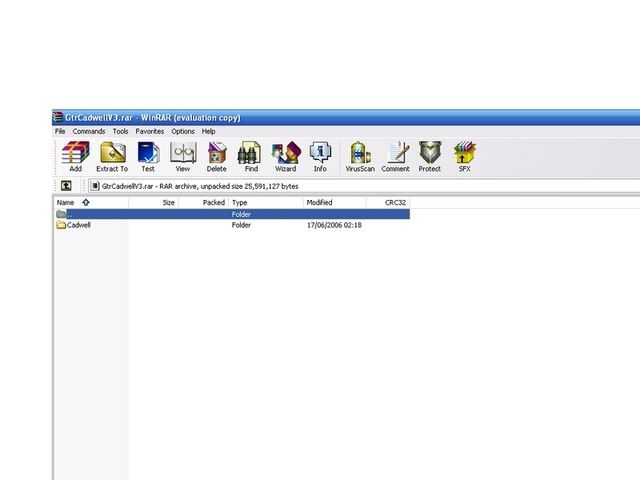
Then I click on the folder Cadwell and this comes up:
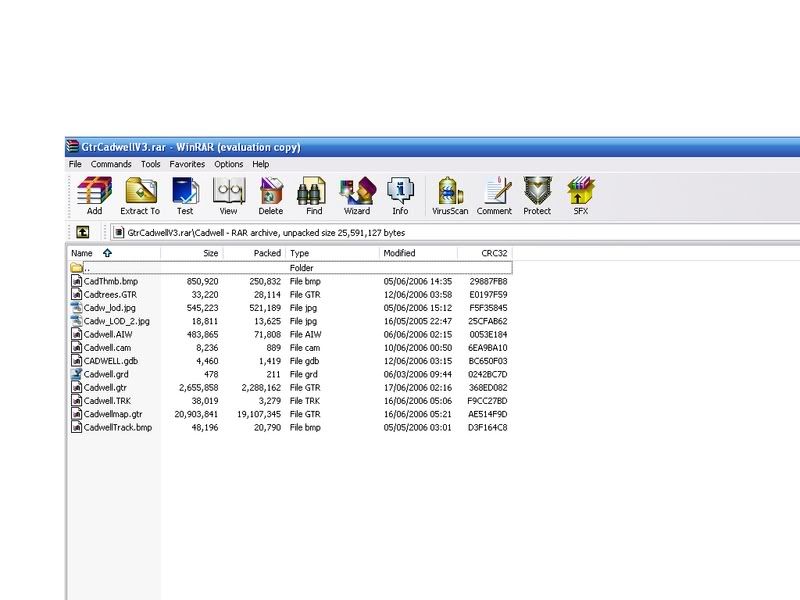
I don't know what to do with it al. What parts do I select and then what button do I press. I could not rind the read-me file mentioned and don't know what I'm doing to be honest.
(sorry about the pictures having loads of white around them)
Then I click on the folder Cadwell and this comes up:
I don't know what to do with it al. What parts do I select and then what button do I press. I could not rind the read-me file mentioned and don't know what I'm doing to be honest.
(sorry about the pictures having loads of white around them)
Look in your GTR locations folder, where all the tracks are kept. You will see that all the track files are kept within folders of the same name.
So extract the folder called Cadwell to the locations folder in GTR by clicking the "extract" button on WinRar.
Or drag the Cadwell folder from WinRAR onto your Desktop then drag and drop the folder into the GTR Locations folder.
So extract the folder called Cadwell to the locations folder in GTR by clicking the "extract" button on WinRar.
Or drag the Cadwell folder from WinRAR onto your Desktop then drag and drop the folder into the GTR Locations folder.
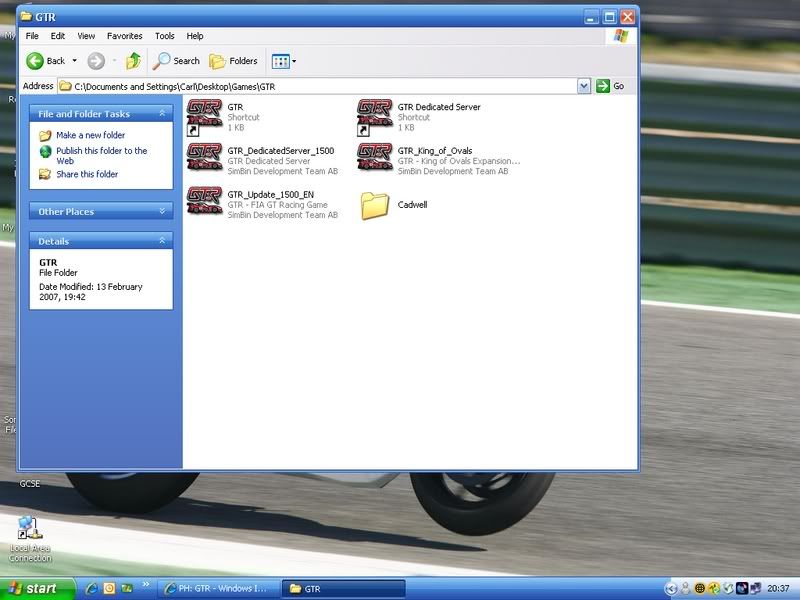
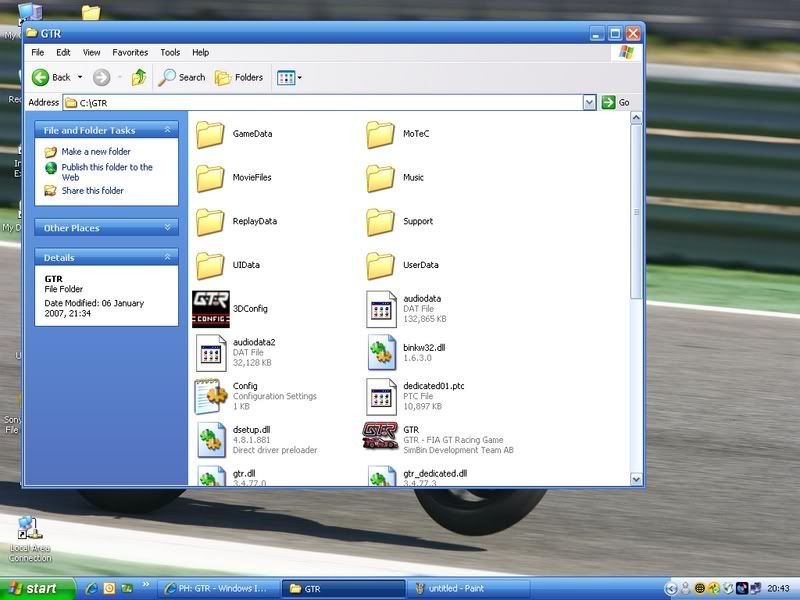
I have used the Extract to button and extracted the folder to my GTR folder but then I don't know what to do to get it to appear in the game. I have just looked and the track is not there. Is the track in a different place to the normal tracks or is there a way to get the track on the game. Sorry about being so useless at this
Gassing Station | Video Games | Top of Page | What's New | My Stuff