
Photo advice - Photographing a bridge
Discussion


I'm a novice to photography, but I've bought a Nikon D40 and a stand and I'm going to learnt how to use it properly - I've bought a couple of books to help me learn how to use it and from my past experience of SLRs (Minolta Dynax 7000i), I've got my eye on a 55-200 lens (for Christmas perhaps)...
Anyway, on Saturday I'm planning to take a drive out to near the Humber bridge (I live out that way) to take some photos which will include a fairly hefty whack of skyline and I'm after a bit of advice as to what I could do to take some good photos?
Cheers - JTW
Anyway, on Saturday I'm planning to take a drive out to near the Humber bridge (I live out that way) to take some photos which will include a fairly hefty whack of skyline and I'm after a bit of advice as to what I could do to take some good photos?
Cheers - JTW

My advice is to always try and get something in the foreground when taking big vistas. It leads the eye in. This will however necessitate you being in either Speed or Aperture priority mode, so that you can get as much depth of field as possible (so that the whole composition is in focus). As a simple reminder - in speed priority, a SLOW shutter speed will give you lots of depth of field, A FAST shutter speed will freeze action. (Works the same in aperture mode but is more tricky to understand)
examples below
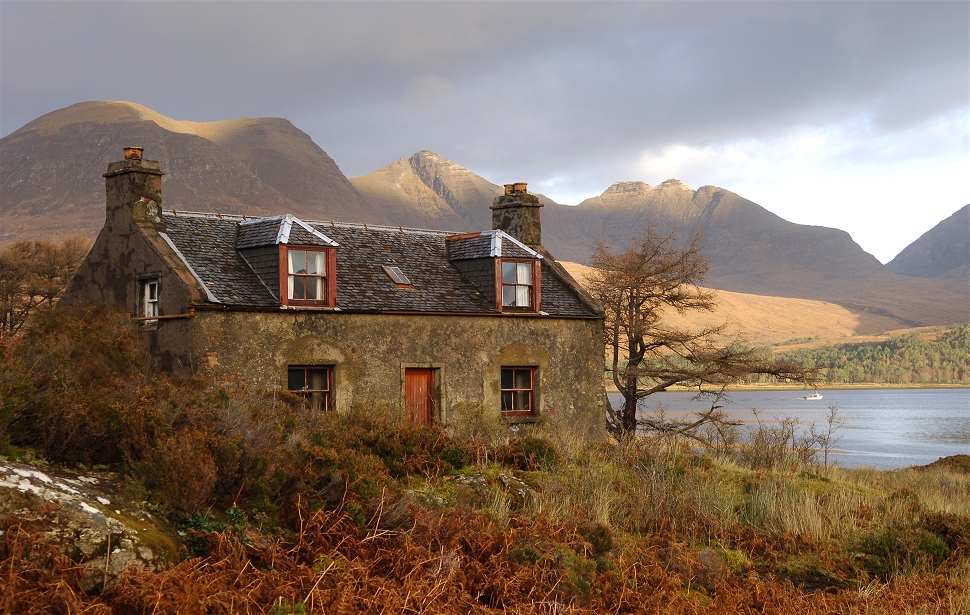
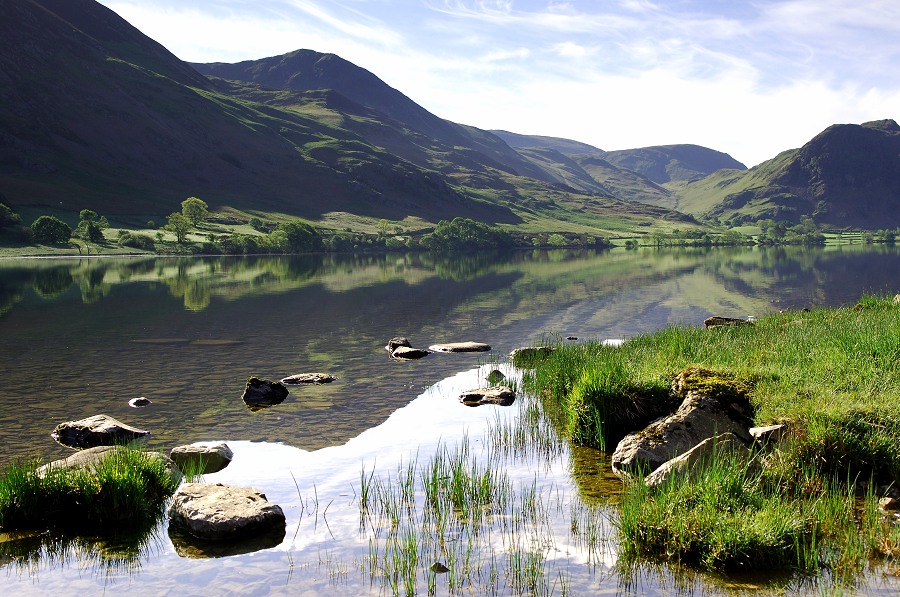
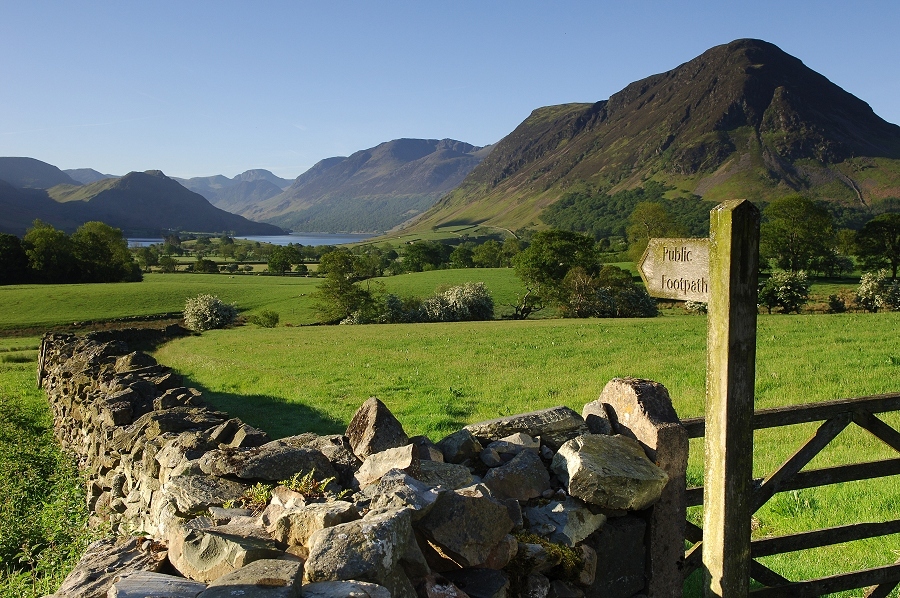
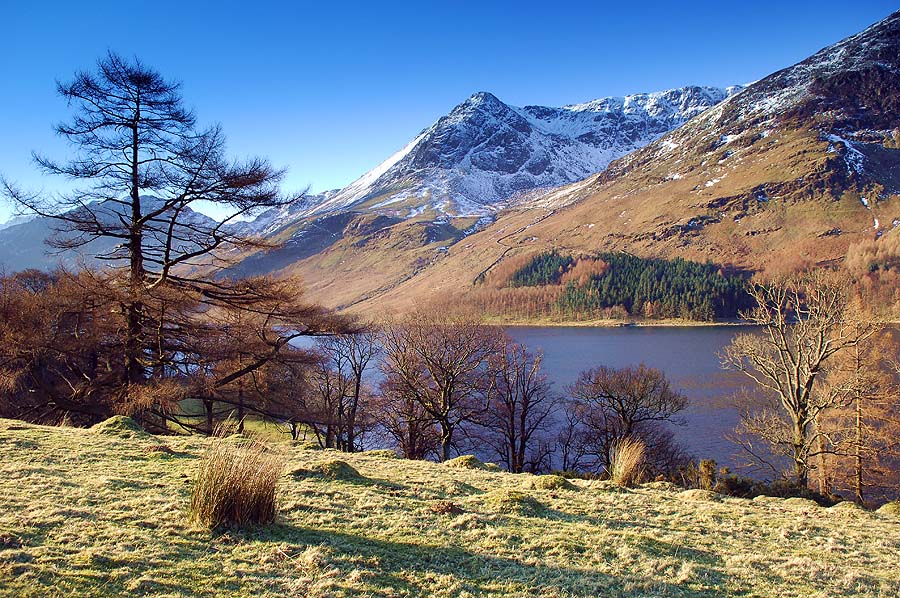
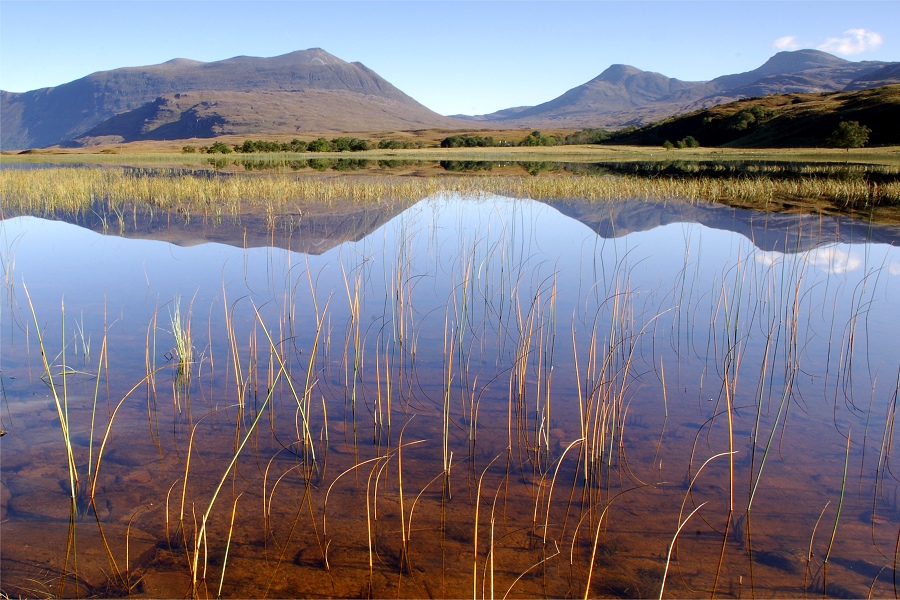
examples below
Edited by GetCarter on Monday 4th August 13:27
james_tigerwoods said:
Thanks - I am struggling to understand and work out (on my D40) about depth of field and of aperture (hence the buying of the D40 specific book) and how to set/best use them.
It's so simple you won't believe it:Aperture = hole that the light comes through
Big hole = shallow depth of field
Small hole = deep, er, depth of field
Apertures are quantified as f-numbers but the one thing that foxes beginners is that a small number refers to a large hole and vice versa. So f16 (small hole) will give you more depth of field than f4 (bigger hole).
Sorted

Edited by Simpo Two on Monday 4th August 14:32
Simpo Two said:
james_tigerwoods said:
Thanks - I am struggling to understand and work out (on my D40) about depth of field and of aperture (hence the buying of the D40 specific book) and how to set/best use them.
It's so simple you won't believe it:Aperture = hole that the light comes through
Big hole = shallow depth of field
Small hole = deep, er, depth of field
Apertures are quantified as f-numbers but the one thing that foxes beginners is that a small number refers to a large hole and vice versa. So f16 (small hole) will give you more depth of field than f4 (bigger hole).
Sorted
Edited by Simpo Two on Monday 4th August 14:32

Simpo Two said:
james_tigerwoods said:
Thanks - I am struggling to understand and work out (on my D40) about depth of field and of aperture (hence the buying of the D40 specific book) and how to set/best use them.
It's so simple you won't believe it:Aperture = hole that the light comes through
Big hole = shallow depth of field
Small hole = deep, er, depth of field
Apertures are quantified as f-numbers but the one thing that foxes beginners is that a small number refers to a large hole and vice versa. So f16 (small hole) will give you more depth of field than f4 (bigger hole).
Sorted
Edited by Simpo Two on Monday 4th August 14:32
Can you tell I'm new to this game as well....
GetCarter said:
My advice is to always try and get something in the foreground when taking big vistas. It leads the eye in. This will however necessitate you being in either Speed or Aperture priority mode, so that you can get as much depth of field as possible (so that the whole composition is in focus). As a simple reminder - in speed priority, a SLOW shutter speed will give you lots of depth of field, A FAST shutter speed will freeze action. (Works the same in aperture mode but is more tricky to understand)
Love the 2nd picture as it really leads you into the picture.Edited by GetCarter on Monday 4th August 13:27

I've no technical advice that can offer more (or even the same) as whats already been said, so I'll just add to try taking about 5 pics and stitch them together if you're on the kit 18-55 lens.
If Elans were bridges you'd get something like this out of Autostitch

If Elans were bridges you'd get something like this out of Autostitch
james_tigerwoods said:
just need to work out how to set it on my D40 and have a bit of a play
Thats fairly simple on the D40, turn the dial to A, hold down either the second small button in next to the dial or halfpress the shutter then twiddle the black rotary dial til you get what you're after. Would advise a tripod/wall type arrangement if taking slow pics though. Something around F22 would be interestingEdited by andyquantum on Monday 4th August 20:24
The only thing I would say witht he Humber bridge is it's massively long so you are unlikely to get it all in one shot. Using an object in the foreground to lead your eye into the picture as per Mr Carter's fab examples is a great technique. Other options available to you are to shoot details from the bridge but which still have enough in them to enable you to recognise it's a bridge.
Most of all, get out there take lots of pictures and learn by doing on top of your reading. I find that linking reading and practicing things seem to "stick" better in my memory.
Chris
Most of all, get out there take lots of pictures and learn by doing on top of your reading. I find that linking reading and practicing things seem to "stick" better in my memory.
Chris
This site is a fantastic interactive tutorial. It'll teach you everything you need to know to get started:
http://www.usa.canon.com/content/rebelxt_tutorial/...
http://www.usa.canon.com/content/rebelxt_tutorial/...
Gassing Station | Photography & Video | Top of Page | What's New | My Stuff