
Lightroom Advice
Discussion


I wonder if anyone can give any advice or point me in the right direction.
I don't want to get into the shooting RAW, shooting JPEG argument but I took a load of pictures yesterday in RAW format. I have Lightroom but am a little unsure how to use it properly.
I have this picture straight from the camera

By clicking Auto White Balance and Auto exposure, etc I get this

Obviously it doesn't look quite right. Can someone point me in the right direction on how to go about using Lightroom properly.
Many thanks.
I don't want to get into the shooting RAW, shooting JPEG argument but I took a load of pictures yesterday in RAW format. I have Lightroom but am a little unsure how to use it properly.
I have this picture straight from the camera
By clicking Auto White Balance and Auto exposure, etc I get this
Obviously it doesn't look quite right. Can someone point me in the right direction on how to go about using Lightroom properly.
Many thanks.
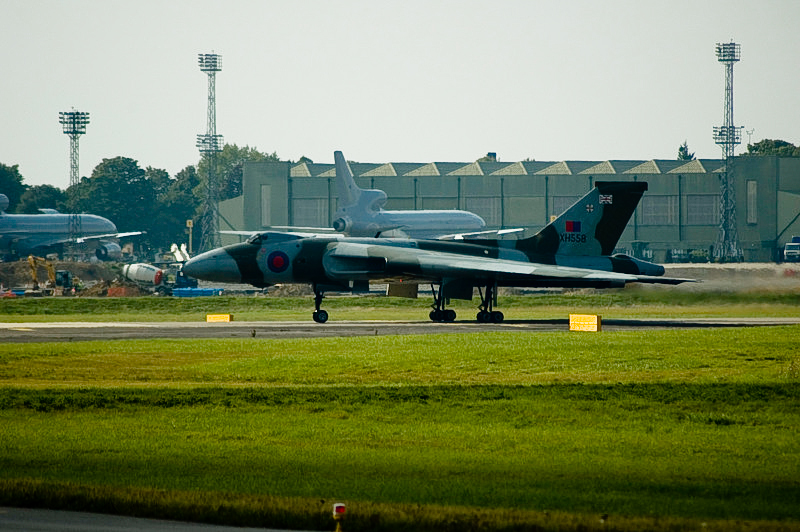
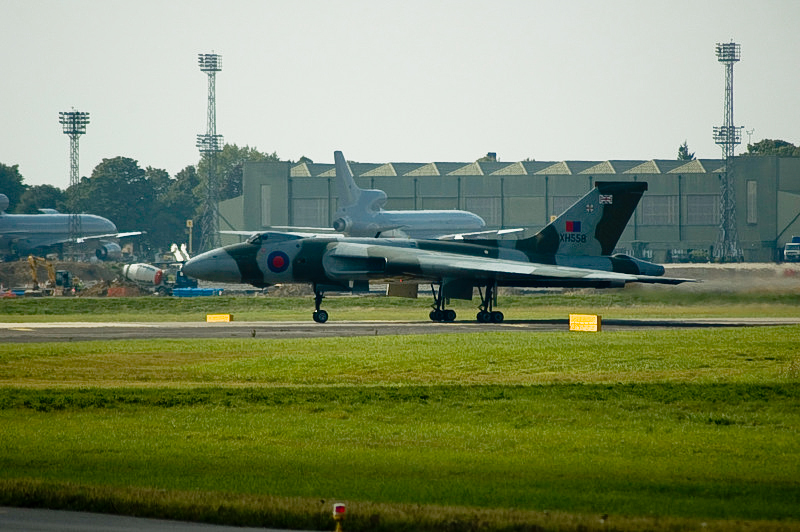
My quick 30 second play.
Changed white balance slightly
changed exposure darks etc
Changed clarity brightness etc
put slight curve to bring out contrast
sharpened a little
changed saturation a little
Not sure if this is any better / worse that you were looking for?
This is from the jpg so the results are not going to be as good as it would have been done from a RAW
Edited by eightseventhree on Friday 19th September 14:07
If you click on the develop option you will be presented with a lot of sliders on the right hand side. These are basically ordered from the top downwards in a reasonable workflow order, so when you have a little time to play with it, just start at the top, working your way down and see what each slider does. All of the changes are non destructive (i.e. does not change the original file) so don't worry about messing anything up.
MartinP said:
If you click on the develop option you will be presented with a lot of sliders on the right hand side. These are basically ordered from the top downwards in a reasonable workflow order, so when you have a little time to play with it, just start at the top, working your way down and see what each slider does. All of the changes are non destructive (i.e. does not change the original file) so don't worry about messing anything up.
Thanks for that, that certainly does help a lot. Is there any way to flag a photo so that you just export the flagged ones and not have to go through them all to remember which ones you wanted?Right clicking on the image lets you flag as picked, unpicked or give a star rating. You can also rate in the library view using the symbols at the bottom of the image.
In the bottom right corner you have the filter options, click on the appropriate symbol to select flagged, unflagged, star rated etc as required. Then just highlight and export as required.
Cheers,
Martin
In the bottom right corner you have the filter options, click on the appropriate symbol to select flagged, unflagged, star rated etc as required. Then just highlight and export as required.
Cheers,
Martin
Edited by MartinP on Friday 19th September 20:58
m12_nathan said:
They don't work for me? The installer runs fine but they don't appear in lightroom (v2 on vista)
I installed them on v1 and they carried over to v2 fine. Are you sure they're not just "rolled up"? Maybe something's changed between v1 and v2 regarding where the presets go, so upgrading moves them, but trying to install them puts them in the wrong place. Best bet is probably to try to find out where the installer put them and then manually shift them to where v2 expects them. I'll have a poke around if I can kick my son off the other computer for long enough.

Gassing Station | Photography & Video | Top of Page | What's New | My Stuff