
Discussion


Guys
Have a Canon 400D. Which I haven't used for ages I might add, but have just gotten round to buying a 50mm 1.8 prime lens. Cheap as chips and everyone raves about them so I thought I'd buy one and get inspired again....
Anyway, when shooting B&W, do you shoot in full colour and then adjust in photoshop accordingly, or do you use the B&W mode in the camera?
I suspect the latter but thought I'd ask.
Have a Canon 400D. Which I haven't used for ages I might add, but have just gotten round to buying a 50mm 1.8 prime lens. Cheap as chips and everyone raves about them so I thought I'd buy one and get inspired again....
Anyway, when shooting B&W, do you shoot in full colour and then adjust in photoshop accordingly, or do you use the B&W mode in the camera?
I suspect the latter but thought I'd ask.
There are lots of good actions for photoshop for B&W conversions too. I've been using one of the free samples from here...
http://www.gettotallyrad.com/
http://www.gettotallyrad.com/
Personally I shoot colour, then convert using Photoshops Colour mixer (image->adjustments I think). Tick the monochrome option, then adjust the sliders to taste. Basically you have a choice which colour channels you want to make the image up of and want to aim to keep the three percentages totaling 100%. I like this approach as it gives you total control. It's the digital equivilent of the red, green and blue filters you would you for black and white film photography in the old days.
The B&W shots here where done using the channel mixer:
http://www.pbase.com/duncan_c/papuafavs
The B&W shots here where done using the channel mixer:
http://www.pbase.com/duncan_c/papuafavs
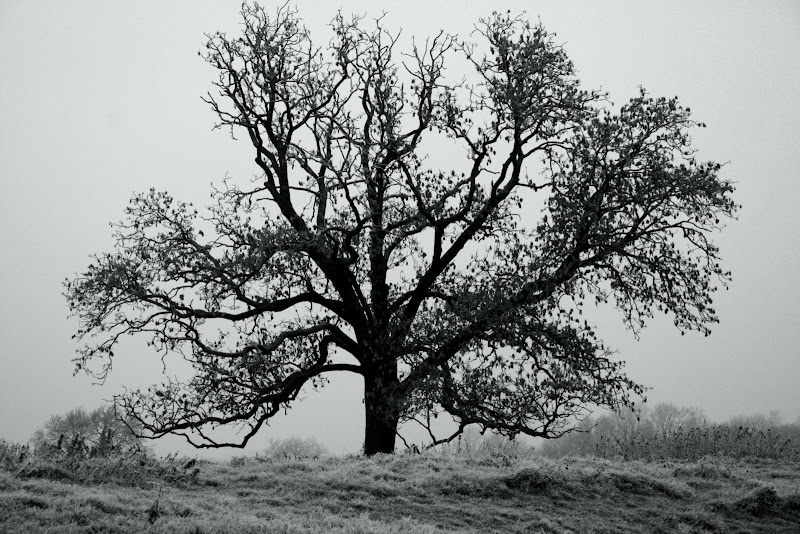
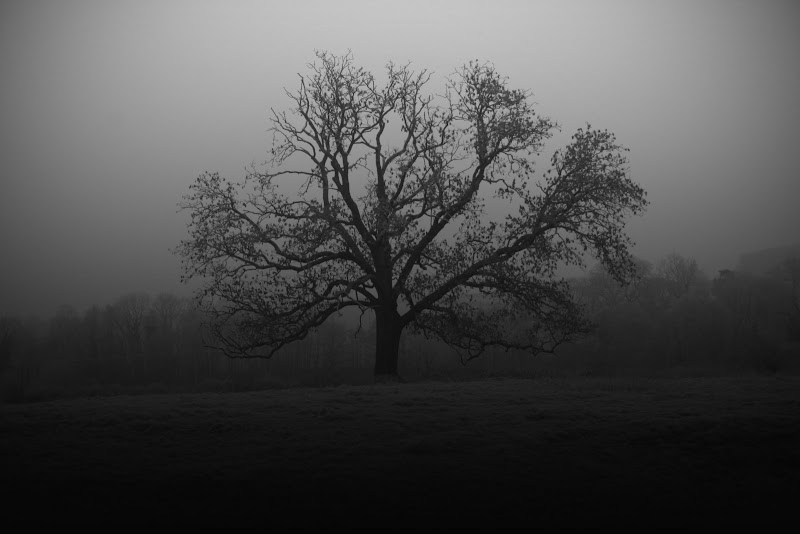
There was a good article in one of the mags a few months ago on the different ways of doing this using photoshop. I have usually used the saturation sliders in the past but the article talked about using the labs feature. I'll see if I can find it online.
Ah, download this (not the same article but has some other good stuff in it).
http://www.photoanswers.co.uk/upload/3306/attachme...
D
Ah, download this (not the same article but has some other good stuff in it).
http://www.photoanswers.co.uk/upload/3306/attachme...
D
Edited by davidd on Wednesday 21st January 12:45
Gassing Station | Photography & Video | Top of Page | What's New | My Stuff