
Itunes Help (It Just Works - NOT)
Discussion


Right then i have started to share my music with my 2 sons via the home network.. I have managed to get the home sharing sorted and they can listen to music from my library..
But they are unable to copy any of the music from my library to theirs.. Looked in the Itunes help, and it says just drag from the shared music library into the local machine to import it.. But It just does NOT work..
Any help??
But they are unable to copy any of the music from my library to theirs.. Looked in the Itunes help, and it says just drag from the shared music library into the local machine to import it.. But It just does NOT work..
Any help??
a direct quote from the itunes help system below
itunes help said:
To import items from other libraries using Home Sharing:
Choose Advanced > Turn On Home Sharing.
Type your iTunes account name and password, and then click Create Home Share.
Using the same user name and password, repeat steps 1 and 2 on each computer.
To import items from another computer, select the computer (below Shared), and drag items from its library to yours.
to automatically import iTunes Store items downloaded to a computer you're Home Sharing with, select "Automatically import new purchases from [Computer Name]."
Choose Advanced > Turn On Home Sharing.
Type your iTunes account name and password, and then click Create Home Share.
Using the same user name and password, repeat steps 1 and 2 on each computer.
To import items from another computer, select the computer (below Shared), and drag items from its library to yours.
to automatically import iTunes Store items downloaded to a computer you're Home Sharing with, select "Automatically import new purchases from [Computer Name]."
You can import using home sharing... The computers have to be authorised, obviously. I use home sharing to import, etc, but I have the same account enabled on all the itunes on each comp.
On your network, do you have the same account on each itunes program, or is it just 'authorised'?
On your network, do you have the same account on each itunes program, or is it just 'authorised'?
Edited by Blue Meanie on Sunday 11th April 23:55


I have no problem copying files from one machine to another in iTunes. In fact, I do it on an almost daily basis. But then I do have mostly Macs on my network. As others have said. Make sure that each machine is authorised and if you're doing to and from a PC that any firewalls are not blocking any required ports.
[AJ] said:
I have no problem copying files from one machine to another in iTunes. In fact, I do it on an almost daily basis. But then I do have mostly Macs on my network. As others have said. Make sure that each machine is authorised and if you're doing to and from a PC that any firewalls are not blocking any required ports.
the 3 machines have been authorised.. I beleive the firewall has all of the ports open that need to be open. does anyone have a port number or numbers that the home sharing requires?
I can listen to music from my library, but i can not copy any of the library items from my library to my sons library. Its just annoying having to find the mps and add them one by one to his library manually.
All of the music is shared on a NAS device so is easy (ish) to import, but it is not the simplest way for an 8 year old to get new music on his Ipod.
stevieb said:
[AJ] said:
I have no problem copying files from one machine to another in iTunes. In fact, I do it on an almost daily basis. But then I do have mostly Macs on my network. As others have said. Make sure that each machine is authorised and if you're doing to and from a PC that any firewalls are not blocking any required ports.
the 3 machines have been authorised.. I beleive the firewall has all of the ports open that need to be open. does anyone have a port number or numbers that the home sharing requires?
I can listen to music from my library, but i can not copy any of the library items from my library to my sons library. Its just annoying having to find the mps and add them one by one to his library manually.
All of the music is shared on a NAS device so is easy (ish) to import, but it is not the simplest way for an 8 year old to get new music on his Ipod.
5678 said:
stevieb said:
[AJ] said:
I have no problem copying files from one machine to another in iTunes. In fact, I do it on an almost daily basis. But then I do have mostly Macs on my network. As others have said. Make sure that each machine is authorised and if you're doing to and from a PC that any firewalls are not blocking any required ports.
the 3 machines have been authorised.. I beleive the firewall has all of the ports open that need to be open. does anyone have a port number or numbers that the home sharing requires?
I can listen to music from my library, but i can not copy any of the library items from my library to my sons library. Its just annoying having to find the mps and add them one by one to his library manually.
All of the music is shared on a NAS device so is easy (ish) to import, but it is not the simplest way for an 8 year old to get new music on his Ipod.
I have tried dragging them across, and also doing right click, copy and paste but it does not give me an option to paste it in the local library.
stevieb said:
5678 said:
stevieb said:
[AJ] said:
I have no problem copying files from one machine to another in iTunes. In fact, I do it on an almost daily basis. But then I do have mostly Macs on my network. As others have said. Make sure that each machine is authorised and if you're doing to and from a PC that any firewalls are not blocking any required ports.
the 3 machines have been authorised.. I beleive the firewall has all of the ports open that need to be open. does anyone have a port number or numbers that the home sharing requires?
I can listen to music from my library, but i can not copy any of the library items from my library to my sons library. Its just annoying having to find the mps and add them one by one to his library manually.
All of the music is shared on a NAS device so is easy (ish) to import, but it is not the simplest way for an 8 year old to get new music on his Ipod.
I have tried dragging them across, and also doing right click, copy and paste but it does not give me an option to paste it in the local library.


mikeh501 said:
Blue Meanie said:
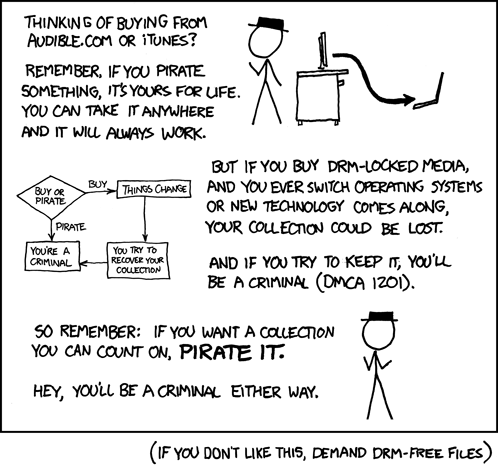
Music on iTunes is DRM free...
really, when did this change? Last time I bought something it came down as a .m4p file which wouldnt play on any other computer.Gassing Station | Computers, Gadgets & Stuff | Top of Page | What's New | My Stuff