
Thumbsnap is broken
Discussion


http://www.pistonheads.com/gassing/topic.asp?h=0&a...
All the images uploaded through Thumbsnap here have disappeared. Glitch in the system or is Thumbsnap down?
All the images uploaded through Thumbsnap here have disappeared. Glitch in the system or is Thumbsnap down?
MOTORVATOR said:
Seems to be a firefox only problem.
No images in firefox with add ons and off, even safe mode.
Google chrome and IE seem to manage it though.
Error console comes up with all sorts of warnings about values but I can't make sense of it.
All the ones I have seen problems with have a /s/ in the URL, if you change this to /i/ seems to work.No images in firefox with add ons and off, even safe mode.
Google chrome and IE seem to manage it though.
Error console comes up with all sorts of warnings about values but I can't make sense of it.
With /s/ not working in Firefox
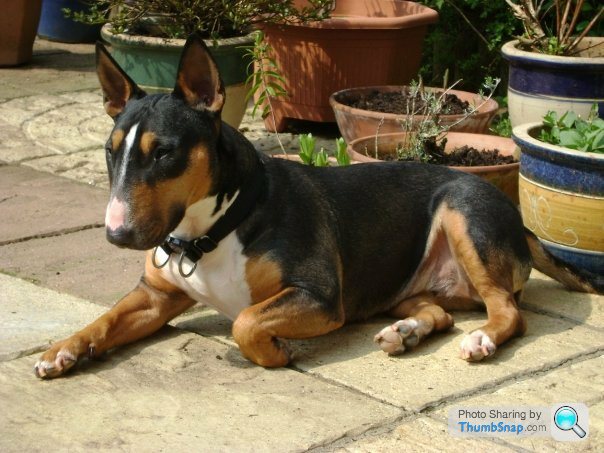
With /i/ working in Firefox

Anyone else confirm you see/don't see same with Firefox ?
PS. Not my dog just a quote from a random broken image.
Edited by plover on Monday 3rd May 06:22
plover said:
All the ones I have seen problems with have a /s/ in the URL, if you change this to /i/ seems to work.
Anyone else confirm you see/don't see same with Firefox ?
To answer my own post , that doesn't work either once posted; works Ok while editing post and for a short while afterwards once posted. Very odd.Anyone else confirm you see/don't see same with Firefox ?
Scraggles said:
I only use firefox, so if I can post a thumbsnap image taken from and posted in firefox, it is not a firefox issue
more like operator error
Scraggles you seem to be missing the point here.more like operator error
We can all post photos to thumbsnap but can you include them in a post as a thumbnail and then view them within the post.
All you have shown above is a link not an embedded image.
Seems to me that FF doesn't like the formatting of the embedding code.
Like this............

There is a picture above of a penguin here in forum fit

Ditto in thumbnail

Ditto in original
This all shows up in preview prior to post
This is winding me up now. I couldn't see the dogs but can see my penguins. The only difference seems to be an additional break before and after the image.
So I thought what if edit the dogs post and add a break in and then I can see a little blue box in preview.
If I click on that then the thumbsnap then comes up. and thereafter I can now see the first dog in the post above but not the second.
So obviously the cache is having some effect, making it difficult to track down the problem.
So I thought what if edit the dogs post and add a break in and then I can see a little blue box in preview.
If I click on that then the thumbsnap then comes up. and thereafter I can now see the first dog in the post above but not the second.
So obviously the cache is having some effect, making it difficult to track down the problem.
Taken from the Kylie thread (which is probably the one all us FF users are geeting frustrated about) 
As per the title really; I've just seen a picture of her in the Herald and she looks like another person who's had (lots of)surgery so she looks a bit like Kylie. WTF?
This is the pic in the paper
These popped up on the first page with google.


As per the title really; I've just seen a picture of her in the Herald and she looks like another person who's had (lots of)surgery so she looks a bit like Kylie. WTF?
This is the pic in the paper
These popped up on the first page with google.
MOTORVATOR said:
Taken from the Kylie thread (which is probably the one all us FF users are geeting frustrated about)
As per the title really; I've just seen a picture of her in the Herald and she looks like another person who's had (lots of)surgery so she looks a bit like Kylie. WTF?
This is the pic in the paper
These popped up on the first page with google.
None of those work in opera.As per the title really; I've just seen a picture of her in the Herald and she looks like another person who's had (lots of)surgery so she looks a bit like Kylie. WTF?
This is the pic in the paper
These popped up on the first page with google.
Gassing Station | Website Feedback | Top of Page | What's New | My Stuff